
GitBoard
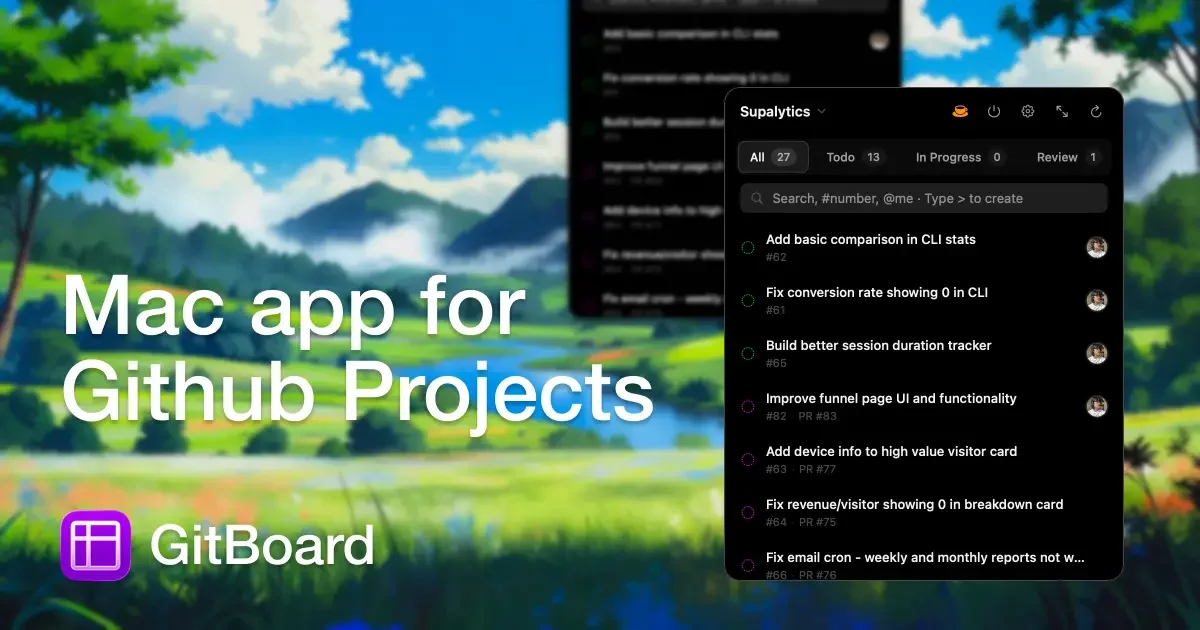
GitBoard is a native macOS menu bar app for GitHub Projects to view your kanban board, filter by status, search issues, and create or assign.
What is GitBoard?
GitBoard is a native macOS menu bar app for GitHub Projects. It helps you view and manage your project kanban board directly from the macOS menu bar while staying within your current workflow.
The app is designed to support everyday project triage—filtering by status, searching issues, and creating or assigning issues—without leaving your workflow. It also provides notifications when issues move between statuses and supports GitHub CLI authentication so you don’t need API tokens.
Key Features
- Menu bar access: Click the menu bar icon to view your board and work on items from anywhere on macOS.
- Status filtering: Switch between common project states (e.g., Todo, In Progress, Done) to focus on what’s relevant.
- Issue search: Search issues by title, number, or
@assignee. - Quick create: Type
>to create issues inline. - Assign users: Right-click to assign yourself or others.
- Full kanban window: Open a larger kanban view with drag-and-drop between columns.
- Status notifications: Get notified when issues move so you can track changes.
- GitHub CLI authentication: Auth via GitHub CLI and avoid needing API tokens.
How to Use GitBoard
- Install GitBoard on macOS and ensure you’re on macOS 14+.
- Authenticate using GitHub CLI (GitBoard uses your GitHub CLI setup).
- Open the menu bar icon to view your kanban board.
- Use status filters to narrow the board view, search to find issues quickly, and quick create to add new issues inline.
- For more hands-on movement, open the full kanban window and use drag-and-drop to move issues between columns.
Use Cases
- Daily kanban check without context switching: Use the menu bar board view to review what’s in Todo, In Progress, and Done while you continue using other apps.
- Issue triage by assignee: Search for issues by
@assigneeto find work items relevant to you or a teammate. - Frictionless backlog updates: Create new issues inline using
>when you need to capture a task immediately. - Collaborative ownership changes: Right-click an item to assign yourself or others when you take over work or rebalance responsibilities.
- Tracking movement across statuses: Rely on status notifications to stay aware of when issues change columns.
- Organized workflow during reviews: Open the full kanban window to drag-and-drop issues between columns during planning or review sessions.
FAQ
-
Does GitBoard require API tokens? No. The app uses GitHub CLI authentication and notes that no API tokens are needed.
-
What macOS version is required? GitBoard requires macOS 14+.
-
Can I view my board from the menu bar? Yes. The app provides menu bar access where you can click the icon to view your board.
-
How do I move issues between columns? In the full kanban window, you can drag and drop between columns.
-
Is GitBoard affiliated with GitHub, Inc.? No. The page states it is not affiliated with GitHub, Inc.
Alternatives
- GitHub web interface (Projects/kanban): Use the browser to view and manage GitHub Projects, but it requires context switching away from your current macOS workflow.
- Standalone GitHub clients with project views: Some GitHub desktop clients or third-party tools can help manage issues and projects, but they may not offer the same menu bar presence or kanban-focused interaction.
- General-purpose kanban apps (non-GitHub): Tools like standalone kanban boards can provide drag-and-drop workflows and notifications, but they may not connect directly to GitHub Projects in the same way.
- CLI-first workflows: Use GitHub CLI plus scripts for searching and updating issues, which can reduce UI dependency but typically lacks a dedicated kanban board experience and menu bar visibility.
Alternatives
OpenFlags
OpenFlags is an open source, self-hosted feature flag system with a control plane and typed SDKs for progressive delivery and safe rollouts.
Studio CLI
Control WordPress Studio features from the terminal with Studio CLI—manage local sites, create/update/delete WordPress.com preview sites, and authenticate.
Polsia
Polsia is an autonomous AI system that plans, codes, and markets your company on a daily cadence while you sleep.
Biji
Biji is a versatile platform designed to enhance productivity through innovative tools and features.
Codex Plugins
Use Codex Plugins to bundle skills, app integrations, and MCP servers into reusable workflows—extending Codex access to tools like Gmail, Drive, and Slack.
Struere
Struere is an AI-native operational system that replaces spreadsheet workflows with structured software—dashboards, alerts, and automations.

