

Tactiq.io
Tactiq.io is an AI meeting assistant with live transcription for Zoom, Google Meet, and MS Teams, then generates summaries and action items.
What is Tactiq.io?
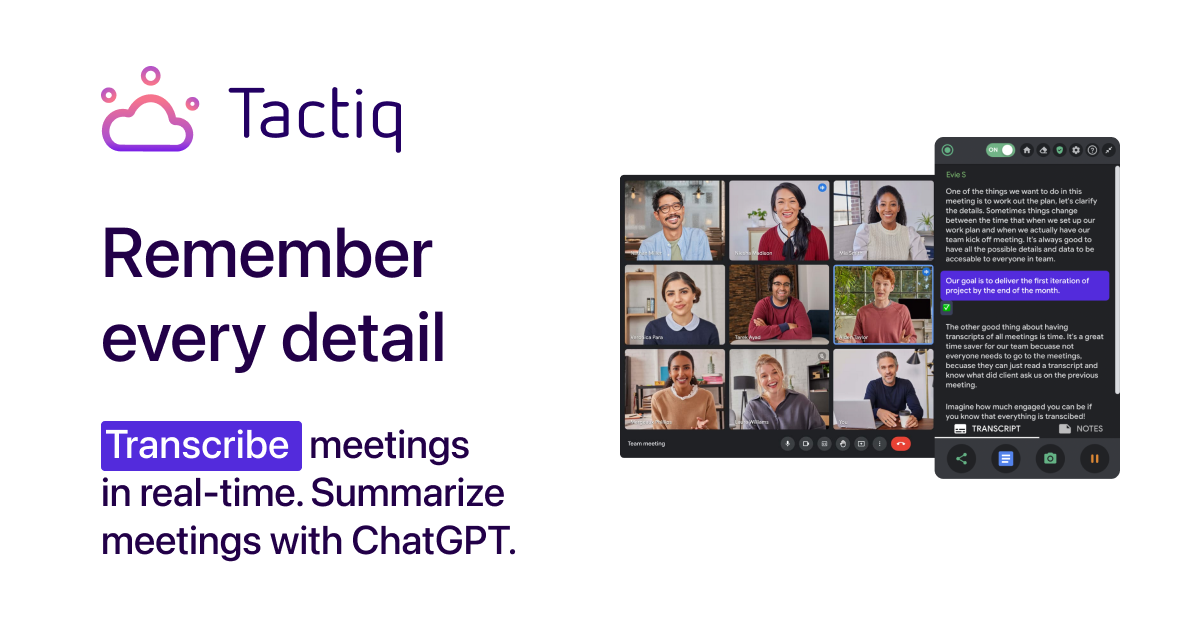
Tactiq.io is an AI meeting transcript and meeting assistant for Zoom, Google Meet, and Microsoft Teams. It provides live transcription and turns meeting conversations into summaries, action items, and Q&A outputs so you can follow up with context.
The core purpose is to help you capture what was said in real time and then extract practical outcomes—such as commitments and follow-up tasks—without needing to manually reconstruct notes after the meeting.
Key Features
- Live transcription for Zoom, Google Meet, and MS Teams: get transcripts as the meeting happens and use them as the source for later outputs.
- Speaker identification and support for 60+ languages: transcripts preserve conversational flow and language coverage across meetings.
- One-click meeting summaries: generate summaries from the transcript so you can review key points quickly.
- Action items from transcripts: convert commitments discussed in the meeting into actionable items for follow-through.
- Custom AI prompts and reusable questions: ask the transcript questions that match your workflow and reuse them across meetings.
- Previous meeting summaries: access prior summaries to continue work with historical context.
- Meeting workflow automations and sharing: trigger automations and share outputs with tools such as Slack, Notion, Linear, and Hubspot.
- No AI bot joins the call: Tactiq is designed so it can provide live transcription without joining the meeting as a separate bot.
How to Use Tactiq.io
- Install the Tactiq Chrome Extension (“Add to Chrome”) so it’s available for your meetings.
- Join a meeting in Zoom, Google Meet, or Microsoft Teams and enable Tactiq’s transcription while the meeting is running.
- Review the live transcript and use the available actions to generate a one-click meeting summary and action items.
- If you need specific outputs, ask custom AI questions based on the transcript; save/reuse prompts as needed.
- Use workflow automations to share or trigger next steps in tools such as Slack, Notion, Linear, or Hubspot.
Use Cases
- Team follow-up after sales or customer calls: turn discussions into action items and share summaries so commitments are tracked consistently.
- Project coordination across recurring meetings: pull previous meeting summaries to maintain continuity and reduce time spent re-reading older notes.
- Multilingual meetings: when participants speak multiple languages, use speaker identification and 60+ language support to keep transcripts usable across attendees.
- Internal planning sessions with specific decision questions: ask custom questions to the transcript to extract decisions, risks, or open questions relevant to your role.
- Operations teams routing meeting outcomes: use workflow automations and sharing to send summaries or trigger follow-up tasks in tools like Slack, Notion, Linear, or Hubspot.
FAQ
Does Tactiq record the audio from meetings? No. Tactiq does not record or store audio. The transcript is produced in real time and saved as text.
Will everyone in the meeting see the transcription? No. The transcription is displayed only for you, though you can notify participants that you’re transcribing during the meeting.
Which video meeting platforms does Tactiq.io support? Tactiq.io supports live transcription for Zoom, Google Meet, and Microsoft Teams.
Does Tactiq use ChatGPT? The site states it does not. Tactiq uses OpenAI’s enterprise API offering, which is different from ChatGPT.
How does Tactiq handle security and privacy? Tactiq states it is ISO 27001 certified, has a SOC 2 Type II attestation, and is compliant with GDPR and HIPAA. It also states that OpenAI does not use data submitted via the API to train OpenAI models or improve OpenAI’s service offering.
Alternatives
- Generic meeting note-taking apps: These focus on manual or lightweight note capture, whereas Tactiq centers on live transcription plus AI-driven summaries and action items.
- Transcription-only tools for calls: Some tools provide text transcripts but may not include one-click summaries, action-item extraction, or custom transcript Q&A.
- General purpose workflow automation tools: Platforms that automate tasks (e.g., integrations-based automation) can move meeting information into other apps, but may require additional steps because they typically don’t generate the transcript-derived outputs.
- Document-based knowledge capture tools: Note wikis and collaborative docs can store outcomes, but they generally rely on users to write or import meeting notes rather than creating summaries and action items from live transcripts.
Alternatives

Tactiq
Tactiq is an AI meeting assistant that provides live transcription, AI summaries, action items, and custom AI prompts for Google Meet, Zoom, and Teams.

Scripta
Scripta is a privacy-first AI notetaker that records, transcribes, and summarizes your meetings directly on your device, without requiring bot access.

LIAM
LIAM is an AI copilot that drafts email replies, organizes your inbox with auto-labels and prioritization, and schedules meetings from your calendar.

AI PDF Summarizer
An AI-powered tool that summarizes PDF documents quickly and efficiently, providing clear insights and allowing users to interact with the content.

garden-md
Turn meeting transcripts into a structured, linked company wiki with local markdown and an HTML browser view. Sync from supported sources.

心流AI助手
Xinliu is an AI assistant that helps you efficiently acquire knowledge, whether it's everyday entertainment information or professional academic paper insights, it can easily provide answers.