
Isolated profiles per tailnet
Each configured tailnet gets its own embedded Tailscale node inside TailMux, with separate identity, state, sockets, and node key handling.

TailMux is a macOS and Linux tool for accessing multiple independent Tailscale tailnets from one workstation, with hostname-suffix routing and no client session switching.
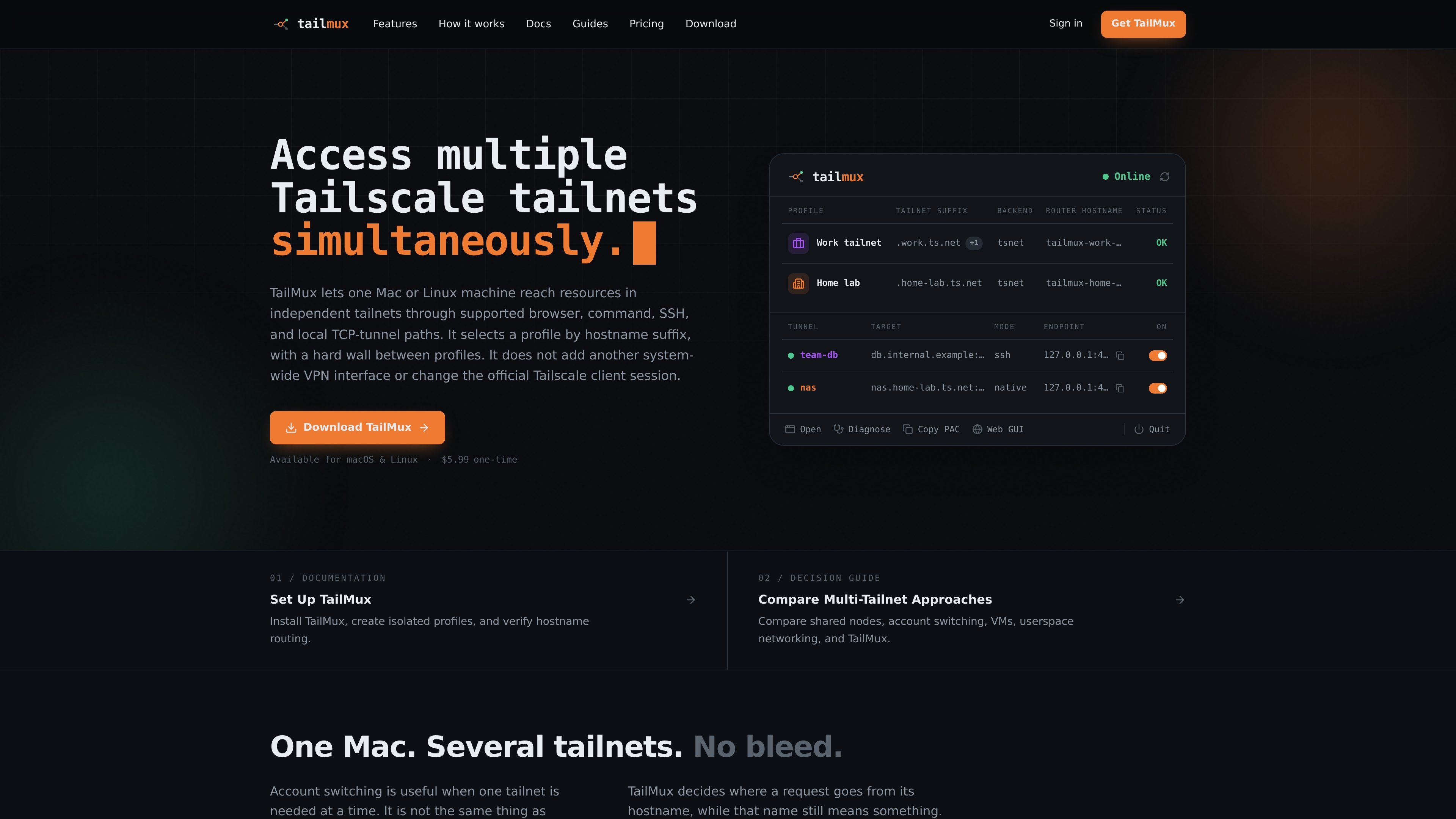
TailMux is a developer tool for reaching resources in multiple independent Tailscale tailnets from one Mac or Linux machine at the same time. It is built for workflows where a single workstation needs access to both work and personal tailnets, or any other separately configured tailnets, without switching the official Tailscale client account.
The product routes supported browser, command, SSH, and local TCP-tunnel connections by hostname suffix. Each profile runs its own embedded Tailscale node, so account state, sockets, logs, and node identity stay separate, and a hostname owned by one profile never falls back to another profile. TailMux is application-layer routing rather than a second system-wide VPN interface.
Each configured tailnet gets its own embedded Tailscale node inside TailMux, with separate identity, state, sockets, and node key handling.
TailMux matches supported requests by hostname suffix so the name itself is the routing key, rather than an IP address selected after the fact.
A profile-owned hostname is either routed to its owner or denied. If a request does not match, TailMux does not silently retry another tailnet.
On macOS, TailMux can install a PAC file so browser traffic for owned suffixes goes through TailMux while everything else stays direct.
The CLI includes tools for SSH, local TCP tunnels, diagnostics, status checks, and proxy-style workflows such as env and run.
The app is available on macOS and Linux, with a menu bar app on macOS and a CLI-first workflow on Linux.
Keep a work tailnet and a personal tailnet reachable on the same Mac without repeatedly signing in and out of the official Tailscale client.
Open a browser to internal sites whose hostnames belong to different tailnets, with PAC-based routing handling the supported suffixes on macOS.
Reach SSH hosts and local TCP services such as databases, SMB shares, or RDP endpoints through a fixed loopback port tied to a specific profile.
Check which profile owns a host, whether a peer is visible, and how the path is behaving before connecting.
Use a Linux or macOS workstation as the access point for several tailnets without standing up a VM or second system-wide VPN interface.
TailMux is designed for simultaneous access to resources in multiple independent Tailscale tailnets on macOS and Linux. It keeps a separate profile per tailnet and routes supported hostname-based connections to the profile that owns the suffix.
No. TailMux is a separate tool that uses isolated profiles for supported connections without changing the official Tailscale client session.
TailMux supports browser access through PAC routing on macOS, SSH via tailmux ssh, and fixed local TCP tunnels for clients such as database, RDP, or SMB tools. It is described as an application-layer routing tool rather than a system-wide VPN interface.
TailMux uses a hostname suffix to choose a profile. A hostname owned by one profile never falls back to another profile, and overlapping suffixes are rejected when the configuration is saved.
The pricing page says TailMux is a one-time purchase with one year of updates included. After that year, you keep the versions released during your update period and can renew only if you want another year of updates.

ByteAsk is a terminal-first AI coding agent for C and C++ that edits repos and verifies changes with compilers, debuggers, sanitizers, and tests.

CreateOS Sandbox is an isolated compute environment for running code and agent workloads in Firecracker micro-VMs with private networking and SDK, CLI, or MCP control.

GitBot is a local browser workspace for reusable coding bots powered by Claude Code, Codex, or OpenCode, with persistent threads and configurable permissions.

hob is an independent workspace for coding agents, with local control over sessions, terminals, history, routing, and follow-up work.

Ably Chat is a chat API platform for custom realtime chat apps, with rooms, typing indicators, presence, reactions, message updates and usage-based pricing.

MacSpoof is a macOS MAC address changer that lets you change or randomize your Wi‑Fi MAC to reconnect and limit device logging on public Wi‑Fi.