

Timely
Timely is AI-powered time tracking for consultancies, agencies, and SaaS teams. Automatically records time across apps and helps users approve timesheets.
What is Timely?
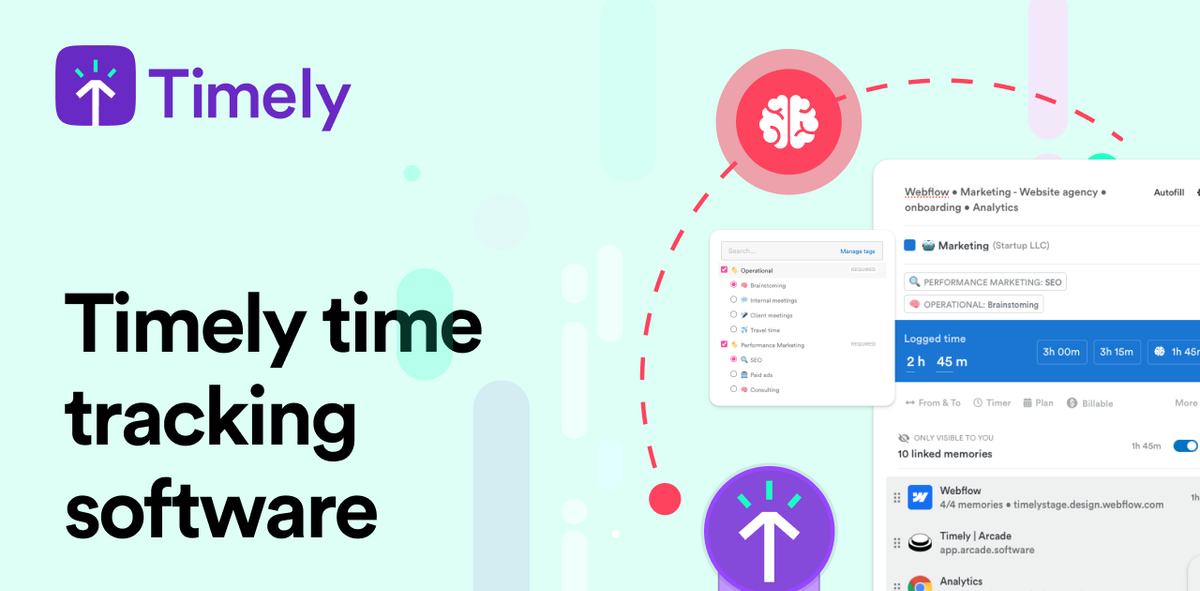
Timely is AI-powered time tracking software designed for teams that bill, plan, and report work based on time data. Instead of relying on manual note-taking or stop-start timers, Timely automatically tracks time across web and desktop apps and helps teams create timesheets using AI.
The product’s core purpose is to improve trust and adoption of time tracking by making data visible to users, requiring user approval for entries, and minimizing surveillance-style collection. Teams then use the resulting time data for reporting, utilization, capacity planning, and operational decision-making.
Key Features
- Automatic time tracking across apps: Timely tracks time spent in every web and desktop app automatically, reducing reliance on timers and manual input.
- Memory tracker: A “memory” layer that tracks every minute of work on any app to support more continuous capture without clunky stop-start timing.
- AI timesheets with one-click completion: AI drafts timesheet entries so users can complete timesheets in under 2 minutes and approve rather than author every entry.
- User-approved sharing and granular visibility: Only user-approved entries are shared, with granular capture and visibility settings that keep control with the user.
- Privacy-first capture approach: Timely states it does not use keystroke logging or screenshots (and positions itself as “no spying”).
- People dashboard and time planning: Dashboards show team capacity and where time is spent, and time planning uses live utilization and capacity/burn to help schedule resources.
- Billable rates support: Tools for aligning operations with billable rates to support margin and profitability reporting (as described on the site).
- Integrations and developer access: Timely supports workflow integrations and offers API documentation.
How to Use Timely
- Start a free trial or book a demo to set up Timely for your team.
- Install/connect Timely so it can begin automatic time tracking across the web and desktop apps your team uses.
- Use the AI timesheet workflow: AI drafts entries from tracked activity, and users review and approve (the site emphasizes that approval is required).
- Configure visibility and capture settings: Use granular settings so users control what is captured/seen and what gets shared.
- Use reporting dashboards for operations: Teams can review time data in people/capacity views, and leaders can use time planning based on utilization and capacity/burn.
Use Cases
- Consultancies and agencies billing by project: Capture time across apps automatically, complete AI-assisted timesheets, and generate more consistent project/work hour records for client billing.
- SaaS and software teams tracking delivery effort: Monitor where time is actually spent across people and projects to identify bottlenecks and reduce low-value admin work.
- Utilization and capacity management for leadership: Use the people dashboard and time planning views to see capacity constraints and forecast resource needs using live utilization and burn data.
- Compliance-oriented internal time reporting: Maintain complete and accurate timesheets through AI drafting and user approval, reducing the need to chase missing or incorrect entries.
- Teams focused on privacy and adoption: Improve buy-in by using user-approved sharing and transparency into what’s captured and why, while avoiding keystroke logging and screenshots.
FAQ
-
Is Timely fully automated, or do users still approve timesheets? Timely is designed so time tracking happens automatically, but users stay in control: entries are user-approved, and the AI drafts timesheet content for users to approve.
-
What does Timely track? According to the site, Timely can track time spent in web and desktop apps automatically using its Memory tracker.
-
Does Timely use screenshots or keystroke logging? Timely states it does not use keystroke logging or screenshots.
-
Can teams control what gets shared or shown to others? Yes. The site describes “private timelines” where only user-approved entries are shared and notes granular capture & visibility settings.
-
Does Timely offer an API or integrations? The site mentions integrations and provides API documentation.
Alternatives
- Manual timesheets (spreadsheets or basic timesheet apps): These rely on users entering time themselves, which can increase admin effort and reduce consistency compared with automatic capture plus AI drafting.
- Traditional time tracking with stop-start timers: These can place more burden on starting/stopping and manual note entry than Timely’s continuous app-based tracking approach.
- Work management platforms with built-in time tracking: Some tools focus on planning and task workflows; compared to Timely, they may not provide the same automatic app-level capture and user-approved AI timesheet workflow described here.
- Monitoring/employee activity tools: For teams concerned about surveillance, these categories typically differ from Timely’s stated privacy-first positioning (no keystroke logging and no screenshots).
Alternatives

PromptScout
PromptScout tracks how your brand is mentioned, which competitors are recommended, and what sources are cited in AI answers—plus website audits.

Biji
Biji is a versatile platform designed to enhance productivity through innovative tools and features.

Sleek Analytics
Lightweight, privacy-friendly analytics with real-time visitor tracking—see where visitors come from, what they view, and how long they stay.

MacSpoof
MacSpoof is a macOS MAC address changer that lets you change or randomize your Wi‑Fi MAC to reconnect and limit device logging on public Wi‑Fi.

ClawTick
ClawTick is a CLI-first AI agent automation platform for scheduling webhook tasks on cron with monitoring, alerts, retries, and execution logs.

OpenFlags
OpenFlags is an open source, self-hosted feature flag system with a control plane and typed SDKs for progressive delivery and safe rollouts.