
Instant YouTube dubbing
Paste a YouTube link and start dubbing without uploading files or waiting for a full render. The audio is generated as you watch.

Yeta AI is a browser-based tool that translates and dubs public YouTube videos in real time with AI voices for tutorials, lectures, and long-form videos in 10+ languages.
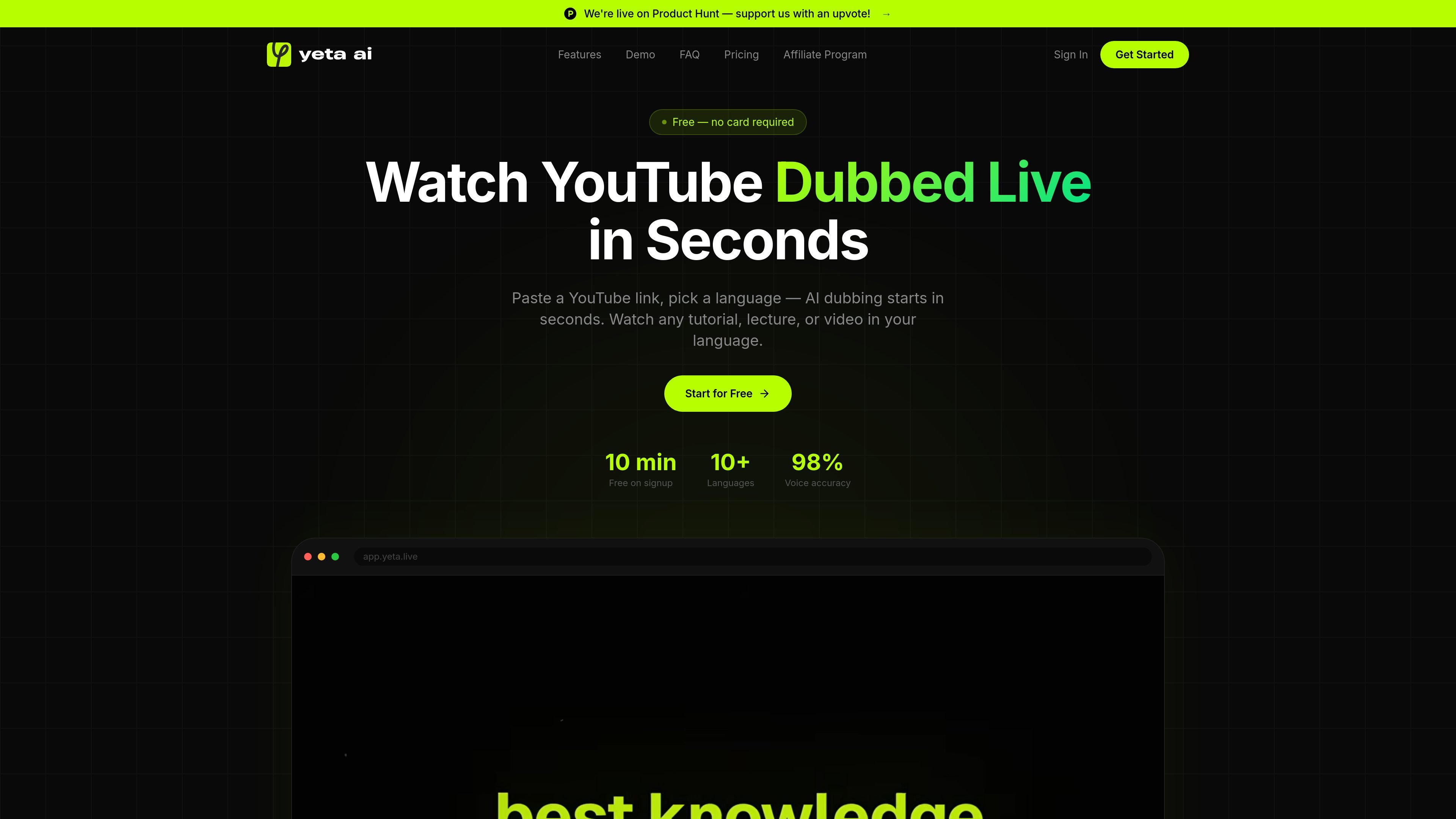
Yeta AI is a browser-based AI dubbing product for YouTube videos. It translates and dubs public YouTube links in real time so viewers can listen in their own language while the original video continues underneath.
The homepage positions the product for watching tutorials, lectures, and other long-form videos without relying on subtitles. It emphasizes instant start, live sync, and support for more than 10 languages, with a free signup that does not require a card.
Paste a YouTube link and start dubbing without uploading files or waiting for a full render. The audio is generated as you watch.
The product generates dubbed audio live and keeps it synced with the video segment by segment, so you can jump around without restarting a render.
The site says Yeta AI uses studio-quality AI voices that are clear and expressive for lectures and tutorials.
Watch the dubbed video directly in the browser, with controls for volume and playback speed. No separate app or download is described.
The homepage lists English, Russian, Spanish, French, German, Japanese, Chinese, Arabic, and more.
A free signup includes 10 minutes on the homepage and a separate freemium note says 15 minutes free every month forever; the page also says no card is required to start.
Watch technical explainers or course videos in your preferred language without reading subtitles while the original playback continues underneath.
Use the live dubbing workflow when you want to consume long videos hands-free, such as while cooking, commuting, or doing other tasks.
Open a public YouTube link in the browser and switch it into another supported language for faster comprehension and easier follow-along viewing.
Try the free plan to see how the live dubbing and voice quality handle a particular video before moving to a paid minute tier.
Yes. The homepage says you can paste any public YouTube URL and Yeta AI starts dubbing within seconds. Private or age-restricted videos are not supported.
No. The site describes a freemium model with 15 minutes free every month forever, plus paid plans for more usage. It also says there is no card required for the free signup.
The homepage lists 10+ languages, including English, Russian, Spanish, French, German, Japanese, Chinese, and Arabic.
The video plays in the browser with dubbed audio synced as you watch. The site says there is no app or download required for playback.

CAMB.AI Streams dubs live audio in real time for YouTube, Twitch, X and other platforms, using existing live workflows and no post-production.

FlexClip is an AI-powered online video maker and editor for creating videos from templates or from scratch with browser-based editing, scripting, voiceover, subtitles, translation, and background removal.

Official HeyGen API docs for AI avatar videos, video translation, lipsync, and interactive video-agent sessions via API, MCP, and CLI workflows.

Talkpal is an AI language learning app for web and mobile with speaking, listening, writing, pronunciation practice, guided courses, roleplays, and 130+ languages.

Fylom is an AI podcast generator that turns topics or questions into researched, narrated episodes with voice selection and recurring listening.
MagicSlides is an AI presentation generator that turns text, topics, documents, URLs, and videos into slide decks. Google Slides by default, with PowerPoint export and multilingual AI editing.