
Preview each command before execution
Bumply shows the exact update command before it runs and waits for confirmation, so you can review what will change before anything touches your project.

Bumply is a macOS app for updating npm, pnpm, Yarn, and Bun projects with command previews, reversible file changes, and read-only dependency audits.
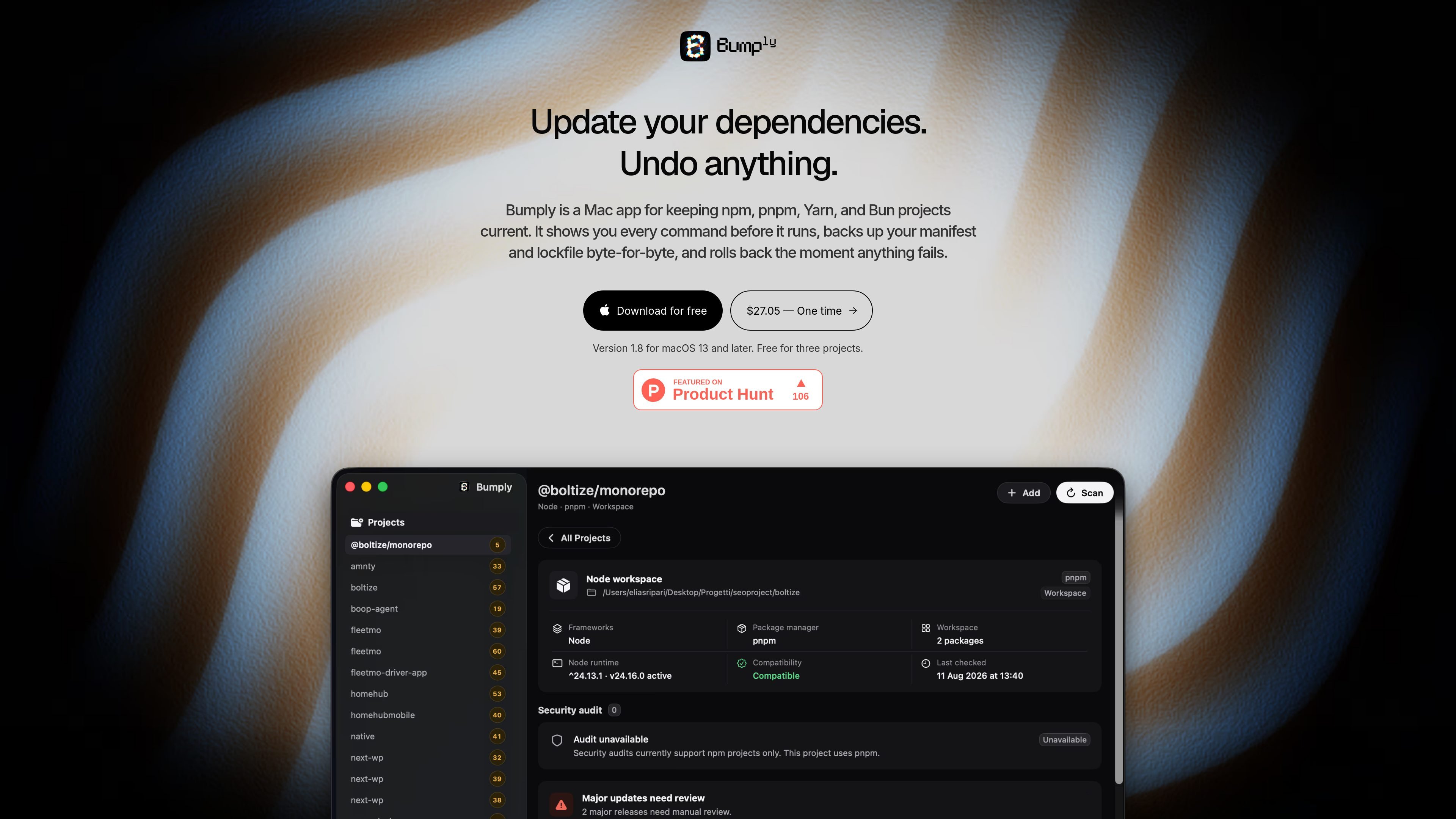
Bumply is a Mac app for keeping npm, pnpm, Yarn, and Bun projects current. It is designed for people who want to review dependency updates before they run, keep a record of what changed, and undo updates later if they need to.
The app scans the Node projects under folders you choose, including monorepos, and shows what is installed, what the manifest requests, and what the registry currently offers. It also checks advisory data without executing package scripts and can identify build artefacts that can be removed and recovered from the Trash.
Bumply shows the exact update command before it runs and waits for confirmation, so you can review what will change before anything touches your project.
Before an update starts, Bumply copies the manifest and lockfile byte-for-byte. If the update fails, it restores those files exactly, and it also keeps an Update History for later rollbacks.
The app compares what is installed, what your manifest asks for, and what the registry offers. It labels updates by whether they stay within range or cross a major version, and it keeps each source visible.
Bumply reads advisory data in read-only mode using package-manager audit data. The page says it uses package-lock-only and ignore-scripts, and that no package scripts run while it checks.
It can find build artefacts a project can regenerate, including node_modules, .next, .turbo, and Pods, show what they cost, and send removed files to the Trash.
Bumply lives in the menu bar, re-checks projects every six hours, can start at login if you turn it on, and sends notifications when dependencies have new releases or high and critical advisories.
Use Bumply when you want to update dependencies in a controlled way. It shows the exact command first, classifies updates by version range, and waits for you to proceed.
Use it when a change goes wrong or when you need to revisit an earlier state. Bumply backs up manifest and lockfile files before updates, restores them if something fails, and keeps Update History for later rollback.
Use it to check project health without running package code. The app reads audit data in read-only mode and reports advisories without executing scripts.
Use it when disk usage matters and you want to clear project-generated artefacts. Bumply can identify items such as node_modules, .next, .turbo, and Pods, show their size, and move removed files to the Trash.
Use it across a workspace or a folder tree when you manage several Node projects. Bumply can find projects under the folders you pick, group monorepos as one project, and keep them visible in a single window.
Bumply works with npm, pnpm, Yarn, and Bun projects. The homepage says it finds Node projects under folders you pick and recognizes monorepos as a single project.
Yes. The homepage says Bumply is free for three projects, with no time limit and no account required. It also says every project is covered for the first seven days so you can try it before buying.
No. The homepage says Bumply works offline after activation, and the refund policy says it contacts the licensing server only once when you activate. It still needs access to your package manager’s registry when checking for updates, just like the package manager itself.
Yes. The homepage says a workspace root and the packages inside it are recognized as one project, and the top screenshot is a pnpm workspace with two packages.
Bumply is sold as a perpetual licence. The checkout page says it is one payment for a perpetual licence with twelve months of updates, and the refund policy says purchases are handled by Paddle.

ByteAsk is a terminal-first AI coding agent for C and C++ that edits repositories and verifies changes with the real compiler, debugger, sanitizers, and tests before showing a diff. It offers a free tier plus paid plans, with editor connectors and zero-retention handling described in the source.

CreateOS Sandbox is an isolated compute environment for running code and agent workloads inside Firecracker micro-VMs. It is designed for workflows that need machine-level isolation, private networking between sandboxes, and programmatic control through SDK, CLI, or MCP.

hob is an independent workspace for coding agents that keeps agent sessions, terminals, history, and follow-up work organized around the tools and providers you already use. It is aimed at developers who want local control over routing, history, and workspace structure rather than a bundled model stack.

Manta AI is an autonomous web app testing tool for teams that want to map application behavior, catch regressions, and generate tests without writing scripts or maintaining selectors. It works from a URL and supports plain-English test flows, run results with screenshots, and scheduled or deployment-triggered checks.

SonOf connects to your repo and PM tool, audits the codebase and surrounding product context, and turns approved work into shipped tickets with senior engineering review. It is aimed at founders and engineering leaders who need backlog help without hiring a full team immediately.

Ghost es un asistente de IA para terminal para chatear, generar código y ejecutar tareas en la línea de comandos. Incluye modelos gratuitos, es compatible con Linux, macOS y Windows, y es de código abierto.