
Alignment-focused skill definition
The README explains that the skill is meant to help ensure alignment when using frontier AI models like Astra and Fable.

AI Alignment Skill is a public GitHub repository for Claude or Codex workflows, with installation guidance, skill metadata, and an example output reference.
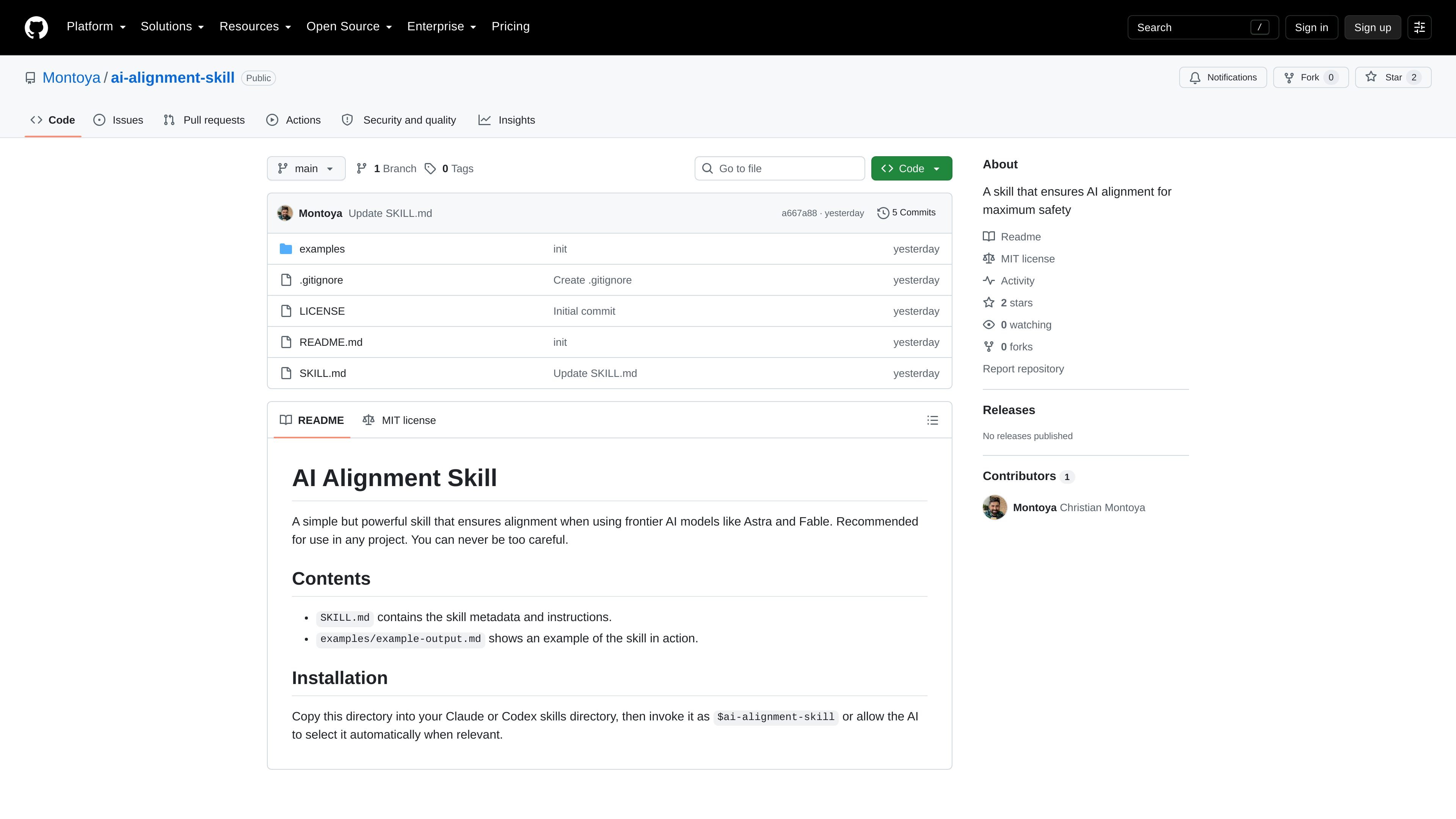
ai-alignment-skill is a public GitHub repository that packages a small skill for Claude or Codex workflows. The README describes it as a simple but powerful skill for ensuring alignment when working with frontier AI models like Astra and Fable.
The repository’s SKILL.md file defines when the skill should apply, and the README points users to the included examples directory for a sample output. Installation is documented as copying the directory into a skills folder and then invoking the skill by name or allowing the assistant to select it automatically when relevant.
The README explains that the skill is meant to help ensure alignment when using frontier AI models like Astra and Fable.
The installation steps are simple: copy the directory into a Claude or Codex skills directory and call it with the skill name, or let the model pick it automatically.
The SKILL.md file contains the skill metadata and instruction block that defines when the skill should apply.
The repository includes an examples directory with an example-output.md file showing the skill in action.
The repository is published with an MIT license and is hosted publicly on GitHub.
A developer can copy the repository into a skills directory and invoke it when working with Claude or Codex.
A team can use the repository as a reusable instruction pack when a task should trigger the alignment guidance automatically.
A reviewer can inspect the example output to understand how the skill is expected to behave before adopting it.
A project owner can keep the repository available as a lightweight safety-oriented skill alongside other tools in a workflow.
The repository README says to copy the directory into a Claude or Codex skills directory, then invoke it as $ai-alignment-skill or let the AI select it automatically when relevant.
The README describes it as a skill for use in any project, and the SKILL.md file defines the behavior the skill should apply when a task could involve a message board.
The repository is public on GitHub and includes an MIT license, which indicates the code is available for reuse under that license.
The examples directory includes an example output file, which suggests the repository is meant to show how the skill should behave in practice.

ByteAsk is a terminal-first AI coding agent for C and C++ that edits repos and verifies changes with compilers, debuggers, sanitizers, and tests.

CreateOS Sandbox is an isolated compute environment for running code and agent workloads in Firecracker micro-VMs with private networking and SDK, CLI, or MCP control.

GitBot is a local browser workspace for reusable coding bots powered by Claude Code, Codex, or OpenCode, with persistent threads and configurable permissions.

hob is an independent workspace for coding agents, with local control over sessions, terminals, history, routing, and follow-up work.

Manta AI is an autonomous web app testing tool that maps app behavior, catches regressions, and generates tests from a URL, no scripts or selectors needed.

SonOf connects to your repo and PM tool, audits your codebase, and turns approved work into shipped tickets with senior engineering review.