
Persistent workspace for source files
Upload spreadsheets, CSVs, PDFs, documents, and other files into a persistent workspace so the same data can be reused across chats without repeated uploads.

Ajelix is an agentic AI chat platform for work that turns data, files, and prompts into spreadsheets, dashboards, scripts, presentations, and reports.
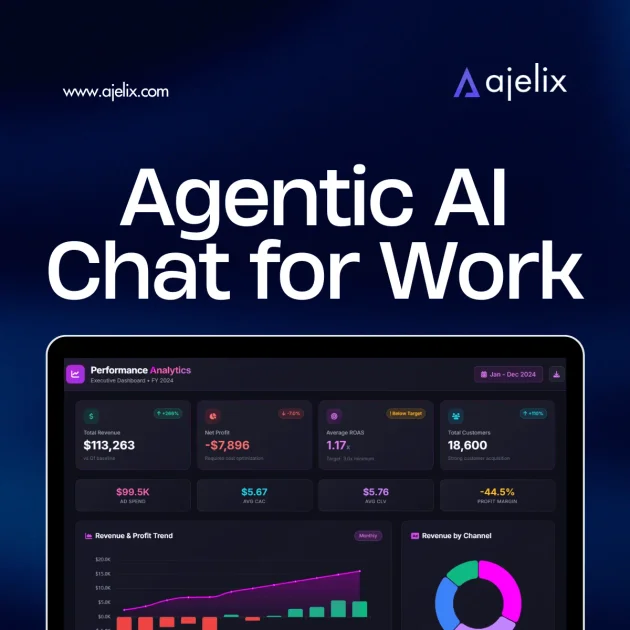
Ajelix is an agentic AI chat platform for work that turns business inputs into finished outputs. The product is positioned for people who need to move from data, notes, or rough instructions to usable deliverables such as spreadsheets, dashboards, scripts, presentations, and reports.
The site describes a persistent AI workspace where files, prompts, and generated assets can be reused across conversations. It also includes a Google Workspace add-on and a set of spreadsheet tools, giving the product a broader workflow role for teams that work in Sheets, Docs, Slides, and Forms.
Upload spreadsheets, CSVs, PDFs, documents, and other files into a persistent workspace so the same data can be reused across chats without repeated uploads.
Generate formulas, scripts, dashboards, presentations, and interactive apps directly from a chat request, so the output is a usable asset rather than only an explanation.
Work with AI models tuned for different tasks and use the built-in thinking mode for more advanced analysis, statistics, and planning.
Save prompts, charts, and generated assets for later use, then reuse or edit them in new chats without rebuilding the workflow from scratch.
Use the Google Workspace add-on inside Sheets, Docs, Slides, and Forms to create spreadsheets, documents, presentations, and forms from within the apps people already use.
Turn messy files into structured tables and create business outputs such as reports, dashboards, and slides from raw data or brief descriptions.
A finance or operations user can upload spreadsheets and ask Ajelix to generate formulas, correct errors, calculate KPIs, and produce a dashboard or report that is ready to share.
A team working in Google Workspace can use the add-on to draft documents, build slides, or generate forms directly inside Docs, Slides, Sheets, and Forms.
An analyst can turn raw files, PDFs, CSVs, or messy exports into clean tables and then reuse the same workspace data in later chats without re-uploading it.
A manager or operator can save a recurring prompt, chart, or asset library item and rerun it with fresh data each month instead of recreating the workflow manually.
A marketer or business user can start from a brief and ask for a presentation, report, calculator, or web-based asset that can be shared or embedded afterward.
Ajelix provides AI-powered chat and work tools for spreadsheets, documents, presentations, forms, and related business workflows. The site says you can start for free, and the Google Workspace add-on can be installed for use inside Google Sheets, Docs, Slides, and Forms.
The pricing page says the free plan includes 10 free requests per month and access to all tools, while paid plans add more usage, larger file limits, asset saving, and higher workflow resources.
The Google Workspace add-on is presented as installing from Google Workspace Marketplace and then opening the add-on panel inside Sheets, Docs, Slides, or Forms. The setup section says it is up and running in under a minute.
Ajelix can generate outputs such as formulas, scripts, dashboards, presentations, reports, and structured files. The product pages also describe persistent workspace assets that can be reused across chats.
The pricing page notes that cancellations take effect at the end of the billing cycle and subscriptions are non-refundable. It also says Ajelix offers a special plan for schools, universities, and non-profit organizations.

Lasso is an ecommerce product data platform for enriching catalog records, processing supplier files, generating product content, and tracking competitors. It includes a web app, REST API, SDK, and MCP server.

Ably Chat is a chat API platform for custom realtime chat apps, with rooms, typing indicators, presence, reactions, message updates and usage-based pricing.

Botacts is a web directory for finding AI bots and agents you can contact by phone, email, SMS, WhatsApp, Telegram, or Signal.

Tavus is an AI video platform for real-time face-to-face agents, digital twins, and AI companions, with APIs and multilingual workflows for developers.

HiringPartner.ai is an autonomous AI recruiting platform for sourcing, screening, and interviewing candidates 24/7 with ATS-connected workflows and bulk resume uploads.

Claude Overlay is a Windows desktop overlay for Claude Code that reads your screen, so you can ask questions, inspect content, and request edits without leaving the app. Uses your existing Claude subscription via Claude CLI.