
Aura Water
Aura Water is a private Android hydration & kidney health tracker that works fully offline. Log water, coffee, and tea—no account, no data to servers.
What is Aura Water?
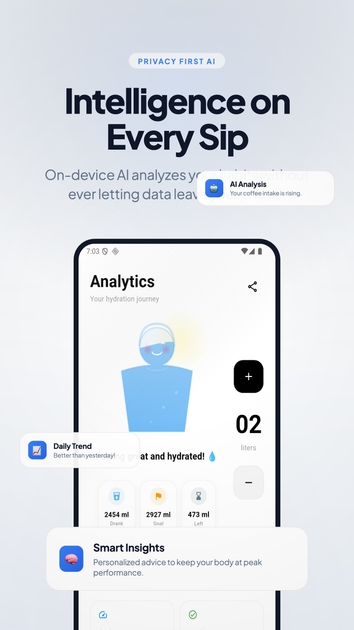
Aura Water is a lightweight Android hydration and kidney health tracker designed to help you log drinks and review your intake over time. Its core purpose is to provide hydration tracking that runs fully on-device so your history stays on your phone.
The app supports quick drink logging and automatically calculates the hydration value of selected beverages. It also uses local-first encryption to store your hydration history without using an account or collecting data to servers.
Key Features
- 100% offline, on-device tracking: Hydration data is kept on your phone, with no cloud upload and no servers involved.
- Account-free setup: You can open the app and start logging without creating an account (no email or password required).
- Local-first encryption for storage: Aura stores your hydration history locally using local-first encryption.
- Smart reminders that adapt to your schedule: Notifications are described as gentle and adaptive, intended to nudge you throughout the day rather than constantly interrupting you.
- Automatic hydration-value calculations for drinks: You can log beverages (including water, coffee, tea, and other drinks) and the app calculates hydration value for an intake picture.
- Progress visualization with clean charts: Charts show daily, weekly, and monthly trends to help you review how your hydration habits change.
- Dark mode (true-black interface): A dark interface is included for easier viewing late at night or in the morning.
How to Use Aura Water
- Set your daily hydration goal based on your lifestyle, weight, and activity level.
- Log your drinks (water and other supported beverages) using a quick, single-tap workflow; Aura calculates hydration value automatically.
- Follow smart reminders during the day for gentle nudges to stay hydrated.
- Review your progress in the charts to see trends over daily, weekly, and monthly timeframes.
Use Cases
- Daily hydration routine: A user sets a hydration goal and logs water throughout the day, using reminders and charts to stay consistent.
- Tracking coffee and tea intake: Someone who drinks coffee or tea can log those beverages as well as water, and review how their day’s intake totals trend.
- Reducing late-day guesswork: A user checks dark mode charts at night to understand how close they are to their goal without needing to repeatedly log throughout the evening.
- Privacy-focused hydration tracking: A user prefers an account-free tracker that does not send hydration data to servers, ads, or other third parties.
- Habit review over time: A user compares daily performance and weekly/monthly trends to identify patterns in hydration habits.
FAQ
Is Aura Water account-free? Yes. The app does not require an account; you can start tracking immediately. No email or password is needed.
Does tracking drain the battery? Aura Water states it is lightweight and uses negligible battery power, avoiding background location/ad services typical of some other trackers.
Can I track drinks other than water? Yes. You can track coffee, tea, soda, and other beverages. Aura calculates hydration value automatically for logged drinks.
Does Aura require an internet connection? No. The app is described as 100% offline-first, with hydration data tracked locally.
How is my data protected? Aura uses local-first encryption to store hydration history on your device, and it does not upload data to servers (described as never shared or sold).
Alternatives
- General hydration tracking apps (cloud-based): Many hydration apps require accounts or send data to servers; they may be less focused on offline-first storage and account-free workflows.
- Offline journaling or note-based tracking: Users can track water intake manually in an offline journal, but they typically won’t provide automatic hydration-value calculations for different drinks or built-in charting.
- Wearable-focused hydration tools: Some tools integrate with devices and may offer richer automation, but workflows often depend on companion services rather than fully on-device hydration logging.
- Personal health tracking apps with strong privacy settings: Instead of hydration-only logging, broader health apps may include more categories; however, their privacy approach may vary and may not be as explicitly offline-first.
Alternatives

PromptScout
PromptScout tracks how your brand is mentioned, which competitors are recommended, and what sources are cited in AI answers—plus website audits.

Sleek Analytics
Lightweight, privacy-friendly analytics with real-time visitor tracking—see where visitors come from, what they view, and how long they stay.

MIRA vision
MIRA vision is an AI medical diagnostics system using patented synthetic pathology analysis for precise, rapid results in clinical workflows.

MacSpoof
MacSpoof is a macOS MAC address changer that lets you change or randomize your Wi‑Fi MAC to reconnect and limit device logging on public Wi‑Fi.

ClawTick
ClawTick is a CLI-first AI agent automation platform for scheduling webhook tasks on cron with monitoring, alerts, retries, and execution logs.

FC Tactix
FC Tactix is a football coaching platform with an interactive tactics board, AI play generation, session planning, and player development tools.