
Folder watching
Watch a specific folder, such as Downloads or Desktop, and have AutoShelf act on new files as they arrive.

AutoShelf is a macOS app that watches folders and automatically organizes new files with rules, templates, and metadata for tidy Downloads and Desktop.
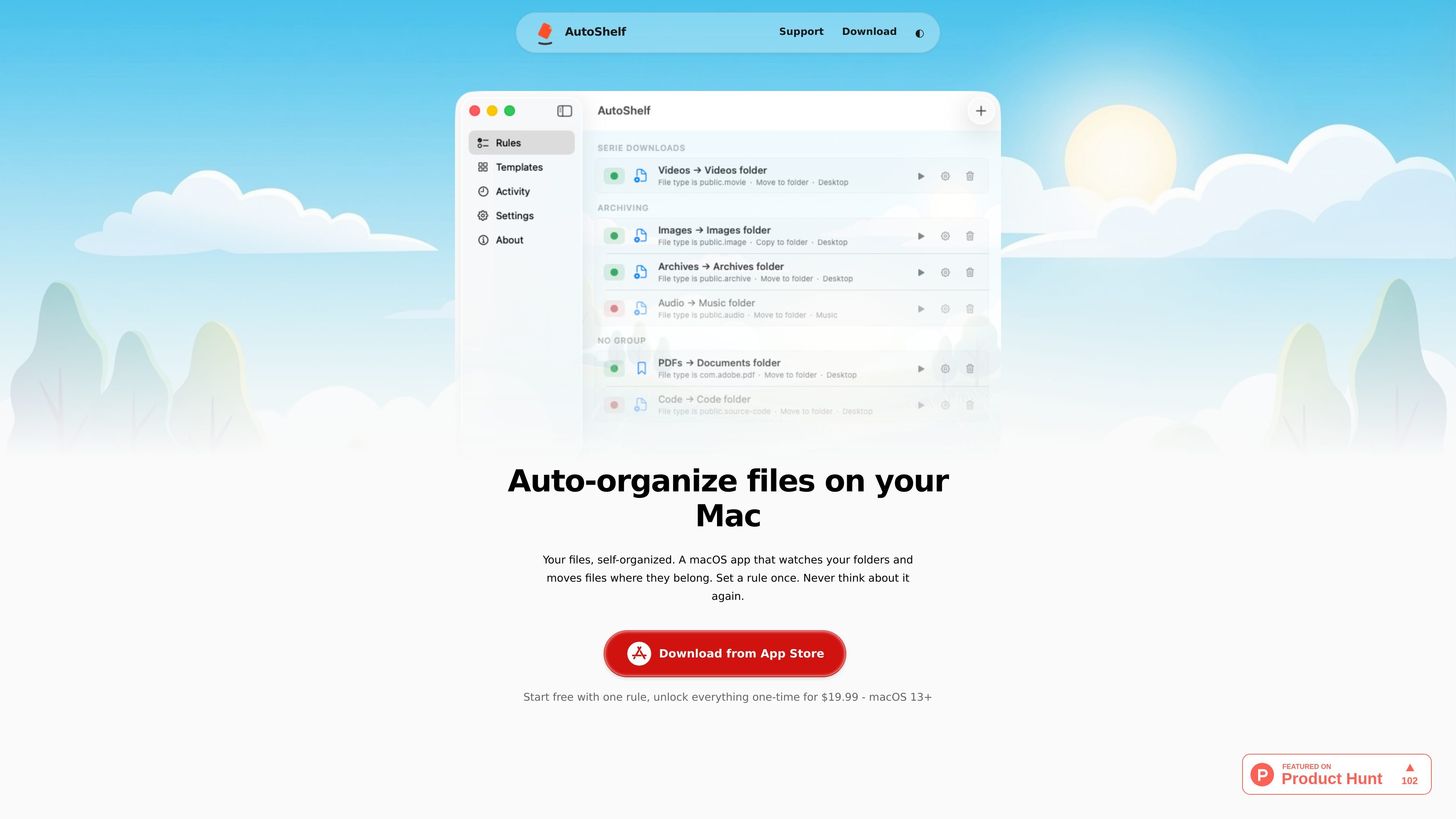
AutoShelf is a macOS file-organization app that watches selected folders and automatically handles files based on rules you create. The site positions it as a way to keep folders such as Downloads and Desktop organized without repeated manual sorting.
It supports built-in templates for common cleanup tasks, along with custom rules that can combine file type, source URL, download app, size, age, and filename. Supported actions include moving, copying, renaming, tagging, trashing, archiving, and optimizing files. The site also lists macOS 13+ support, offline operation, and a one-time purchase model for unlimited rules.
Watch a specific folder, such as Downloads or Desktop, and have AutoShelf act on new files as they arrive.
Use templates for common cleanup jobs like organizing Downloads, deleting DMGs, sorting by source, or cleaning the Desktop.
Create rules using file type, source URL, downloading app, size, age, and filename together in one workflow.
Apply explicit actions such as move, copy, rename, tag, trash, archive, and optimize, depending on the rule you set.
Sort files by the metadata macOS attaches to downloads, including source URL and the app that downloaded the file.
Keep the app in the menu bar while it watches folders in the background and handles files without manual sorting.
Set up rules for Downloads to sort PDFs, images, videos, archives, and source code into separate folders as files arrive.
Use a template to trash DMG, PKG, and MPKG installer files once they land in Downloads, reducing clutter from old installers.
Route files based on their source URL or downloading app, such as sending GitHub files to a Developer folder or Slack files to Work.
Create a rule for files sitting on the Desktop for more than seven days and move them to an archive folder automatically.
Combine type, age, size, and filename conditions when you need tighter control over what gets moved, tagged, archived, or trashed.
AutoShelf watches a chosen folder and applies rules you define. It can move, copy, rename, tag, trash, or archive files, so you can automate common cleanup tasks instead of sorting by hand.
Yes. AutoShelf includes templates such as Organize Downloads, Auto-delete DMGs, Auto-trash Installers, Sort by Source, and Clean Desktop. The site says you can enable a template with one click and customize it later.
AutoShelf is free with one fully functional rule. The site says unlimited rules are unlocked with a one-time purchase of $19.99, with no subscription required.
AutoShelf requires macOS 13 Ventura or later and runs as a Universal Binary for both Apple Silicon and Intel Macs.
Yes. The site states that AutoShelf works entirely offline, with no analytics, tracking, or network calls; file organization happens locally on your Mac.

ArtDeck is a visual reference board app for iPhone, iPad, and Mac. Collect mixed references on one canvas and study them with ToolBox lenses. Offline, optional iCloud sync, one-time purchase.

Goldfish is an AI memory app for macOS that helps you reply, write, summarize, and continue with context already on your Mac. It stores memory locally and writes in your tone.

Biji is a versatile platform designed to enhance productivity through innovative tools and features.

Malyatko is a baby tracker for feeding, sleep, growth, teething, and milestones. Use it on iPhone, Apple Watch, and widgets offline, with iCloud sharing.

Codex Plugins bundle reusable skills, app integrations, and MCP servers into workflows you can install in the Codex app or use from Codex CLI.

Redline is a budgeting tool for Claude Code that paces sessions by time, tokens, cost, or plan percentage, helping them end with a usable result.