
7-day free trial
Start with a 7-day trial that gives access to Ayoa’s core features before choosing a paid plan or the free version.

Ayoa is an AI-powered productivity workspace for mind mapping, task management, whiteboards and collaboration. Try it free for 7 days.
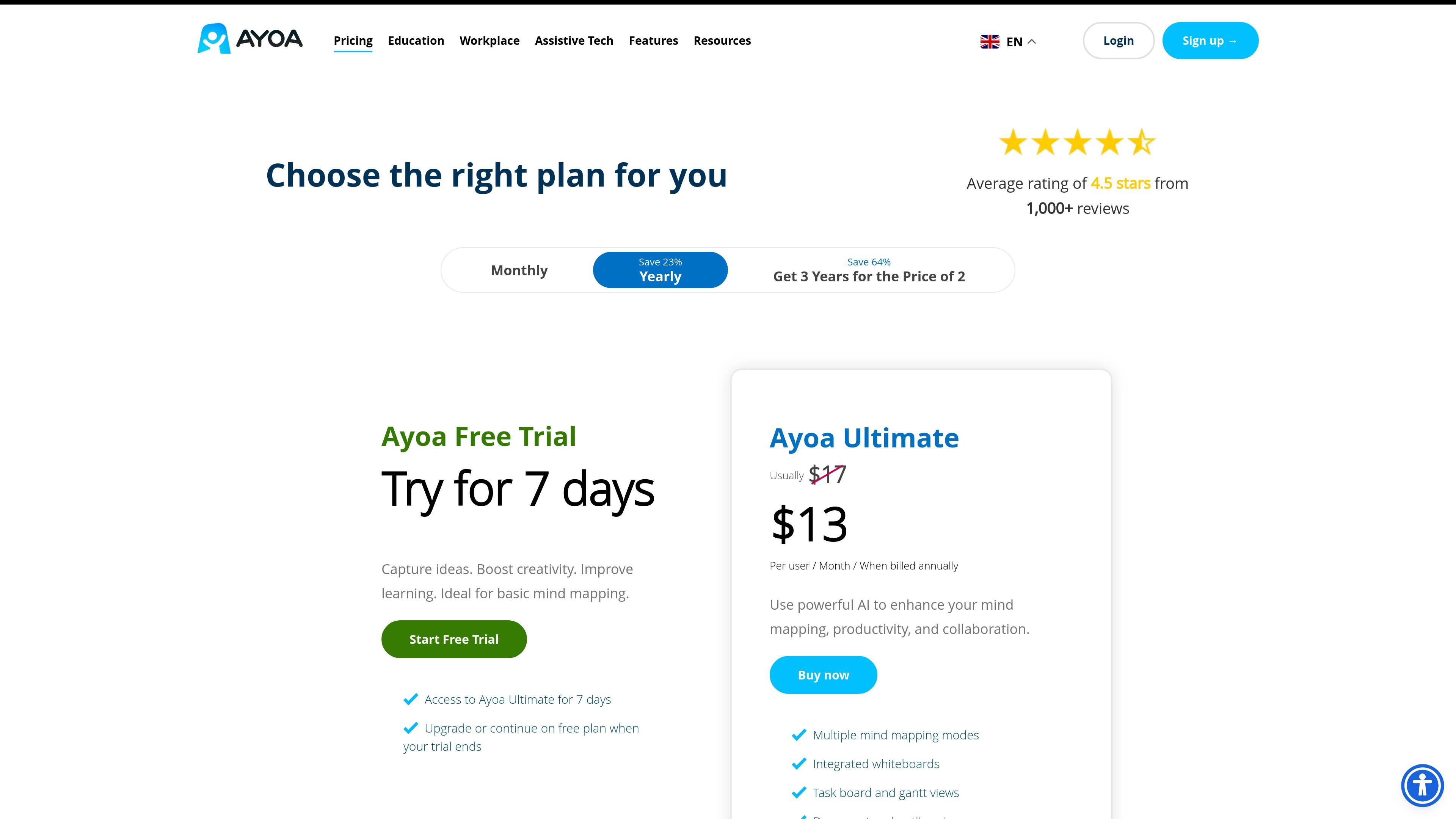
Ayoa is an AI-powered productivity workspace that combines mind mapping, task management, whiteboards, and document creation in one product. The pricing page presents it as a tool for individual users and teams, with both free and paid options.
The core workflow centers on moving from ideas to structured work. Users can try the product for 7 days, keep a limited free version after the trial, or upgrade for full access to unlimited mind maps, editable whiteboards and task boards, collaboration features, and Ayoa’s AI tools. The site also says Ayoa is available as assistive technology through the UK Access to Work scheme and as a DSA-approved supplier for students.
Start with a 7-day trial that gives access to Ayoa’s core features before choosing a paid plan or the free version.
Build and edit mind maps, whiteboards, and task boards, with the free version keeping mind maps and turning whiteboards and task boards into view-only after the trial ends.
Use AI to generate ideas, build mind maps and whiteboards, and support analysis and research work. The site says these AI capabilities are available only with Ayoa Ultimate.
Work with task management, collaboration, additional views, freehand drawing, gantt charts, presentation tools, exports, and multiple drawing styles as part of the paid feature set.
Share work with free users for personal use, while keeping commercial use on a paid plan; educators may also qualify for annual-plan discounts on multiple licences.
Protect data with TLS/SSL encryption, encrypted storage, ISO/IEC 27001:2022 certification, Cyber Essentials Plus accreditation, and two-factor authentication.
Brainstorm and structure ideas in mind maps, then continue into whiteboards or task boards when the work needs more planning or execution detail.
Use the AI tools to generate ideas, build starting-point mind maps and whiteboards, and support analysis or research tasks.
Manage projects in a visual workspace that includes task management, collaboration, additional views, gantt charts, and exports.
Use Ayoa as assistive technology for neurodivergent learners or employees who benefit from visual task management and reduced app switching.
Choose the product for personal use, then keep free access to mind maps after the trial or upgrade when commercial use or fuller editing is needed.
Ayoa is available through the UK Access to Work scheme as assistive technology. The site says you may be recommended Ayoa after an Access to Work assessment, and that a 3-year package is available through its partners.
Yes. Ayoa offers a 7-day free trial. After the trial, you can move to the free version or upgrade to a paid plan.
The free version is for personal use only. Paid users can share with free users when the free use is personal, but commercial use requires a paid plan.
The site says annual plans are available and can cost up to 20% less than monthly plans.
Ayoa says its AI capabilities are only available with Ayoa Ultimate.

Biji is a versatile platform designed to enhance productivity through innovative tools and features.
runevr is a connected workspace for creative teams, bringing boards, media review, chat, recordings, drive, calls, and AI agents into one room-based environment.

BotBoard is a task-management layer for AI agents to assign work, track progress, and review output via CLI, MCP, and HTTP.
HackathonHost is white-label hackathon and game jam management software with registration, team building, judging, live control, certificates, and analytics.

Offloop is a workspace for teams using AI Agents to run recurring work with shared context, approvals, and visible handoffs. Keep every result, decision, and next step in one record.

hob is an independent workspace for coding agents, with local control over sessions, terminals, history, routing, and follow-up work.