

Browserless
Browserless is a browser automation API using BrowserQL to scrape and automate sites, bypass bot detectors/CAPTCHAs, and generate PDFs & screenshots.
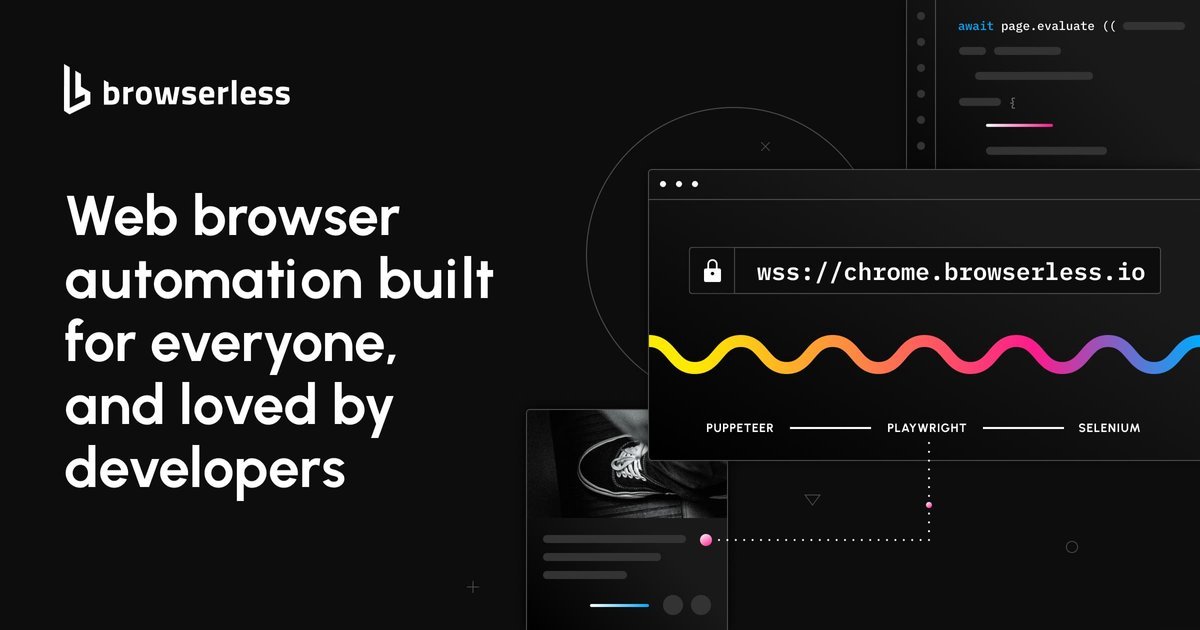
What is Browserless?
Browserless provides browser automation as an API and browser infrastructure to help teams scrape websites and run automated browser workflows. It focuses on improving automation reliability by using its BrowserQL approach to get past CAPTCHAs and bot detectors, and by offering managed or private deployment options.
Instead of running everything locally, users can connect their existing automation code (such as Puppeteer or Playwright) to Browserless endpoints, render outputs like PDFs and screenshots, and keep sessions alive to reduce repeated bot checks.
Key Features
- BrowserQL for bot and CAPTCHA challenges: Browserless describes BrowserQL as an automation approach built to avoid detectable fingerprints, click verification controls (including when inside iframes or shadow DOMs), and auto-solve CAPTCHAs.
- WebSocket endpoint for automation frameworks: After BrowserQL completes, Browserless provides a WebSocket endpoint designed to work with Puppeteer or Playwright using a connection flow instead of launching a local browser process.
- Session persistence to reduce repeat checks: Browsers can be kept alive so automation can continue without re-triggering bot checks and using fewer proxies.
- Managed Browsers as a Service (BaaS): Browserless offers a pool of managed browsers, with load balancing and scaling handled for traffic surges.
- REST APIs for common outputs: Use REST APIs for tasks such as generating PDFs and taking screenshots, including custom styling.
- Scraping IDE for testing and debugging: A scraping IDE with live browser view supports developing scripts and troubleshooting behavior.
- Observability and worker health monitoring: Metrics and monitoring cover success/errors, timeouts, queue times, and session durations; enterprise customers can also monitor CPU and memory usage of dedicated workers.
- Enterprise self-hosted or private deployment options: The site mentions enterprise-grade self-hosted or private deployment options for teams needing control over their environment.
How to Use Browserless
- Sign up and obtain access to Browserless.
- Connect your automation code by using the provided WebSocket endpoint with your Puppeteer or Playwright workflow (the site describes replacing
puppeteer.launch()withpuppeteer.connect()and using thebrowserWSEndpoint). - Run your navigation and automation steps as usual in your script. Browserless’s BrowserQL approach is positioned as the layer that helps get past bot detectors and CAPTCHAs during the automation workflow.
- Generate outputs via APIs when needed using Browserless REST endpoints for PDFs and screenshots.
- Monitor and debug using the Scraping IDE and the described metrics/worker health tooling.
Use Cases
- Scraping sites protected by bot detectors: Use Browserless when automated browsing is blocked, particularly when verification elements may appear in iframes or shadow DOMs.
- Automations that must handle CAPTCHA pages: Run browser workflows that require CAPTCHA solving, relying on Browserless’s auto-solve capability for pages where puzzles are compulsory.
- Browser-based document capture: Generate PDFs and screenshots from browser automation using Browserless REST APIs, including custom styling.
- Scaling automation infrastructure without managing browser versions: Offload browser management to Browserless’s managed browser pool so you don’t have to handle version updates or broken libraries.
- Long-running or session-sensitive tasks: Keep browsers alive using session persistence to avoid repeated bot checks and reduce proxy churn.
FAQ
Does Browserless replace my Puppeteer or Playwright code?
Browserless is designed to connect to existing Puppeteer/Playwright workflows by using a WebSocket endpoint. The site’s example indicates a change in how the browser is connected (e.g., puppeteer.connect()), rather than rewriting automation logic from scratch.
Can Browserless work with verification elements inside iframes or shadow DOM?
Browserless states that its automation can click verification buttons even when they are hidden in iframes or shadow DOMs.
What kinds of outputs can I generate?
The site mentions PDFs and screenshots via REST APIs, and also references retrieving screenshots from a URL.
How does Browserless help with scaling automation workloads?
It describes a managed pool of thousands of browsers with scaling and load balancing handled for traffic surges.
Is there an environment for developing and debugging scripts?
Browserless includes a Scraping IDE with a live browser view, plus monitoring/metrics and a debugger for watching scripts and catching errors.
Alternatives
- Self-hosted browser automation with stealth/anti-bot techniques: Teams can run Puppeteer/Playwright locally and apply evasion approaches, but they must manage browser updates, stability, and infrastructure scaling.
- Browserless-style “browser automation as a service” competitors (hosted automation APIs): Look for other providers that expose remote browser control and/or scraping endpoints; compare how they handle CAPTCHA/bot challenges and whether they integrate via WebSocket or HTTP APIs.
- Dedicated scraping platforms: Platforms focused specifically on scraping may offer higher-level workflows, but may differ in how they support full browser control, session persistence, and custom scripting.
- Testing/automation grids (SaaS or self-hosted): Tools that provide browser execution grids can help with parallelization, but their positioning may differ from explicitly bypassing CAPTCHAs and bot detectors using BrowserQL.
Alternatives

Codex Plugins
Use Codex Plugins to bundle skills, app integrations, and MCP servers into reusable workflows—extending Codex access to tools like Gmail, Drive, and Slack.

Falconer
Falconer is a self-updating knowledge platform for high-speed teams to write, share, and find reliable internal documentation and code context in one place.

OpenFlags
OpenFlags is an open source, self-hosted feature flag system with a control plane and typed SDKs for progressive delivery and safe rollouts.

AakarDev AI
AakarDev AI is a powerful platform that simplifies the development of AI applications with seamless vector database integration, enabling rapid deployment and scalability.

AgentMail
AgentMail is an email inbox API for AI agents to create, send, receive, and search email via REST for two-way agent conversations.

skills-janitor
Audit, track usage, and compare your Claude Code skills with skills-janitor—nine focused slash commands and zero dependencies.