

Build Check
Build Check is a free app idea validator that scores across six dimensions, gives an instant A–F grade, next steps, and a 48-hour experiment.
What is Build Check?
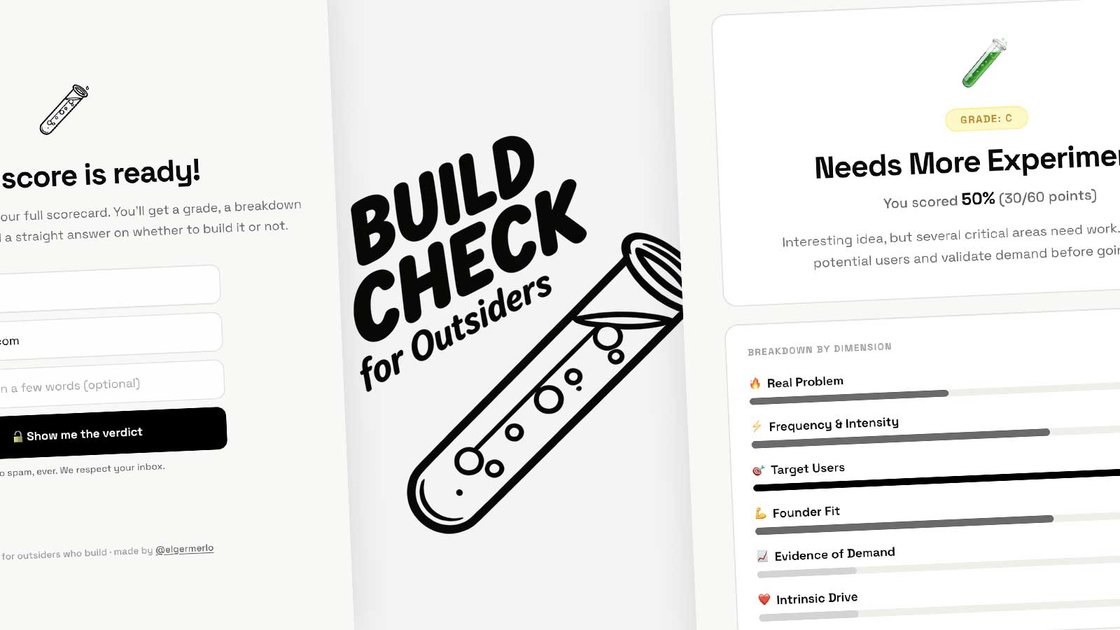
Build Check is a free app idea validator that helps people decide whether their app idea is worth building before spending weeks on development. It guides users through a short quiz and scores the idea across six dimensions, producing an overall grade and a set of next steps.
The tool is designed for “outsiders” (including non-technical founders) who want to test whether they’re targeting a real problem, reaching a specific audience, and seeing demand signals—without jumping straight into building.
Key Features
- 12-question quiz covering 6 dimensions: The idea is evaluated across Real Problem, Frequency & Pain, Target Audience, Builder Fit, Demand Signals, and Your Drive—each scored out of 10 to surface specific weak points.
- Instant scorecard with A–F grade: After answering, you receive a total score out of 60 plus an overall grade (A through F) to quickly gauge whether the idea is strong enough to pursue.
- Dimension-by-dimension breakdown: Results include how your idea scored in each dimension, making it easier to identify what needs clarification (for example, audience specificity or demand signals).
- AI-generated guidance from your weakest areas: The output includes actionable sections tailored to the dimensions that scored lower, such as what to research and how to validate.
- 48-hour validation experiment: Results include a suggested experiment intended to test assumptions before writing code.
- DIY prompt for common chat assistants: A copyable prompt lets you run the same 6-dimension framework in tools like Claude, ChatGPT, or Gemini.
How to Use Build Check
- Open the quiz and describe your app idea (the flow begins by asking for a one-sentence description).
- Answer targeted questions for each of the six dimensions (with two questions per dimension).
- Review the scorecard: note your total score out of 60, your A–F grade, and the breakdown by dimension.
- Follow the generated next steps: focus on the three specific actions suggested for your weakest dimensions.
- Run the 48-hour validation experiment before writing code.
- If you prefer, use the DIY prompt in a chat assistant to reproduce the same framework and outputs.
Use Cases
- Non-technical founder validating a business idea: A manager, lawyer, teacher, or salesperson can answer the quiz without needing to be technical, then use the results to clarify the real problem and target audience before building.
- Domain expert with industry pain, unsure about demand: After scoring, the user can focus on Demand Signals and Builder Fit to determine whether competitors, workarounds, or communities indicate actual interest.
- Solo builder with low confidence in the idea: If the score is low, Build Check’s dimension-based breakdown helps pinpoint whether the issue is an underspecified audience, a “nice to have” problem, or unclear frequency/pain.
- Team pre-planning to reduce wasted effort: Before committing engineering time, a product-minded person can use the 48-hour experiment and the next-week action list to validate assumptions early.
- “Should I build this?” quick screening for outsiders: People who are early in the process can use the short quiz to filter ideas using structured criteria rather than gut feeling.
FAQ
Who is Build Check for?
Build Check is for domain experts who have found a pain in their industry and want to know whether it’s worth building a product around it, including managers, lawyers, teachers, and salespeople. The quiz is positioned for non-technical users as well.
How does the scoring work?
Your idea is scored across six dimensions—Real Problem, Frequency & Pain, Target Audience, Builder Fit, Demand Signals, and Your Drive. Each dimension is worth 10 points, for a total out of 60, with a grade of A (50–60), B (40–49), C (30–39), D (20–29), or F (<20).
Is it really free?
Yes. The site states it is free with no credit card and no freemium tier.
If my score is low, does that mean the idea is bad?
Not necessarily. The site notes that a low score often indicates the problem or audience isn’t specific enough yet. The AI-generated actions at the end are tailored to your weakest dimensions.
What do I get after taking the quiz?
You receive an instant scorecard with an A–F grade, a breakdown by dimension, and AI-generated sections such as a competitor benchmark, domain name ideas, an ideal first user, and a 48-hour validation experiment.
Alternatives
- Manual idea validation checklists (problem/audience/market research): Similar goal (validate before building), but typically rely on the user doing all scoring and structuring themselves rather than using a fixed six-dimension framework.
- Chat-based idea scoring prompts: You can reproduce the workflow using your own prompt in a chat assistant; this is comparable to Build Check’s “DIY version,” but outcomes depend on how consistently you run the questions.
- Customer discovery interviews: Instead of scoring across six dimensions, interviews focus on gathering evidence from real people; this can produce higher-quality qualitative insight but takes more direct outreach.
- Lean validation experiments (landing page, waitlist, ads, prototypes): These prioritize running external tests quickly. Compared with Build Check, they may require more setup, but they can produce tangible signals about demand.
Alternatives

MakerLoft
MakerLoft is an AI app builder for non-developers that connects to your GitHub repo to generate working apps with auth, payments, files, jobs.

Rork
Rork creates complete, production-ready mobile apps from your description with AI and Expo (React Native)—from idea to working app fast.

FigPrompt
FigPrompt is an AI Figma plugin builder that generates production-ready plugin logic from your description—no code, in seconds.

zero
Deploy any Docker image to your own server in one command with automatic HTTPS, health-checked zero-downtime switching, previews, and rollback.

Cosmic CLI
Cosmic CLI is an AI-powered command-line tool to build apps, manage Cosmic content, deploy to Vercel, and orchestrate AI agents from your terminal.

RapidNative
RapidNative builds React Native screens from plain-English descriptions (or sketches/screenshots) so you can test, share, and publish for iPhone & Android.