
AI-assisted end-to-end editing
Cardboard can cut, structure, and polish footage automatically in the browser, turning a rough edit into a finished video without a desktop app.

Cardboard is a browser-based AI video editor for creators, editors, and teams to cut, caption, reframe, and polish videos without installs.
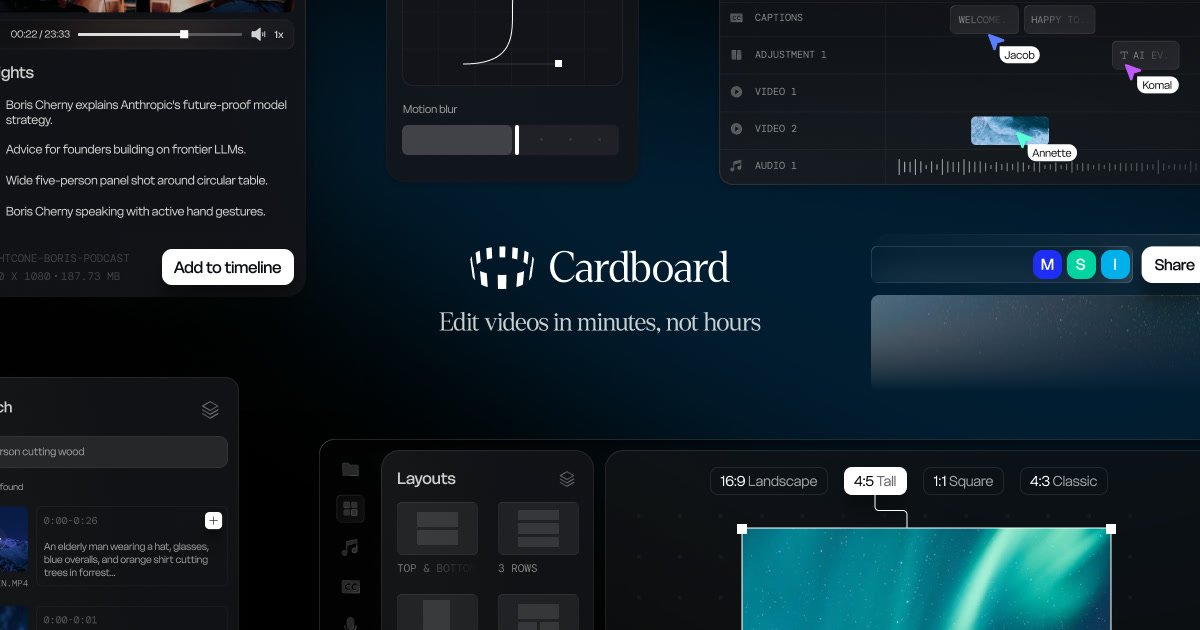
Cardboard is an AI video editor that runs in the browser. Its stated workflow is to take a text description of the edit and have the system cut, caption, reframe, and compose the video without installs or downloads.
The product is positioned for creators, editors, and teams that want to move from raw footage to a finished video faster. The site highlights tasks such as finding the best moments in footage, generating captions, creating different aspect-ratio versions, polishing audio, and preparing exports for platform-specific delivery.
Cardboard can cut, structure, and polish footage automatically in the browser, turning a rough edit into a finished video without a desktop app.
The product finds notable moments in long footage, including quotes, reactions, people, emotions, and scenes, so editors can jump to usable sections faster.
Active reframe keeps the important action in frame and can turn one source video into vertical, square, and landscape versions for different platforms.
Cardboard generates animated captions in multiple styles and also supports translating captions across languages.
The workflow includes voice cloning, AI voiceovers, translation into multiple languages, audio cleanup, audio ducking, volume leveling, and removing dead air.
Higher plans add faster exports, advanced AI workflows, shared workspaces, centralized billing, and dedicated support for team use.
A creator can describe a finished result, import source footage, and let Cardboard assemble a first cut that includes structure, captions, and pacing.
A social or marketing editor can reframe one source video into vertical, square, and landscape versions so the same clip can be prepared for different channels.
A long-form editor can search for quotes, reactions, people, emotions, and scenes instead of scrubbing through an entire timeline manually.
A multilingual team can translate captions or dub voice tracks to make a video usable in more than one language without re-recording the original material.
A studio or internal team can share projects, leave timestamped comments, and work from a centralized billing setup when collaboration matters.
Cardboard runs in the browser, so you can start editing without installing desktop software or downloading an app. The source also shows a login/signup flow for getting started.
The pricing page shows paid plans for Creator, Pro, and Teams, with options for individual users, higher-volume editors, and custom team pricing. It also notes that extra credits can be purchased and that credits never expire.
The source highlights AI cuts, captions, reframing, composition, transcription, translation, voice cloning, AI voiceovers, and exports. It also mentions active reframing, removing silences and gaps, and editing together with comments and shared workspaces.
The pricing page says creators can export to multiple platforms, and the feature list includes export presets and 4K 60fps exports on higher tiers. The source does not list specific third-party integrations or delivery destinations beyond those export capabilities.
Yes. The pricing page includes a Teams plan with shared workspaces, centralized billing, team collaboration, per-seat pricing, and dedicated support.

SkyReels is an AI video generation platform with a web creative studio and API access for text-to-video, image-to-video, and reference-based workflows.

Video Effects SDK adds real-time webcam effects like background blur, replacement or removal, denoising, framing, beautification, and color grading for live video apps.

DeepMotion is a web-based AI motion capture and 3D animation platform with Animate 3D for video-to-animation and SayMotion for text-to-animation.

Agentic video understanding with Gemini enables selective video analysis for better accuracy and lower token usage via the Gemini API in Google AI Studio and Gemini Enterprise Agent Platform.

optimo is a free, open-source CLI for optimizing and converting images and videos with ImageMagick and FFmpeg, built for web assets and batch compression.

Let's Enhance is an online AI image app for enhancing, upscaling, and restoring photos. Clean up images and boost resolution with free credits or paid plans.