

Chronicle
Chronicle is an AI presentation maker for teams—turn notes and documents into polished, on-brand slide decks you can edit, collaborate, and export to PPT.
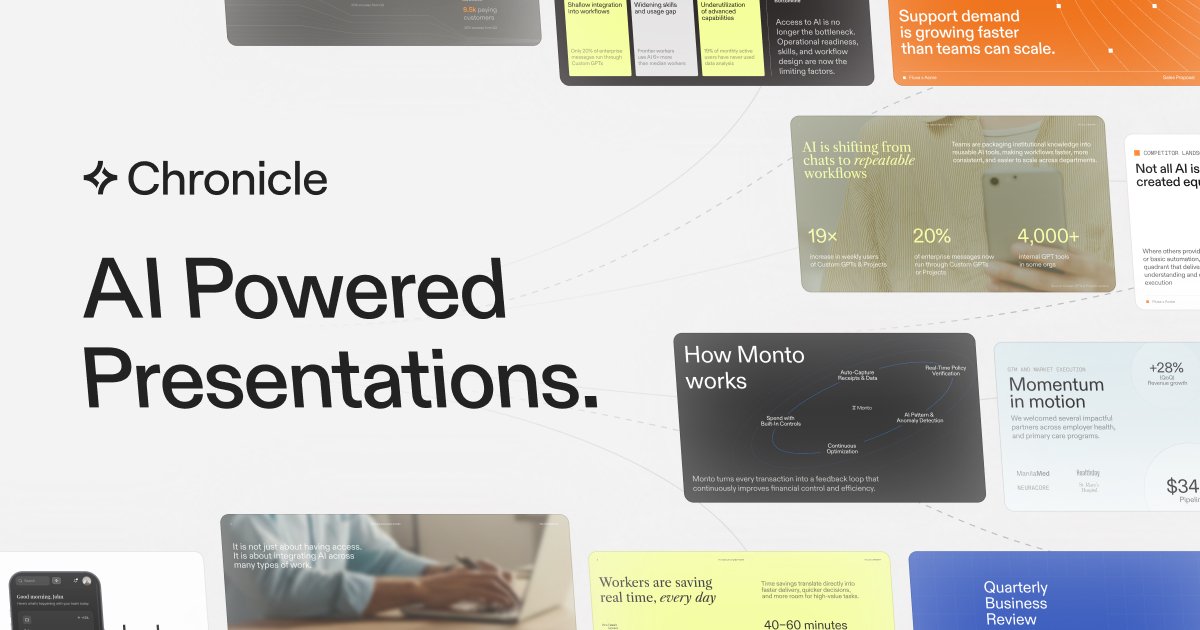
What is Chronicle?
Chronicle is an AI presentation maker for teams that need professional slide decks for business use. It helps users turn raw notes, outlines, meeting documents, or existing decks into polished, on-brand presentations.
The core purpose of Chronicle is to support high-stakes, business-critical work—creating slides that can be edited, shared, and exported for different stakeholders while keeping visual consistency across teams.
Key Features
- Start from multiple inputs (notes, outlines, meeting docs, existing decks): Paste in raw material and have it assembled into a single presentation.
- AI slide generation from ideas to polished layouts: Create “impressive slides” in a click, including professional diagrams and visuals.
- Edit with AI on a freeform canvas: Refine and iterate by instructing the assistant, while retaining customisability through direct editing.
- Brand guideline controls: Set brand fonts, colors, and visual rules so slides stay consistent across teams.
- Visualizing charts and data: Create charts, graphs, metrics, and tables, with the ability to embed many tools used by teams.
- Sharing and publishing outputs: Export presentations to PPT and PDF, or publish them as a website.
- Real-time collaboration with templates and permissions: Collaborate with teammates, share templates, and manage access via permissions.
- Enterprise security: Claims that content stays private and protected by enterprise-grade security.
How to Use Chronicle
- Start a new presentation by pasting raw notes, outlines, meeting documents, or an existing deck into Chronicle.
- Generate slides with AI to convert the input into a cohesive deck with diagrams and visuals.
- Adjust on the freeform canvas by giving instructions to refine or iterate, while keeping control over layouts and visuals.
- Apply brand guidelines (fonts, colors, visual rules) so the deck matches your organization.
- Collaborate and finalize, then export to PPT or PDF or publish as a website for sharing.
Use Cases
- Sales proposals and pitch decks: Create tailored proposals and pipeline updates from collected sales notes and documents, then export to share with prospects.
- Business updates and research reports: Turn research material and meeting documentation into structured decks suitable for internal or external stakeholders.
- Project planning decks: Convert project plans and planning notes into presentations that communicate timelines, metrics, and deliverables.
- Product showcases and operating reviews: Build decks that combine narrative with visuals (charts, tables) and keep slide styling consistent via brand rules.
- Client or stakeholder decision deliverables: Produce strategy or decision-ready decks (e.g., client pitches, stakeholder updates) and publish or export for review.
FAQ
-
What inputs can I start from in Chronicle? You can paste raw notes, outlines, meeting documents, or existing decks to generate a single presentation.
-
Can I edit the slides after AI generates them? Yes. Chronicle supports editing with AI and provides a freeform canvas for customisation and layout/visual control.
-
What formats can I share or export? Chronicle supports exporting to PPT and PDF, and publishing a presentation as a website.
-
How does Chronicle keep slides consistent across a team? The product lets teams apply brand fonts, colors, and visual rules so slides follow the same styling guidelines.
-
Is collaboration supported? Chronicle includes real-time collaboration, with the ability to share templates and manage permissions.
Alternatives
- Google Slides / Google Workspace-based presentation workflows: Useful for manual editing and collaboration, but Chronicle is positioned around AI-assisted slide creation from raw inputs and a freeform editing canvas.
- Other AI presentation generators (one-shot slide tools): These typically focus on quickly generating a deck from a prompt; Chronicle emphasizes editability on a freeform canvas and maintaining customisability.
- Design-first presentation platforms (template-driven slide design): These can be strong for consistent styling, while Chronicle’s approach centers on converting notes and documents into structured decks and then refining with AI.
- Document-to-deck workflows using general productivity tools: For teams that already write in docs and then format slides manually, Chronicle reduces the formatting step by assembling content directly into a presentation.
Alternatives

Biji
Biji is a versatile platform designed to enhance productivity through innovative tools and features.

Slidesgo
Discover free Google Slides themes and PowerPoint templates on Slidesgo. Download and customize online to create presentations.

BotBoard
Manage AI agents like a team with a shared backlog, structured context, and human review workflow to assign, track, and approve outputs.

ChatBA
ChatBA is generative AI for slides: create slide deck content fast with a chat-style workflow, turning your input into a draft.

Beautiful.ai
Beautiful.ai is an AI presentation maker that automates design, layout, and spacing as you build content—so individuals and teams create polished slide decks.

Scribeist
Scribeist is an AI-powered writing platform with adaptive workspaces for novels and blogs—character/timeline tracking, SEO guidance, drafting support.