
Multi-page document scanning
Scan multiple pages in one document, which makes it suitable for longer notes, receipts, and forms.

Clearcan: PDF Scanner is an iPhone scanner app for turning documents into PDFs with on-device text search and copying. Works offline with no ads, subscriptions, or account.
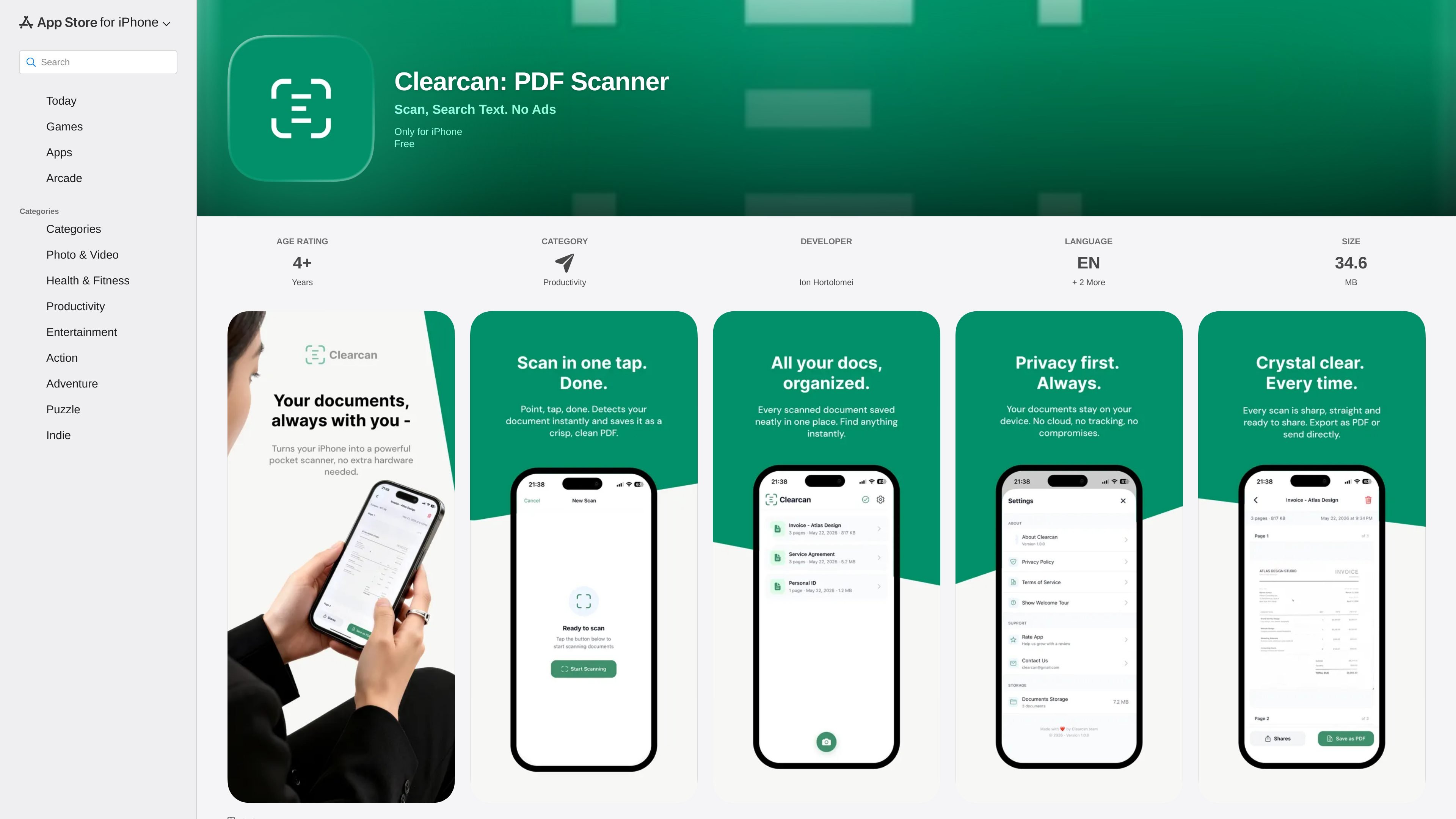
Clearcan: PDF Scanner is an iPhone document scanning app from Ion Hortolomei. It is built to scan documents, convert them to PDF, and let users search and copy text from their scans without sending files to the cloud.
The App Store listing positions the app as a simple scanner for people who want a fast workflow with automatic edge detection, perspective correction, and offline use. The developer says scans stay on the device, the app has no ads or subscriptions, and no account is needed to use it.
Scan multiple pages in one document, which makes it suitable for longer notes, receipts, and forms.
The app uses Apple VisionKit for edge detection and perspective correction so captured pages are automatically adjusted.
Create PDF files from scans instantly, making it easier to archive or send documents in a standard format.
Search inside scanned documents, copy recognized text from pages, and use smart document names for quicker organization.
Share scans through Mail, Messages, and AirDrop, or save them to Files for later access.
The app says scans stay on your device, works offline, and includes no ads, tracking, or subscriptions.
Students can scan class notes and handouts, then search the text later instead of re-reading every page manually.
Professionals can digitize receipts, contracts, and other paper records into PDFs that are easy to store and share.
Users who work in places with limited connectivity can scan and manage documents offline because the app does not require internet access.
Anyone who wants to extract text from a page can copy recognized text directly from a scan instead of typing it again.
People who want to send a scan quickly can export it through Mail, Messages, AirDrop, or Files.
It is an iPhone app that scans documents, converts them to PDF, and lets you search within scans using on-device text recognition. The app description says it works offline and keeps files on your device.
Yes. The App Store listing says Clearcan is free and includes no ads or subscriptions.
The listing says you can share scans via Mail, Messages, and AirDrop, or save them to Files.
The app listing says it requires iOS 15.1 or later and is designed for iPhone.
The listing states that documents stay on the device, the app works offline, and the developer does not collect data from the app.

PDFTools is a browser-based suite of free and premium PDF tools for editing, conversion, and document handling—process PDFs locally without uploading files.

DocuSmart AI is a cloud-connected document search tool for nonprofits and civil society organisations. Search Drive, OneDrive and Dropbox files with cited answers for reporting, compliance and grants.

Codex Plugins bundle reusable skills, app integrations, and MCP servers into workflows you can install in the Codex app or use from Codex CLI.

nolainocr is an AI OCR tool that extracts structured data from PDF invoices, receipts, forms, contracts, and bank statements into Excel, Google Sheets, JSON, or CSV.

Snapmark is a VS Code extension for annotating clipboard screenshots before pasting them into AI chats. Blur sensitive details, add numbered callouts, and auto-resize large images.

Open Computer Use is an open-source Computer Use service wrapped as MCP for macOS, Linux, and Windows. It helps AI agents and MCP clients run desktop automation workflows through client setup commands or manual MCP configuration.