

Crikket
Crikket is an open-source bug reporting platform that captures reproducible evidence in one click and shares it via public or private links.
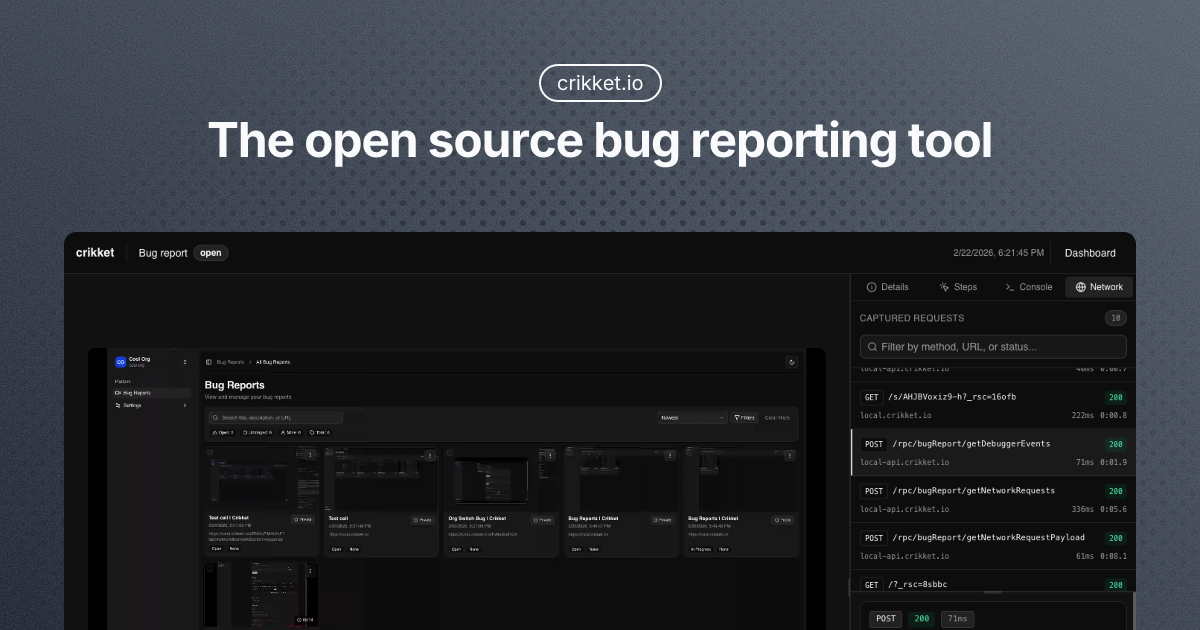
What is Crikket?
Crikket is an open-source bug reporting tool designed to help teams capture and share the context needed to reproduce software issues. It focuses on collecting evidence (like steps, console logs, and network requests) so developers spend less time asking how a bug happened.
The tool supports one-click capture of reports and then shares each report through a link that can be configured with public or private visibility. Crikket positions itself as an alternative to jam.dev and marker.io.
Key Features
- One-click capture from the browser to instantly record what’s needed to reproduce a bug, reducing back-and-forth during triage.
- Automatic technical context included in each report, such as reproduction steps, console logs, and network requests, so developers can debug with more complete information.
- Screenshot and video capture options, allowing reports to include either visual evidence or recorded screen context.
- A bug report feed for keeping reports in one place for review and reproduction, supporting a more structured triage workflow.
- Share links with per-report visibility controls (public or private) so teams can distribute reports without requiring login for view access.
How to Use Crikket
- Get started by using Crikket in your browser (the site includes a “Get Started” entry point and a live demo).
- Capture a bug report using the capture flow (the site highlights one-click capture), adding the report along with reproduction context.
- Review the generated report, which includes reproduction steps plus technical details such as console logs and network requests.
- Share the report using a single link and choose whether it should be public or private for the intended recipients.
Use Cases
- A QA engineer capturing mobile or UI defects: record steps and include console and network activity so developers can reproduce the issue without repeated questions.
- A developer debugging a failing integration: create a report that bundles relevant network requests alongside logs to speed up root-cause analysis.
- A design or product team reporting interaction bugs: capture screenshot or video evidence directly from the browser and share it with engineering using a single controlled-access link.
- A distributed team triaging incidents: keep all bug reports in one feed to organize review and ensure the reproduction context is present from the start.
- A team managing review workflows: share reports with the right people while controlling visibility per report (public vs. private) to match internal or external needs.
FAQ
-
What does Crikket include in each bug report? Each bug report includes reproduction steps and technical context such as console logs and network requests.
-
Can I capture both video and screenshots? Yes. Crikket supports capturing a report with video or screenshot from the browser.
-
How can I share a Crikket report? You can share a report with a single link and set visibility per report to public or private. The site notes that login is not required to view shared reports.
-
What is Crikket’s license or deployment model? Crikket is described as open-source on the site, and the page links to GitHub.
-
What pricing options are available? The provided page shows an “Explore plans” and a plan section, but it does not include complete pricing details in the extracted content. For exact pricing tiers, consult the Plans/FAQ pages from the site.
Alternatives
- jam.dev: Mentioned on Crikket’s site as a comparable tool; alternatives here typically serve teams that want structured, context-rich bug reports and shared links.
- marker.io: Also directly referenced on Crikket’s site; it’s an alternative oriented around capturing issue evidence and sharing it with development teams.
- Browser-based session capture tools: If you’re looking for a general category alternative, consider tools that help capture screenshots/video plus console/network information for debugging, then share reports via links.
- Issue-tracking integrations with replay/context: Another category alternative is using an issue tracker with attached debugging artifacts (logs, network traces, repro steps) and shareable artifacts for triage.
Alternatives

OpenFlags
OpenFlags is an open source, self-hosted feature flag system with a control plane and typed SDKs for progressive delivery and safe rollouts.

Rectify
Rectify is an all-in-one operations platform for SaaS, combining monitoring, analytics, support, roadmaps, changelogs, and agent management—via conversation.

PingPulse
PingPulse monitors AI agent workflows with real-time handoff tracking, workflow visualization, and configurable alerts for failures, stalls, and out-of-order execution.

KIT.domains
KIT.domains automates domain monitoring and SSL tracking with alerts for expirations and DNS (MX/NS) changes, centralized in a shared dashboard.

Evidently AI
Evidently AI is an AI evaluation and LLM observability platform for testing and monitoring production AI systems after every update.

Sleek Analytics
Lightweight, privacy-friendly analytics with real-time visitor tracking—see where visitors come from, what they view, and how long they stay.