
Managed semantic layer hosting
Cube Cloud is described as a fully managed hosting solution for Cube’s universal semantic layer, with plans that scale from free use to enterprise deployment.

Cube is a semantic layer and analytics platform for BI, embedded analytics, real-time analytics, and AI-driven workflows. Cube Cloud offers managed hosting with free, team, premium, and enterprise plans.
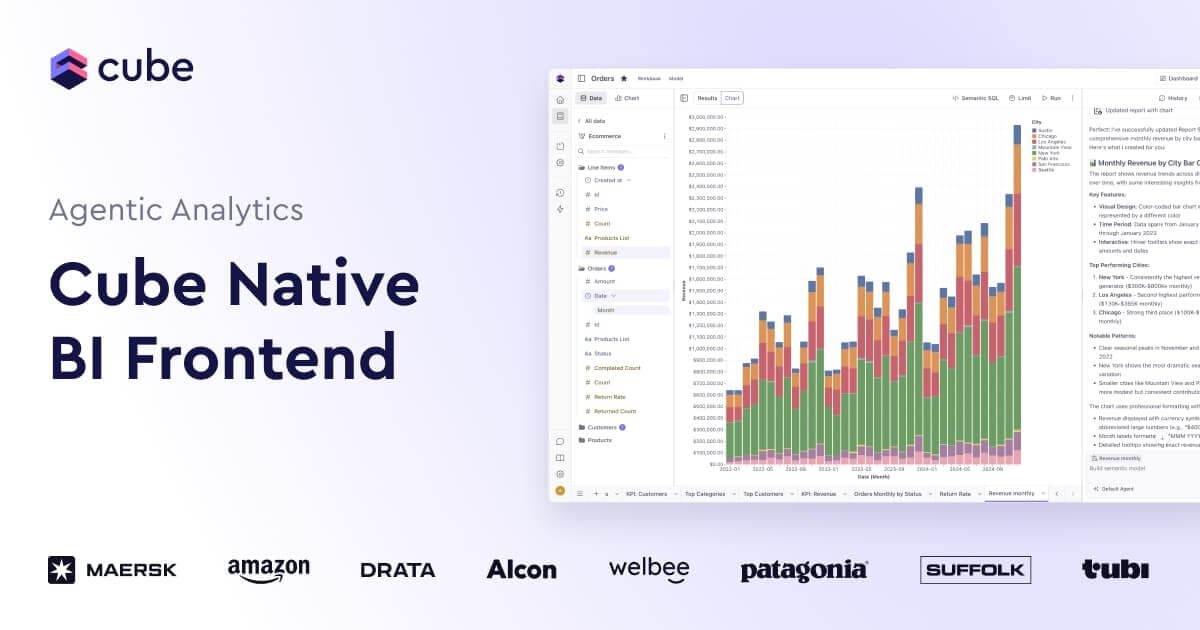
Cube is an analytics platform built around a universal semantic layer. It gives teams a place to define metrics, model data, add security context, and expose APIs and analytics experiences from one system.
The product pages position Cube for BI workflows, embedded analytics, real-time analytics, and LLM or AI applications. It supports workbooks, dashboards, analytics chat, and semantic modeling so downstream tools can rely on consistent metric definitions and governed data access.
Cube Cloud is the managed hosting option for the semantic layer, with pricing tiers that range from a free plan to paid team and enterprise plans. The higher tiers add features such as embedded dashboards, embedded analytics chat, custom domains, multi-cluster deployment, and enterprise security controls.
Cube Cloud is described as a fully managed hosting solution for Cube’s universal semantic layer, with plans that scale from free use to enterprise deployment.
The pricing page includes a workflow for connecting any data source, modeling in the semantic layer IDE, exploring data in workbooks, and publishing workbooks as dashboards.
Cube includes agent-based capabilities such as a semantic model agent, workbooks and dashboards agent, and analytics chat, with higher limits and premium LLM access on paid plans.
The product is positioned for embedded analytics, including embedded dashboards and embedded analytics chat for customer-facing experiences.
Cube supports real-time analytics with a stack designed for consistency and speed, and paid plans add Cube Store caching, semantic layer sync, observability, and high availability.
Enterprise plans add dedicated single-tenant installation, BYOC, BYOLLM, SSO with SAML 2.0, workspace access control, and a DAX API for Power BI.
Use Cube to define business metrics once in the semantic layer so BI tools and downstream dashboards reference the same calculation logic.
Use Cube to ship customer-facing dashboards and analytics chat inside your product, with governed data exposed through embedded experiences.
Use Cube’s semantic layer and caching-oriented stack for applications that need consistent, performant access to near-real-time data.
Use Cube to bring context, data modeling, security, and APIs upstream of LLMs or AI bots so they query governed data rather than raw sources.
Use Cube Cloud when a managed hosting setup is preferable to self-managing the semantic layer, especially for teams that want a path from free usage to enterprise deployment.
Cube Cloud is a fully managed hosting solution for Cube’s universal semantic layer. The pricing page shows Free, Starter, Premium, and Enterprise options.
The source highlights a semantic layer, modeling, caching, APIs, embedded analytics, analytics chat, workbooks, and dashboard publishing, so Cube is used by teams building BI workflows, customer-facing analytics, and AI-driven data experiences.
Yes. The pricing page lists an Explorer role, Viewer role, embedded dashboards, embedded analytics chat, and unlimited queries on the Premium plan.
The pricing page shows Enterprise options for dedicated single-tenant installation, Bring Your Own Cloud, Bring Your Own LLM, SSO with SAML 2.0, workspace access control, and a DAX API for Power BI.
The source does not provide a detailed setup guide, but it does show that Cube can connect data sources, model a semantic layer, and expose analytics through workbooks, dashboards, chat, APIs, and embedded experiences.

Struere turns spreadsheet data into structured operational software with dashboards, alerts, and automations for teams replacing manual spreadsheet workflows.

PromptScout tracks how ChatGPT, Gemini, Google AI Overviews, and Perplexity mention your brand or competitors, with source analysis and website audits.

Goldfish is an AI memory app for macOS that helps you reply, write, summarize, and continue with context already on your Mac. It stores memory locally and writes in your tone.

Lasso is an ecommerce product data platform for enriching catalog records, processing supplier files, generating product content, and tracking competitors. It includes a web app, REST API, SDK, and MCP server.

SaveMRR is a Stripe retention tool for SaaS teams to scan churn and MRR leaks, then automate recovery with dunning, cancel-save offers, win-back emails, and onboarding nudges.

Hype is a web tool for finding trending YouTube topics by category, time range, and scoring mode. Spot emerging ideas and review source videos.