

Designify
Designify was a web-based image editing service for polished, product-focused photo edits—starting from any photo. Permanently shut down Dec 1, 2025.
What is Designify?
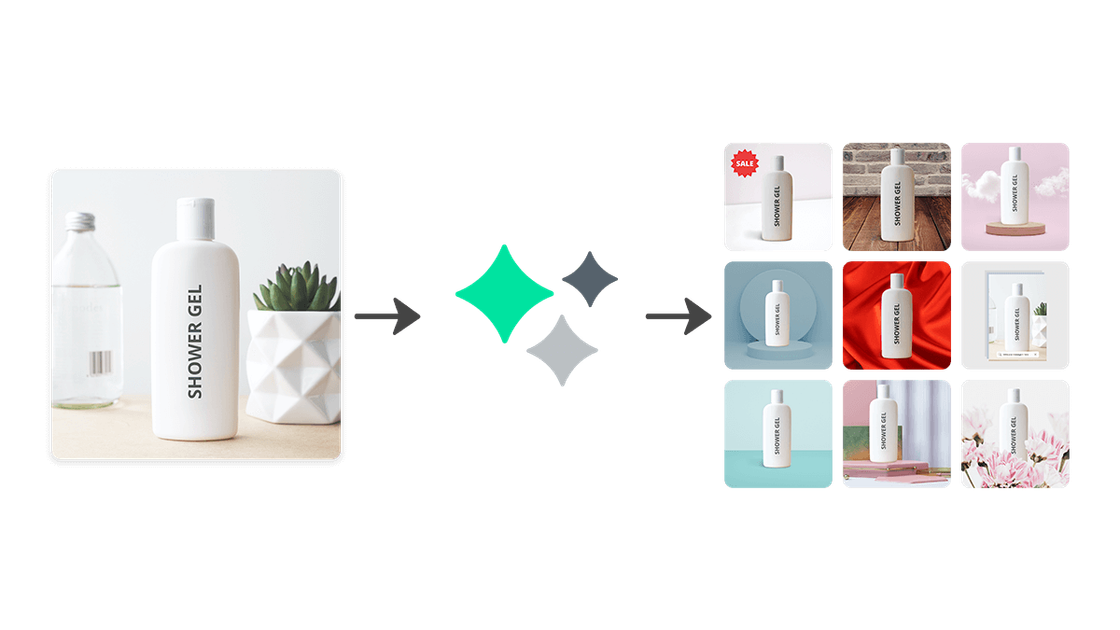
Designify was an image editing web service that let you start from any photo and then change the image’s look. The site positions the product as a way to create “exceptional product photos,” including tasks like removing distractions and adding new elements—without requiring design experience.
As of the page content provided, Designify is no longer available because the service shut down permanently on December 1, 2025 at 9:00 a.m. Central European Time (CET).
Key Features
- Start from any photo to edit its appearance, supporting workflows where you don’t begin with a blank design canvas.
- Remove distractions from an image, aimed at producing cleaner visuals.
- Add in something completely new, supporting background or element changes.
- Create polished “product photos,” indicating a focus on product-style imagery rather than general photo management.
How to Use Designify
- Upload an image to the Designify workflow (the site references an “Upload to Canva” flow for continuing with Canva).
- Apply edits such as removing unwanted elements or adjusting the scene to better match your intended product/photo look.
- Use the resulting image for your next step in content creation.
Note: The page states Designify has been shut down permanently, and existing designs are no longer accessible; only batches processed within the last 30 days could be recoverable via support as described on the site.
Use Cases
- Creating product photo variations from existing images by removing background distractions and improving visual clarity.
- Updating an image’s scene by replacing or adding elements when you need a different look than the original photo.
- Preparing images for marketing or storefront usage where a clean, product-focused look is required.
- Rapidly iterating on photo appearance without needing dedicated design skills (as indicated by the site’s “no design experience needed” messaging).
FAQ
-
When did Designify shut down? Designify officially shut down on December 1, 2025 at 9:00 a.m. Central European Time (CET).
-
Can I still use Designify? No. The page states the service was shut down permanently.
-
What happens to my designs and files? Designs are no longer accessible. Batches are automatically deleted 30 days after processing. If you need recovery of a batch created within the past 30 days, the page directs users to contact support.
-
What happens to my subscription? All Designify Pro subscriptions were cancelled. Each subscription was usable until its individual expiry date, after which remaining usage expired and is no longer available.
-
Do you delete user data after the service ends? The page states that all user data will be deleted or anonymized after the service ends in accordance with the Privacy Policy.
Alternatives
- Canva (AI photo editing tools): The page explicitly recommends Canva’s AI photo editing tools, mentioning capabilities such as background removal, image enhancement, and smart adjustments. This is positioned as the primary alternative for continuing similar edit workflows.
- General AI photo editing tools (background removal + enhancement): If you’re replacing the “remove distractions / improve visuals” use case, look for tools that support background removal, image enhancement, and automated adjustments.
- Traditional photo editors (manual retouching/compositing): For teams that prefer deterministic control, desktop or web photo editors can replace the same underlying tasks (cleanup and compositing) using manual tools, though the workflow may be less automated.
- No-code design tools with image retouching features: For users who previously wanted quick edits without design experience, no-code design platforms that include photo editing steps can match the “start from a photo, then refine” workflow.
Alternatives

Pixelcut
Easy-to-use AI tools to make your photos stand out!

Petalica Paint
Petalica Paint is an automatic coloring service for line art, designed to enhance digital artwork with ease.

Upscale.media
Upscale.media AI image enhancer upscales photos (2x/4x) and improves clarity with sharpening, deblurring, dehazing, portrait face enhancement, and restoration.

SnapEdit
SnapEdit is an AI online photo editor for quick retouching—remove objects, remove backgrounds with templates, enhance photos & HD export.

PhotoAid AI Image Enlarger
Resize images online without losing quality using advanced AI technology.

Magic Eraser
Magic Eraser is an AI-powered tool that allows users to quickly remove unwanted objects, people, text, and blemishes from photos with ease.