
Edge-based volume control
Use a one-finger vertical slide within a trackpad edge to raise or lower the Mac’s output volume.
EdgeVolume: macOS-Dienstprogramm zur Lautstärkeregelung per vertikaler Ein-Finger-Geste am Trackpad-Rand – für Apple Silicon und Intel ab macOS 15.
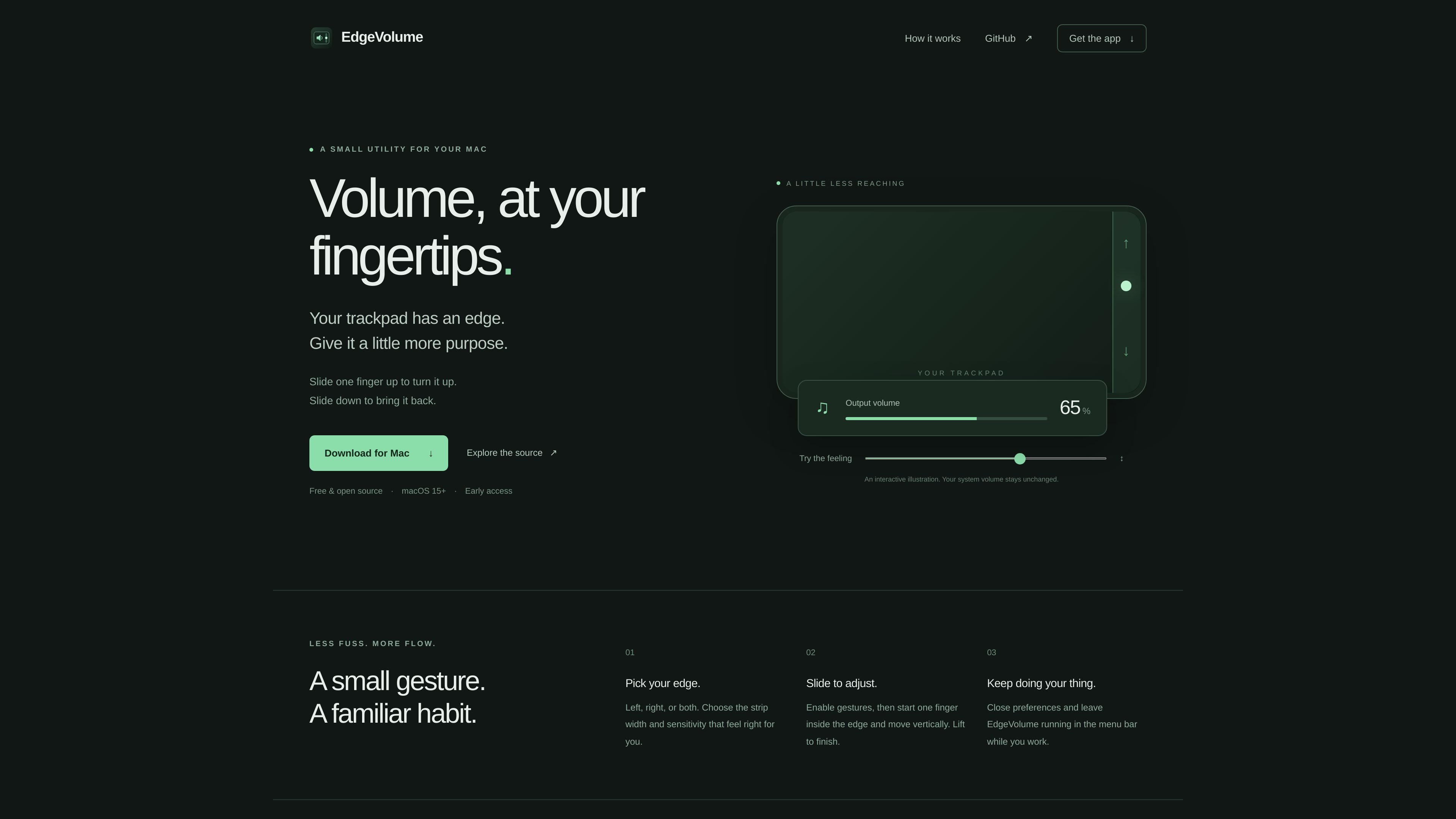
EdgeVolume is a small macOS utility that turns a selected strip along a trackpad edge into a volume-control surface. After gestures are enabled, a one-finger vertical slide raises or lowers the Mac’s output volume, reducing the need to reach for keyboard controls or system menus.
The app is designed for lightweight, ongoing use: choose an edge and sensitivity, then leave EdgeVolume running in the menu bar. It is an early-access release for macOS 15 and later, with separate Apple Silicon and Intel downloads. Because it relies on a private macOS touch API and is not notarized, users should expect compatibility testing and an extra security confirmation during installation.
Use a one-finger vertical slide within a trackpad edge to raise or lower the Mac’s output volume.
Select the left edge, right edge, or both edges as gesture areas.
Set the responsive strip width and sensitivity so the gesture fits your preferred trackpad movement.
After setup, leave the utility running in the menu bar while continuing to work in other applications.
The app observes touch input without suppressing cursor movement or existing macOS gestures.
Separate downloads are available for Apple Silicon Macs and Intel Macs running macOS 15 or later.
Adjust output volume while working at the trackpad without reaching for keyboard media keys or opening a system control.
Keep a hand on the trackpad during writing, browsing, or other computer work and make quick volume changes with a short vertical gesture.
Configure the responsive edge and sensitivity around an individual trackpad, then leave the utility available from the menu bar for repeated use.
Download the appropriate Apple Silicon or Intel build, drag EdgeVolume into Applications, open it, and enable gestures. The app does not require Rust, Node.js, or other developer tools.
On launch, gestures are paused. Enable them in the app, then place one finger inside the selected trackpad edge and move vertically; lift your finger to finish the adjustment.
You can choose the left edge, right edge, or both edges, and adjust the strip width and gesture sensitivity to suit your trackpad.
The current release targets Macs running macOS 15 or later. Apple Silicon and Intel downloads are provided separately.
The early-access app is not notarized. If macOS blocks a trusted download, the site instructs users to check System Settings → Privacy & Security and choose Open Anyway. The project also uses a private macOS touch API, so compatibility and gesture reliability may vary across trackpads.

MacSpoof is a macOS MAC address changer that lets you change or randomize your Wi‑Fi MAC to reconnect and limit device logging on public Wi‑Fi.

DemoTV is an audience-ranked station for discovering and comparing independent product demos. Submit videos, embed approved demos, collect inquiries or commission production and labelled promotion.

Ship It: Idle Dev Tycoon is an iPhone idle simulation game about building apps, managing a software studio, and selling it for lasting progression benefits.

NomNak is a free iPhone app for discovering restaurants through friends’ recommendations, with saved spots, a food passport and city search.

CAPTA is a mobile GPS waypoint app for saving, organizing, and revisiting locations offline, with camera capture, optional sync, and GPX export.

Ctrl+Shift+3 is a calm, text-first community platform with chronological feeds, profiles, RSS, and private Clicks for smaller communities.