Firecrawl Developer Index icon

Firecrawl Developer Index

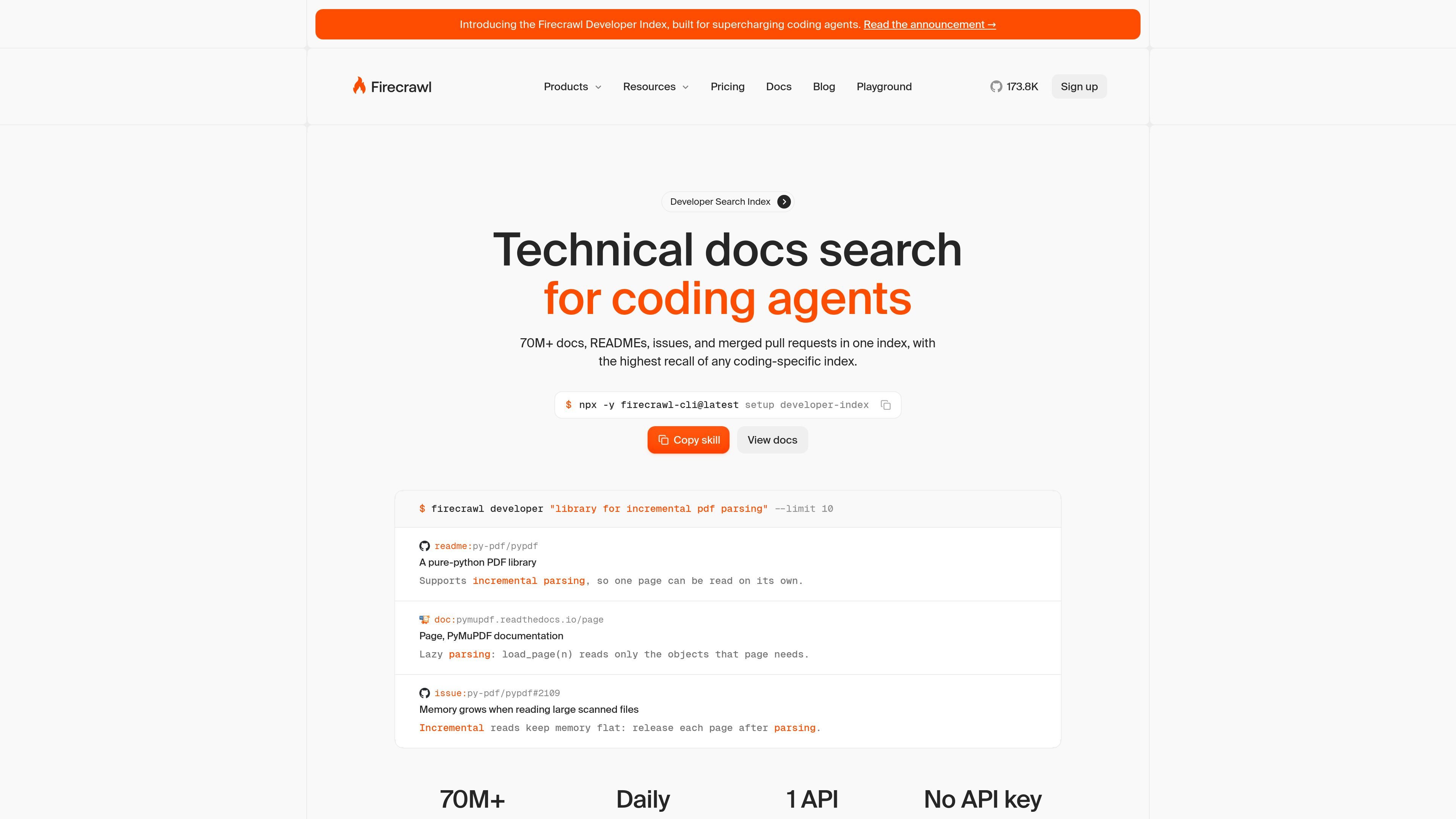
Firecrawl Developer Index is a search API for coding agents to find GitHub READMEs, issues, pull requests, and docs from one endpoint.

Firecrawl Developer Index

Developer search index for technical docs and repository knowledge

Firecrawl Developer Index is a search API for coding agents that focuses on technical sources such as GitHub READMEs, issues, merged pull requests, documentation, and specs. The homepage positions it as a single endpoint for finding answers inside developer material, with no API key required to start.

The product is meant for questions that need grounded technical context, such as tracking down a bug report, finding the pull request that fixed it, or locating a documentation page that answers a how-to question. It exposes results as ranked matches and supports access through the API, CLI, MCP, and agent onboarding flows.

Built for coding-agent search workflows

One index for technical sources

Search a large technical corpus from one place, including GitHub READMEs, issues, merged pull requests, documentation, and OpenAPI specs. This helps agents retrieve code-adjacent answers without jumping between separate tools.

Matched passages in Markdown

Results are presented as matched passages in Markdown, so the model gets the relevant answer text directly instead of only a URL. That reduces the need for a second scrape or follow-up fetch.

Semantic retrieval for natural-language questions

The index is designed around semantic queries rather than exact keyword lookup. The homepage shows example prompts such as troubleshooting a 429 retry issue and returning the threads that solved it.

Continuously refreshed sources

Source freshness is emphasized on the page, with most sources refreshed daily and some showing very recent timestamps. That makes it more suitable for fast-changing docs and repositories.

Works with common agent interfaces

Agents can connect through multiple entry points, including CLI, MCP, API, and skill-based onboarding. The page also shows support for tools like Claude Code, Cursor, and Codex.

Rich filtering controls

The product supports scoped searching with filters such as type, repository, language, topic, license, and minimum stars. This is useful when an agent needs to narrow a search to a specific stack or repo.

Practical ways teams can use the index

  • Answer implementation questions from source material

    Ask a technical question in natural language and retrieve the most relevant repo threads or docs passages. This is useful when an agent needs grounded evidence instead of a generic web result.

  • Trace a bug to the fixing discussion

    Search for the issue thread and pull request behind a bug or behavior change, then use the matched passages to summarize what changed and why. This fits debugging workflows and codebase archaeology.

  • Locate the right docs page quickly

    Find documentation pages that explain a specific behavior, such as retry logic or rate limiting, without manually browsing multiple documentation sites. The page examples show this kind of how-to lookup.

  • Narrow search to a specific project or ecosystem

    Use filters to constrain searches to a repo, language, topic, license, or star threshold. That helps teams focus searches on the stack they actually use.

  • Add technical search to agent tooling

    Connect the index to agent tools already in use, such as Claude Code, Cursor, or Codex, so the agent can search developer sources without leaving its workflow.

Pros and Cons

Pros

  • Covers a large technical corpus from one endpoint, including READMEs, issues, PRs, docs, and specs.
  • Returns matched passages in Markdown, which is useful for agent workflows that need grounded text.
  • Supports natural-language search and filters for narrowing results by repository, type, language, topic, license, or stars.
  • Offers multiple ways to integrate, including API, CLI, MCP, and agent onboarding.
  • Most sources are refreshed daily, which helps for active repositories and fast-changing documentation.

Cons

  • The source set does not document every setup step or output format in detail, so some workflow specifics remain unclear from the page alone.
  • The pricing page says advanced features such as JSON format can cost additional credits, so some output options may increase usage cost.

FAQ

What is the Firecrawl Developer Index?

Firecrawl Developer Index is a coding-focused search index that lets agents search GitHub READMEs, issues, merged pull requests, docs, and specs from one endpoint. The homepage describes access through CLI, MCP, API, and skills-based onboarding.

Do I need an API key to start?

No. The page states that you can get started with no API key, and that AI agents can use the onboarding skill to begin. Higher rate limits are available when you add an API key.

How do I call the Developer Index?

The source shows both CLI and API access, plus MCP support. Example workflows include setting up the developer index with the Firecrawl CLI, searching through the API, or connecting from agents such as Claude Code, Cursor, and Codex.

What can I filter on?

According to the homepage, the index supports filtering by type, repository, language, topic, license, and star count. The page also highlights matched passages rather than just links.

How fresh is the data?

The homepage says most sources are refreshed daily and many appear within a day of publishing, so the index is designed for current technical documentation and issue threads rather than static archives.

Quick Facts

Product type
Developer search API
Primary users
Coding agents and developers
Source domain
firecrawl.dev
Access methods
API, CLI, MCP, skills-based onboarding
Index coverage
GitHub READMEs, issues, merged PRs, docs, specs
Pricing note
Free to start; paid plans and higher limits are available