
Draw plans to scale
Create rooms with snapping walls, place doors and windows, and enter dimensions in feet and inches or metric units. Drawing precision is stated as 1/16 inch or 1 mm.

FloorGen is a browser-based floor plan maker for drawing, furnishing, viewing layouts in 3D, and exporting plans, models, and walkthrough videos for any space.
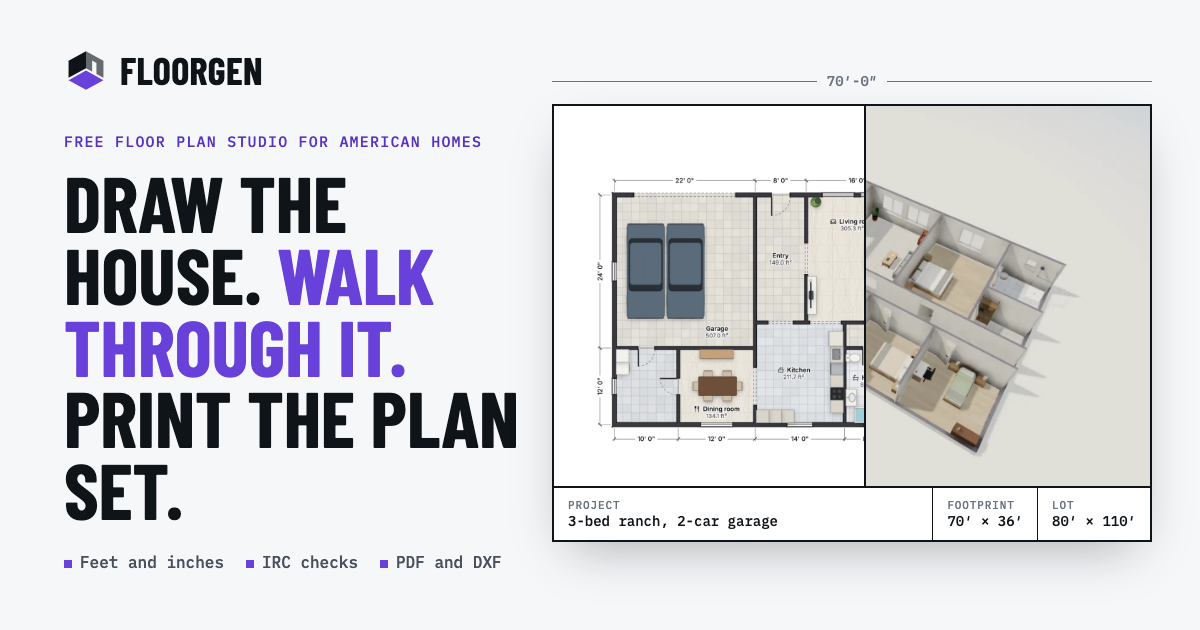
FloorGen is a browser-based floor plan maker for drawing, tracing, furnishing, and reviewing residential or room layouts. Users can start from a blank canvas, a template, a written description, or an imported image or PDF, then continue editing the same scaled drawing in 2D and 3D.
The product connects walls, rooms, furniture, 3D views, checks, and drawing exports to one plan. It supports feet-and-inches or metric measurements and can produce print-ready plan sets, CAD-oriented DXF files, images, 3D models, and walkthrough videos. Plans can be used without an account and save in the browser; signing in is needed for FloorGen AI and cloud syncing.
Create rooms with snapping walls, place doors and windows, and enter dimensions in feet and inches or metric units. Drawing precision is stated as 1/16 inch or 1 mm.
Import PNG, JPG, WebP, GIF, or PDF floor-plan sources, set the scale from a known length, and accept or adjust proposed walls. Wall detection runs in the browser and the source image remains underneath the editable plan.
Generate an editable plan from a written description with FloorGen AI, or ask it to change an existing plan. Changes appear as undoable steps, with comparison tools for reviewing edits; the AI feature is in beta and requires a free sign-in.
Place furniture from about 3,000 models across 14 categories, assign finishes to wall faces and floors, and inspect the design in 3D as an orbit, dollhouse view, or first-person walkthrough.
Produce scaled PDF plan sets, PNG images, layered SVG, glTF models, R12 DXF for CAD, and MP4 walkthrough videos. Print sheets can range from Letter and A4 to ARCH D and A1 and may include title-block information.
Review room areas, stairs, and selected building-code conditions while editing. Profiles include several regional codes, but the checks are presented as design guidance rather than permit approval.
Measure an existing room, test furniture positions, and compare layouts before moving or renovating. The editable plan can show room areas and finishes without requiring installation or an account.
Trace a builder brochure, scanned drawing, county PDF, or phone photo by setting a known scale and correcting the detected walls. The resulting plan can be measured and presented in 3D.
Draft kitchens, bathrooms, bedrooms, houses, or backyard ADUs, furnish them, and share a scaled plan or walkthrough with a contractor, client, or stakeholder.
Create drawing sheets with title-block details, schedules, elevations, sections, and CAD-compatible DXF output for design documentation. The site's code-review tools can help identify selected room, stair, and clearance issues before professional review.
Describe a layout, attach a sketch, or connect an external assistant through MCP to edit a synced plan. This suits users who want AI assistance while retaining measurable geometry and manual undo and comparison controls.
Yes. Open the image-tracing workflow, load a PNG, JPG, WebP, GIF, or PDF, set the scale from a known length, then detect or draw the walls. The resulting plan can be edited, measured, viewed in 3D, and exported.
The editor works without an account, and plans can save in the browser. FloorGen AI inside the editor requires a free sign-in, while cloud syncing requires signing in later.
Plans can be exported as PDF, PNG, SVG, glTF, DXF, and MP4, depending on the output type. PDF plan sets can include a title block, and DXF export uses the R12 format.
Yes. A plan can be viewed as a 3D model, orbited as a dollhouse view, or explored at eye level. Walkthrough videos can be exported in 16:9, 9:16, or 1:1 formats, up to 1440p, with captions.
FloorGen includes code-check profiles such as IRC, NBC, OBC, UK Approved Documents, DIN, CDMX, and a generic profile. The checks are a design aid rather than permit approval and do not replace review by a qualified professional or building department.

An advanced and easy-to-use 2D/3D house design tool that allows users to create their dream home designs quickly and effectively.

WallMockup is a browser-based wall art mockup editor for realistic room previews, with true-scale placement, frame controls, and export-ready images.

Vizcom is an AI design platform for product designers and teams that turns sketches into photorealistic 3D renders, with iteration and team workflows.

美间 is an online 2D cloud design platform for home decor and soft furnishing design, with素材库, auto cutout, smart layout, and enterprise asset management.

居然设计家 (Homestyler) is an AI design platform by Juran and Alibaba, offering online 3D cloud design, 3D scene-changing live streaming, and digital marketing tools for home design professionals, DIY users, and home furnishing brands.

AI interior design tools that help you visualize and decorate your space without expensive consultations.