
Thread-based chat
Inline is organized around threads, which makes conversations easier to follow than a flat chat stream when multiple people or agents are involved.

Inline is a thread-based work chat app connecting teammates and agents in one space, with beta apps for macOS and iOS plus MCP, CLI, plugin, and skill integrations.
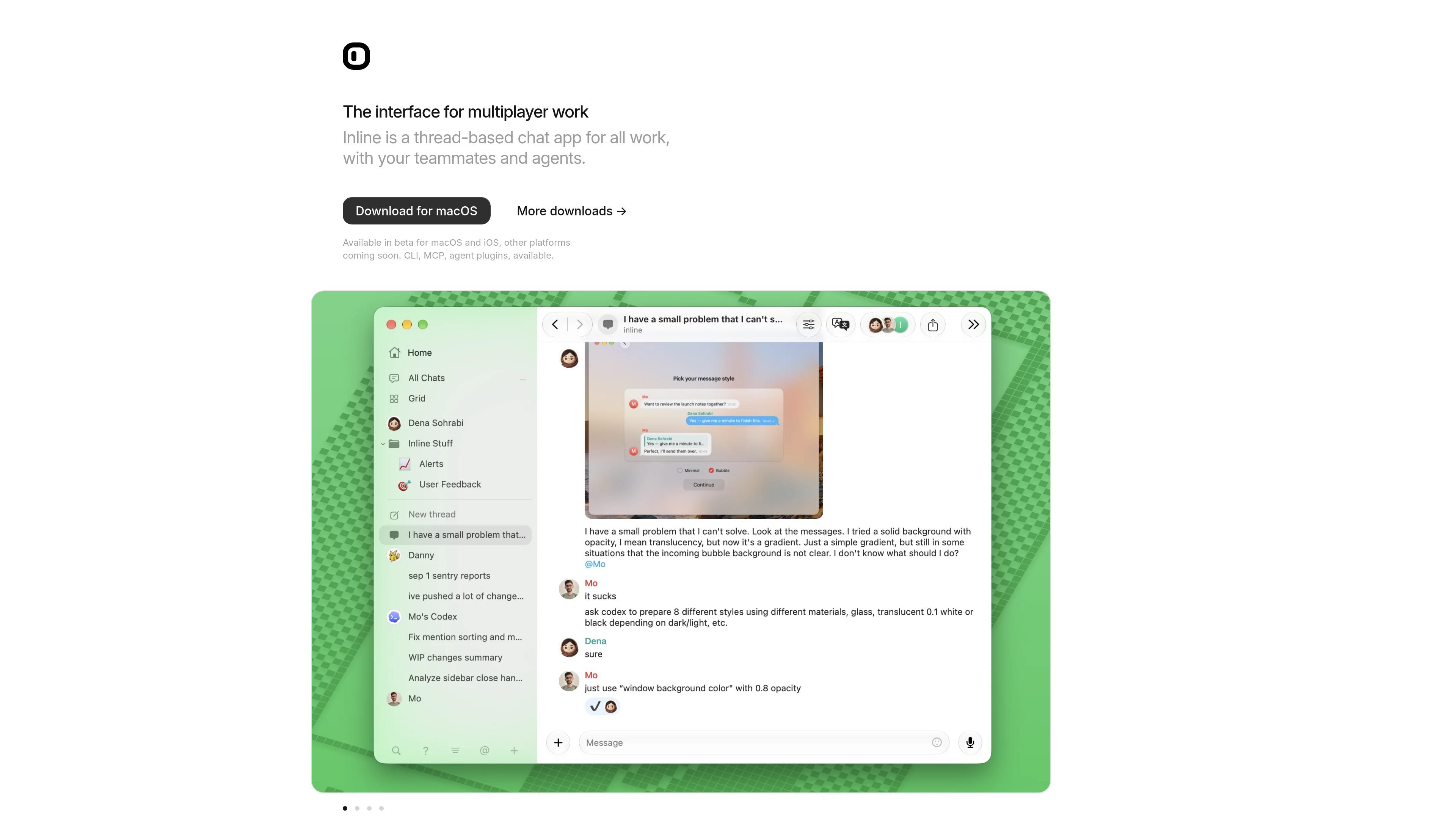
Inline is a thread-based chat app for work, designed for conversations with both teammates and agents. The product is presented as an interface for “multiplayer work,” which suggests it is meant to keep mixed human-and-agent collaboration organized in one place.
The public site highlights beta availability on macOS and iOS, along with CLI, MCP, and agent plugin support. The docs also show two related workflows: connecting an existing agent to Inline, or adding Inline’s skill and plugin to an agent tool such as ChatGPT/Codex or Claude Code.
Inline is organized around threads, which makes conversations easier to follow than a flat chat stream when multiple people or agents are involved.
The product is positioned for use with teammates and agents, so the same interface can be used for human discussion and agent interaction.
The homepage says Inline is available on macOS and iOS in beta, with other platforms coming soon, and provides downloads from the site.
Docs provide MCP connection steps and example commands for Codex, Claude Code, Amp, and other clients using a remote Streamable HTTP server.
Inline can be added to an existing agent through a plugin, a skill install, or MCP when CLI access is unavailable.
The docs include specific verification prompts such as asking an agent to list your chats, which helps confirm that the connection works.
Use Inline to keep a project discussion in threads when both people and agents are contributing, so replies stay grouped by topic instead of lost in a single stream.
Connect an agent through MCP when you want it to read or act on Inline conversations using the documented remote server setup.
Add Inline’s plugin or skill to an existing assistant tool when you want that assistant to work with Inline without rebuilding your agent stack from scratch.
Use the setup and verification steps to confirm that an installed agent can access the expected conversations before relying on it in a workflow.
Inline is a thread-based chat app for work that also supports teams and agents. The docs show it can connect to agents through MCP, and there are guides for adding Inline as a plugin or skill to tools like ChatGPT/Codex and Claude Code.
The source shows Inline available in beta for macOS and iOS, with other platforms listed as coming soon. The homepage also offers a macOS download and a TestFlight link for iOS.
Yes. Inline provides MCP connection instructions, plus setup guidance for adding Inline to an existing agent through plugin, skill, and CLI-based install paths.
The docs separate two workflows: add Inline to your agent if you want plugin, skill, or MCP access, or set up an agent if you want to bring your bot into Inline. The setup page explicitly warns not to use agent setup when you only want the plugin, skill, or MCP.
The pricing page at /pricing returned Not Found in the collected sources, so there is no reliable pricing or plan information to summarize from this evidence.

hob is an independent workspace for coding agents, with local control over sessions, terminals, history, routing, and follow-up work.

Ably Chat is a chat API platform for custom realtime chat apps, with rooms, typing indicators, presence, reactions, message updates and usage-based pricing.

Trigger.dev chat agent is a durable AI chat backend for stateful conversations that survive refreshes, crashes, and long-running turns with AI SDK useChat.

ByteAsk is a terminal-first AI coding agent for C and C++ that edits repos and verifies changes with compilers, debuggers, sanitizers, and tests.

Epherem scans web apps built with Lovable, Bolt, v0, Replit, Cursor, and Claude Code for security flaws in source code and dependencies, without running the app.

CreateOS Sandbox is an isolated compute environment for running code and agent workloads in Firecracker micro-VMs with private networking and SDK, CLI, or MCP control.