

kuku.mom
Connect your thoughts with an AI-native Markdown editor for macOS. Write smarter in Markdown—install via download or Homebrew.
What is kuku.mom?
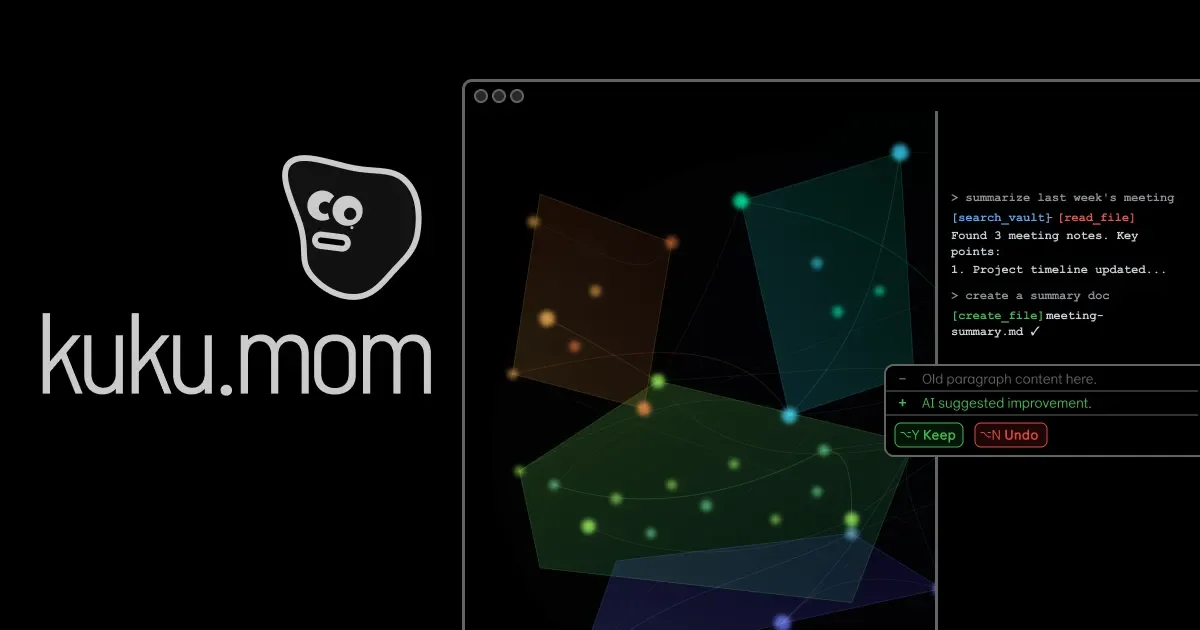
kuku.mom is an AI-native Markdown editor for macOS that helps you write using Markdown while incorporating AI support into your workflow. The core purpose is to support drafting and editing “thoughts” as structured text, with an editor experience designed around Markdown.
The site indicates installation availability for macOS, including a Homebrew cask command, suggesting it’s distributed as a desktop app rather than a purely web-based editor.
Key Features
- AI-native editing workflow: The product is positioned as “AI-native,” implying AI-assisted writing and editing as part of the Markdown authoring experience.
- Markdown-focused writing: As a Markdown editor, it’s built around composing content in Markdown format rather than plain text.
- macOS application distribution: The download/install instructions and Homebrew cask command indicate a macOS-native installation path.
How to Use kuku.mom
- Install the macOS app using the provided command or the download link.
- Open kuku.mom and start composing in a Markdown editor interface.
- Use AI support while writing to help draft or refine Markdown content as you edit.
Use Cases
- Drafting notes and ideas in Markdown: Capture “thoughts” as structured Markdown for later editing or reuse.
- Writing longer-form documents: Maintain a consistent Markdown format while editing sections and refining content.
- Preparing developer-style documentation: Use Markdown as a common format for READMEs, notes, or lightweight documentation.
- Editing and refining existing Markdown: Improve readability and structure while staying in Markdown throughout the workflow.
FAQ
-
Is kuku.mom available on macOS? Yes. The page explicitly states “Download for macOS” and provides a Homebrew cask installation command.
-
How do I install kuku.mom on macOS? The page provides a Homebrew command:
brew install --cask kuku-mom/kuku/kuku. -
What format does kuku.mom use for writing? It is described as an “AI-native Markdown editor,” so writing is centered on Markdown.
-
What does “AI-native” mean here? The provided content doesn’t specify implementation details, but it indicates AI assistance is integrated into the Markdown editing workflow.
Alternatives
- Other Markdown editors for macOS: If you want a dedicated Markdown authoring app without an AI-native workflow, compare general-purpose Markdown editors available for macOS.
- General-purpose AI writing tools: If your priority is AI assistance over Markdown authoring, consider AI writing applications that export or support Markdown.
- Plain-text editors with Markdown support: For users who prefer lightweight editing, a macOS editor with Markdown preview/formatting can be an alternative, though it may not include AI-native editing.
- Notion-like note tools (Markdown export): For users who want a broader notes workflow and can export to Markdown, these tools can be an adjacent option compared with a dedicated Markdown editor.
Alternatives

ProWritingAid
ProWritingAid is a comprehensive writing assistant that helps writers improve their craft through grammar checking, style editing, and personalized feedback.

Paperpal
Paperpal is an academic writing AI tool for research workflows—smart literature reading, English editing, rewriting, writing components, and pre-submission checks.

AakarDev AI
AakarDev AI is a powerful platform that simplifies the development of AI applications with seamless vector database integration, enabling rapid deployment and scalability.

Sanota
Sanota turns your voice into clear, beautiful text—capture memories and ideas easily, then start for free.

BookAI.chat
BookAI allows you to chat with your books using AI by simply providing the title and author.

skills-janitor
Audit, track usage, and compare your Claude Code skills with skills-janitor—nine focused slash commands and zero dependencies.