
Tech stack detection with evidence
Identifies frameworks, libraries, CMSs, tag managers, and other technologies on the open page, while keeping the evidence that matched each detection beside the result.

LoupeKit browser panel inspects live pages for stack, layout, SEO, accessibility and AI code smells. Free tier; Pro adds exports, reports, advisories and server-side readings.
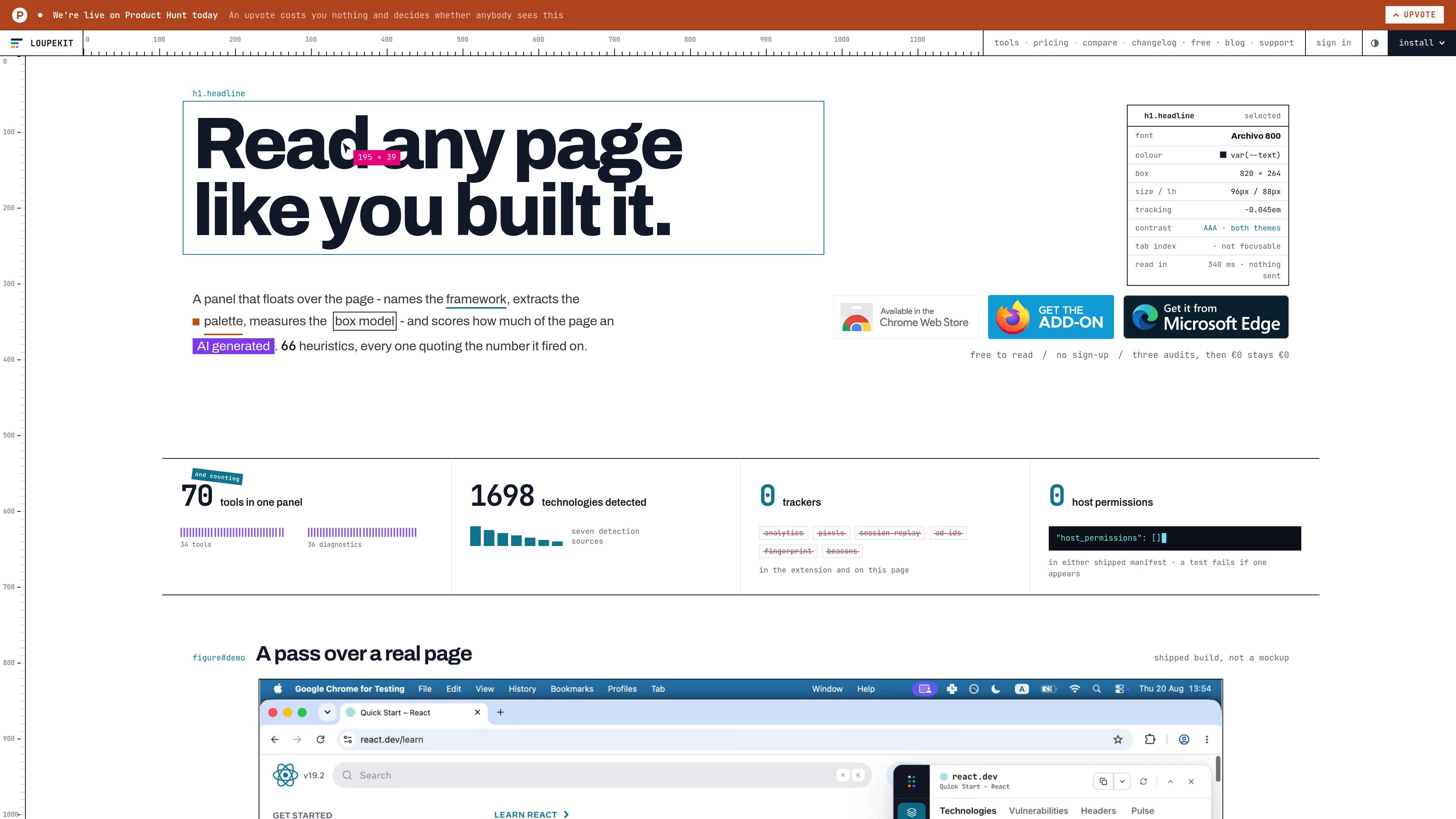
LoupeKit is a browser panel that floats over the current page and reads what is there: the stack, the layout, the page signals, the SEO surface, accessibility details, and more. Its homepage positions it as a way to read any page “like you built it,” with each tab focused on a different kind of inspection.
The product is organized into nine tabs and 70 tools and diagnostics, with the tab views presenting evidence alongside each reading. The source emphasizes local, in-browser reads for most checks, no host permissions, and free access to the page-reading tools, while Pro adds exports, reports, advisories, and some server-side readings.
Identifies frameworks, libraries, CMSs, tag managers, and other technologies on the open page, while keeping the evidence that matched each detection beside the result.
Checks detected versions against published advisories and CVEs. The Stack tab notes that vulnerability checks run on a press rather than automatically on open.
Reads response headers and page-load pulse data such as nodes, requests, bytes, and paint timings without asking for extra data beyond the current page load.
Scores the page for AI-generated code smells, prints the rules behind the score, and shows a refactor suggestion for each finding.
Provides live inspect-and-edit style UI readings, including box model, element type, and colours, with the ability to change the page and take the change back.
Includes a tools grid with 70 tools and diagnostics, searchable from a command palette that spans tools, tabs, and sections.
A developer can open the Stack tab to see which frameworks, CMSs, libraries, and tags a live page appears to use, along with the matched evidence and any published advisories for detected versions.
A designer or frontend engineer can inspect colors, box model values, focus path, and other UI signals directly on the page, then test changes and revert them within the panel.
An editor or reviewer can run the Vibe audit to see which parts of the page read as generated, inspect the printed rules, and use the refactor suggestions to improve the page.
A site owner can use the SEO, accessibility, and domain tabs to review what crawlers, assistive software, and domain records are likely to see before publishing changes.
A consultant or agency can create a link-based report or evidence pack on Pro when they need to share findings, baselines, or timestamped audit results with a client or procurement team.
LoupeKit is a browser panel that reads the page you are on and organizes its outputs into nine tabs, including stack, vibe, UI, developer, SEO, accessibility, domain, server, and tools. The homepage describes it as a panel that floats over the page and reads the page in front of you.
The source shows LoupeKit working as a browser extension panel that opens over the current page. It is described as installable in multiple browsers, including Chrome, Firefox, Edge, Brave, Opera, and other Chromium-based browsers.
LoupeKit has a free tier for the page-reading tools and diagnostics, plus Pro plans for exports, reports, advisories, and server-side readings. The pricing page lists Pro Monthly at €6.99 per month and Pro Lifetime at €74.99 once, with the lifetime price scheduled to rise after launch.
The site says the extension ships with no host permissions and that nothing is sent when reading a page. The pricing page also says paying does not change that and that there is no version that transmits the page.
The site presents command-palette access with ⌘ K or Ctrl K and says the panel contains 70 tools and diagnostics. The panel pages also show that some paid readings, such as advisories and server-side data, are reserved for Pro.

ByteAsk is a terminal-first AI coding agent for C and C++ that edits repos and verifies changes with compilers, debuggers, sanitizers, and tests.

Manta AI is an autonomous web app testing tool that maps app behavior, catches regressions, and generates tests from a URL, no scripts or selectors needed.

Epherem scans web apps built with Lovable, Bolt, v0, Replit, Cursor, and Claude Code for security flaws in source code and dependencies, without running the app.

PromptScout tracks how ChatGPT, Gemini, Google AI Overviews, and Perplexity mention your brand or competitors, with source analysis and website audits.

CreateOS Sandbox is an isolated compute environment for running code and agent workloads in Firecracker micro-VMs with private networking and SDK, CLI, or MCP control.

GitBot is a local browser workspace for reusable coding bots powered by Claude Code, Codex, or OpenCode, with persistent threads and configurable permissions.