
Photo-based problem capture
Upload a math problem from a textbook, notebook, or exam paper and let OCR read handwriting and formulas from the image.

MathPal is a browser-based AI math tutor for grade 6-9 students, turning photos of problems into step-by-step explanations, practice, and progress review.
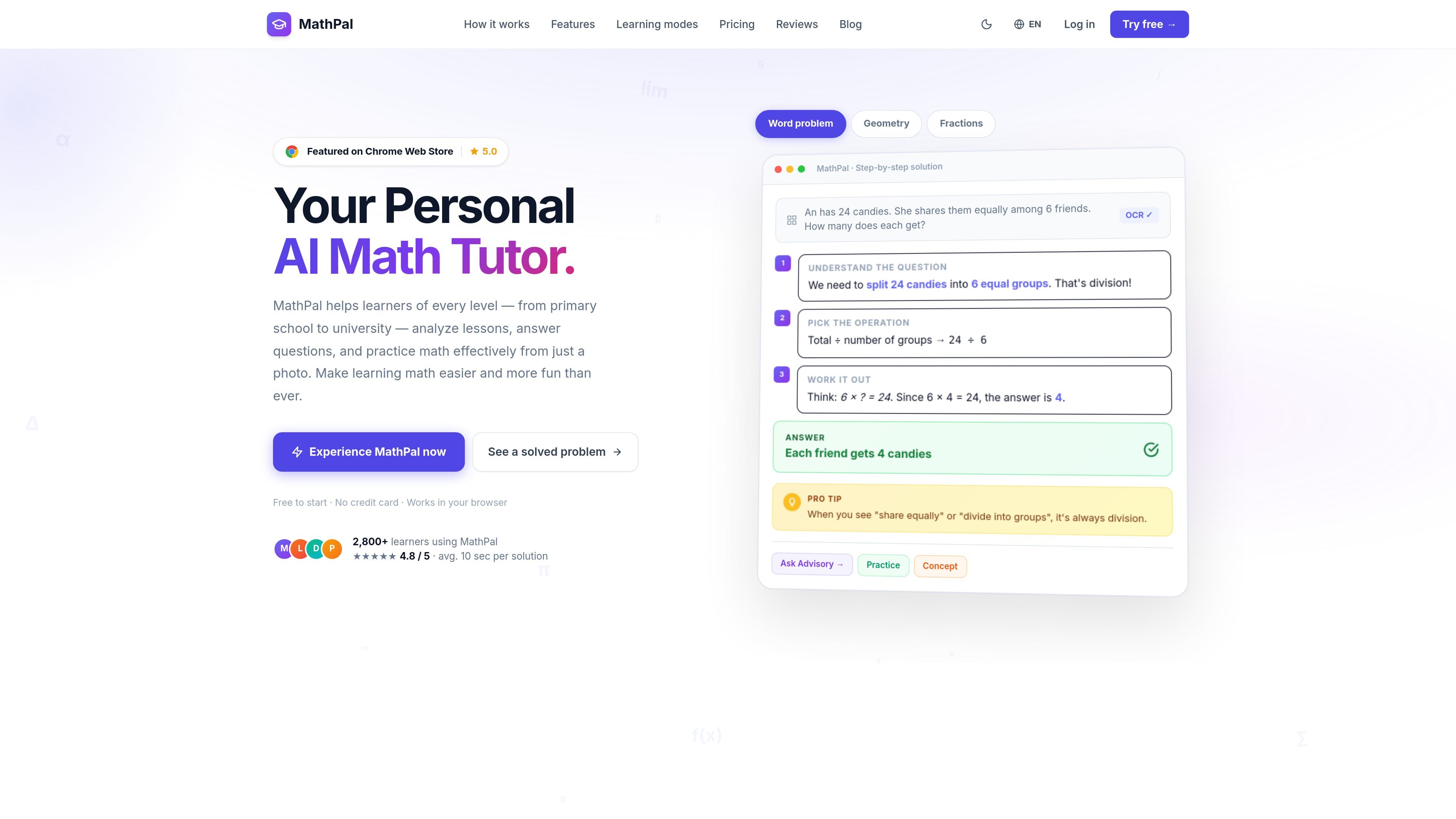
MathPal is an AI math tutor focused on helping students work through math problems step by step from a photo. The site describes it as a browser-based tool for learners from primary school through university, with a stronger emphasis in the page copy on grade 6-9 math support.
The product centers on understanding as well as solving: users can upload a problem, get a worked explanation, and review the formula, concept, and tips tied to that solution. The pricing page also shows a tiered plan structure with a free trial, a Pro plan, and a Premium plan, plus cancellation and refund language for paid plans.
Upload a math problem from a textbook, notebook, or exam paper and let OCR read handwriting and formulas from the image.
Get a worked solution that breaks the problem into steps rather than returning only the final answer.
Review the formula, core concept, and tips that were used in a solution so you can understand the reasoning behind it.
Use Advisory Mode for guided, Socratic-style prompts instead of direct answers when you want more support in thinking through a problem.
Generate practice questions at three difficulty levels and receive instant grading.
Track learning over time with a knowledge radar, searchable history, and auto-classified sessions for later review.
A student can photograph a homework problem and use the step-by-step explanation to work through the solution before checking the final answer.
When a learner wants to understand the method rather than copy the result, Advisory Mode can guide them with questions that lead toward the solution.
After a lesson or quiz, a student can generate practice problems at different difficulty levels and use the grading feedback to reinforce weak areas.
A learner can return to past sessions through the searchable history and knowledge radar to see which topics need more attention before an exam.
MathPal uses an energy-based usage model. The pricing page says each plan comes with a certain amount of energy that can be used across Concept, Formula, Practice, Advisory, and QA features, and that energy resets at the start of each billing cycle for paid subscriptions.
Yes. The pricing page says you can upgrade from Free to Pro or from Pro to Premium at any time.
MathPal is meant to be used in a browser and the site also references a Chrome extension, so it appears to support browser-based use. The source text does not provide additional platform details beyond that.
The pricing page says paid plans can be canceled anytime and mentions a 7-day refund policy.
Premium includes higher limits than Pro, all Pro features, Advisory Mode, advanced AI model access, early beta access, and VIP support. It is a one-time purchase with optional yearly updates after the first year.

GameGrad turns PDF study material into quiz questions inside arcade games for active recall. Free tier for one PDF; Pro adds more uploads, questions, and explanations.

LangPanda is a browser extension for learning languages from streaming video with instant subtitle lookup, flashcards, vocabulary tracking, and SRS for 36 languages.

recall is an AI flashcard app that turns reading and notes into study cards with Claude, ChatGPT, or another MCP client. One-time lifetime access with spaced repetition review.

Snapmark is a VS Code extension for annotating clipboard screenshots before pasting them into AI chats. Blur sensitive details, add numbered callouts, and auto-resize large images.

Arduino VENTUNO Q is an edge AI computer for AI and robotics, combining AI inference and deterministic control on one board with Arduino App Lab support.

Talkpal is an AI language learning app for web and mobile with speaking, listening, writing, pronunciation practice, guided courses, roleplays, and 130+ languages.