

motionvid.ai
motionvid.ai is an AI motion and video editor for creating editable animated videos, motion graphics, and social clips without After Effects.
What is motionvid.ai?
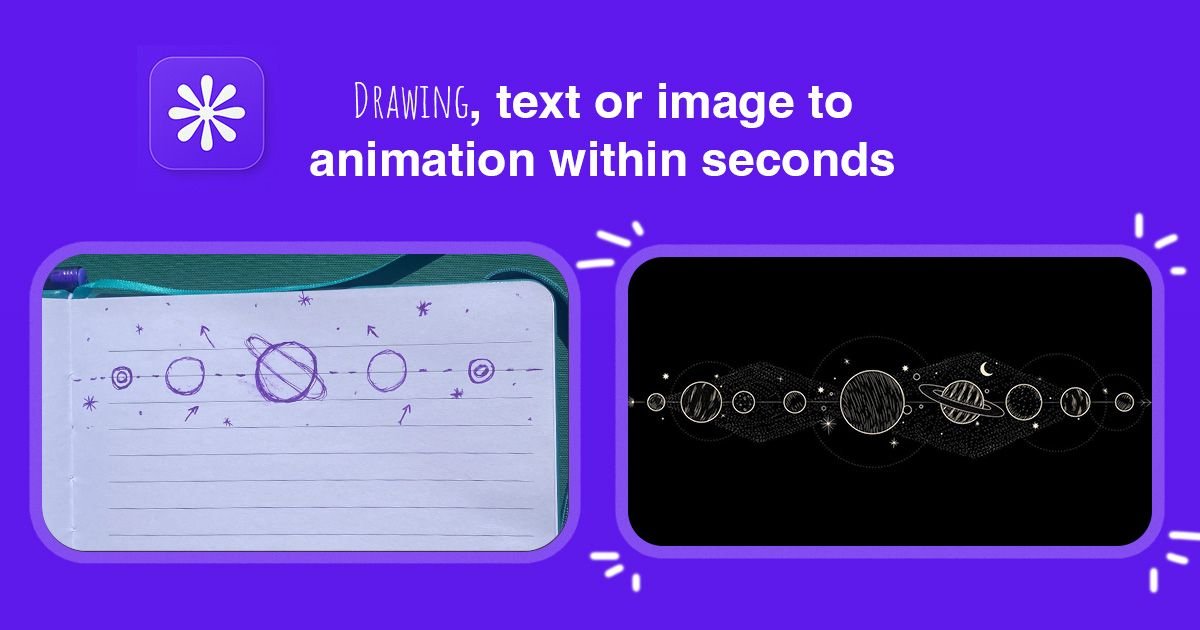
motionvid.ai is an AI motion and video editor for creating animated videos, motion graphics, and visual content from text and images. The product combines an AI chat interface, a scene timeline, and editable motion graphics tools in a single canvas, with output formats that include explainer videos, animated charts, maps, logos, typography animations, and social media animations.
The site presents motionvid.ai as a browser-based workflow for generating and editing motion graphics in minutes rather than building them manually in tools like After Effects. It also supports clip generation from a start and end image, plus zoom controls for directing attention inside clips after generation.
Key Features
- AI chat, scene timeline, and stackable zoom clips in one editor, so users can generate and refine motion graphics without switching tools.
- Editable motion graphics generation for a wide range of formats, including chapter animations, title animations, process animations, explainer videos, typography animations, social media animations, software demos, news headlines, diagram animations, logo animations, mockup animations, launch videos, and project communications.
- Start-and-end image clip generation, where two uploaded frames are used to generate a cinematic transition or storytelling clip in between.
- Built-in zoom controls with draggable start and end handles, which let users direct focus within a clip and adjust motion timing inside the timeline.
- Multiple visual style modes shown on the site, including photography, infographics, cinema, angles, and one-page infographic layouts.
- Export and capacity tiers that vary by credits, video exports, and resolution, with plans that include 1080p, up to 4K, and up to 8K infographic exports.
How to Use motionvid.ai
A typical workflow starts by creating a new video in the editor, then generating or assembling scenes through the AI interface and timeline. Users can choose a motion graphic format, add narration, music, or sound effects where needed, and adjust clips directly in the canvas.
If the project calls for a cinematic transition, the user can upload a start image and an end image and let the system generate the motion between them. After that, the editor can be used to refine zooms, scene order, and the final output before exporting.
Use Cases
- Creating explainer videos that turn a product, process, or idea into animated scenes with captions, charts, and transitions.
- Producing social media videos with short-form motion, chat-style reveals, or typography-led animation for feeds.
- Making software demos that animate UI elements, toggles, and controls to show how a product works.
- Building marketing launch videos that combine visual storytelling, titles, and highlight sequences for a campaign or new product.
- Turning maps, timelines, or diagrams into animated educational content for journalism, lessons, or internal presentations.
FAQ
Do I need design skills or After Effects experience? No. The page states that motionvid.ai is built for users who want to create animated videos without design skills or After Effects.
Can I edit the generated motion graphics? Yes. The site says the motion graphics are editable after generation, and the editor includes a scene timeline and zoom controls.
Can I add narration, music, or sound effects? Yes. The landing page shows narration, music, and SFX as part of the video workflow.
Is there a free option? Yes. The page says it is free to start with no card required.
What output quality or limits are available? The pricing section mentions 1080p exports on the Pro plan, up to 4K video and infographic exports on Ultimate, and up to 8K resolution exports for infographics on Creator.
Alternatives
- Traditional motion design software such as After Effects, which is more manual and typically requires more design and animation expertise.
- General-purpose video editors that can assemble clips and audio but do not focus on AI-generated motion graphics or editable animated templates.
- AI video generators that produce clips from prompts or assets, but may offer less granular control over scenes, zooms, and motion-graphic-specific formats.
- Presentation or infographic design tools, which are useful for static visuals but are not primarily built for animated storytelling or video exports.
Alternatives

TapNow
TapNow is an AI-native visual creation engine for businesses and creators—generate professional-grade visuals for e-commerce ads to cinematic art.

VIDEOAI.ME
VIDEOAI.ME is an AI video generator to create studio-quality, publish-ready videos with realistic AI actors and voiceovers from text or a selfie.

HeyGen
HeyGen Developers offers an API platform to generate, translate, and lipsync avatar videos with TTS models—built for scalable production workflows.

DeepMotion
DeepMotion is an AI motion capture and body-tracking platform to generate 3D animations from video (and text) in your web browser, via Animate 3D API.

艺映AI
艺映AI is a free AI video generation platform focused on transforming text and images into high-quality dynamic videos.

Captions.ai
Captions.ai is an online video editor and app with AI-powered editing, automatic captions, music, and AI avatars for faster video creation.