
Video plus sound analysis
Upload a clip and receive a read that combines video and audio cues, rather than relying on frames alone.

NeuroVidz analyzes short video clips with visual and audio signals, giving an engagement score, second-by-second emotion timeline, and edit guidance.
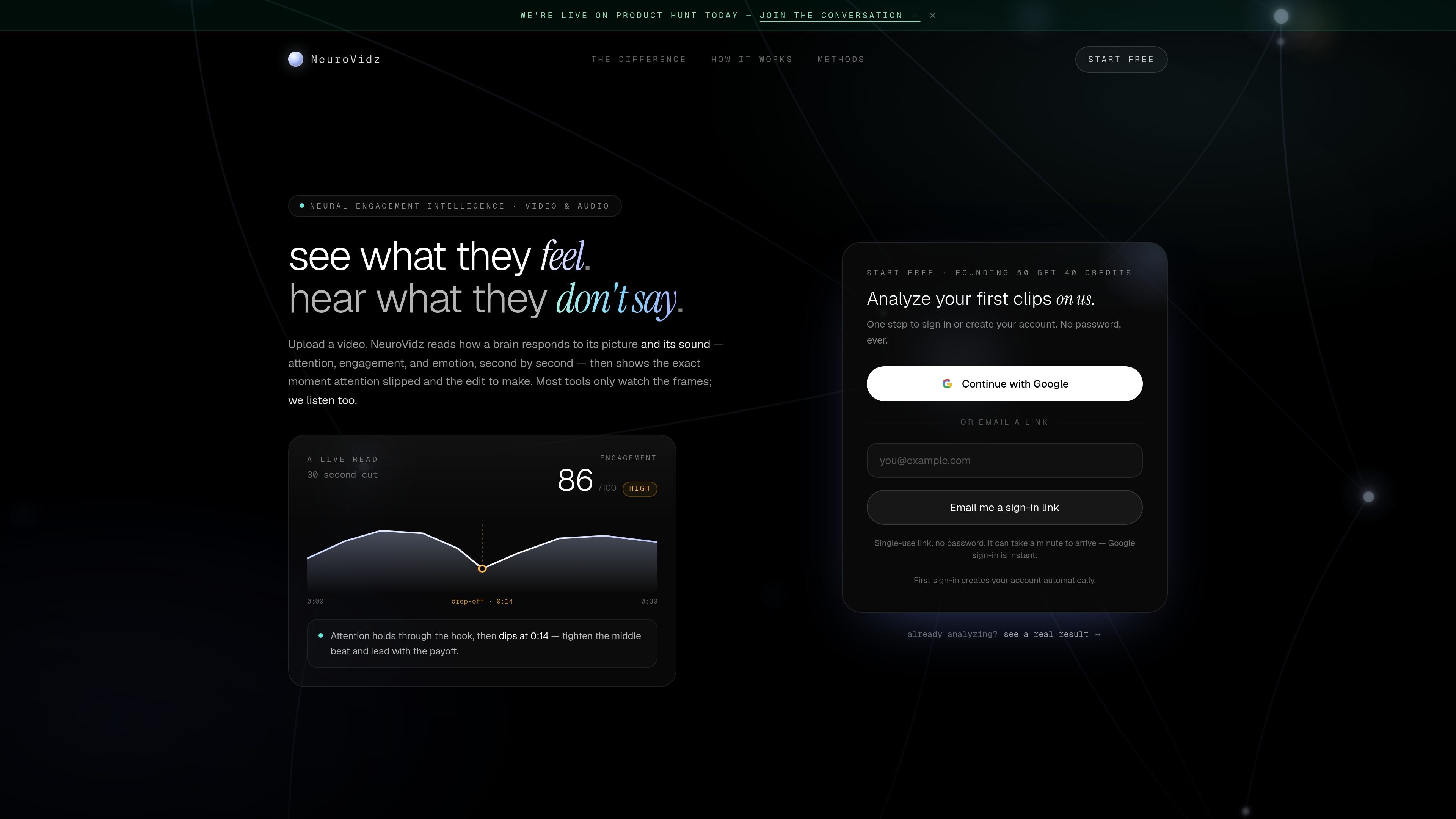
NeuroVidz is a web product that analyzes short video clips and returns a read of engagement, attention, and emotion based on both visual and audio signals. The site’s framing is “see what they feel” and “hear what they don’t say,” which matches the product’s focus on how a brain responds to a clip second by second.
The workflow shown on the site is simple: upload a clip, wait about 30 seconds, and get an engagement score plus a timeline that highlights when attention drops and what to change next. The product accepts clips up to three minutes long and supports mp4, mov, and webm uploads.
Upload a clip and receive a read that combines video and audio cues, rather than relying on frames alone.
The product reports an engagement score on a 0–100 scale so you can compare clips at a glance.
It shows where attention holds and the exact second it slips, which is meant to help identify cut points.
The output includes the emotional shape of the clip second by second, with the system saying when it is unsure instead of forcing a label.
A sample result shows additional diagnostics such as network activation over time, attention, intensity, and dominant network activity.
The workflow includes a prompt to act on the result, with a suggested edit or fix after analysis.
Review an edited social or short-form clip to see where attention holds and where it drops before publishing.
Compare talking-head, podcast, or voice-led clips using both sound and picture, instead of judging only the visuals.
Inspect a sample result to understand the signal-level response of a clip, including network activation and dominant network patterns.
Use the second-by-second timeline to identify the moment a hook lands or the middle section needs tightening.
The source shows sign-in via Google or by email link. It says the first sign-in creates your account automatically, and there is no password.
The product is built around uploading a video clip. The source says clips can be up to three minutes long and can be mp4, mov, or webm.
The page says NeuroVidz returns an engagement score, an emotional shape second by second, and the exact edit to make next. The sample result also shows attention, engagement, emotion, and other readouts.
The pricing page indicates a free start with up to 40 credits and references a founding offer. It does not show detailed plan names or full pricing in the provided text.
The source describes a browser-based sign-in flow on the website, but it does not provide any documented integrations, API, or export options.

PromptScout tracks how ChatGPT, Gemini, Google AI Overviews, and Perplexity mention your brand or competitors, with source analysis and website audits.

SaveMRR is a Stripe retention tool for SaaS teams to scan churn and MRR leaks, then automate recovery with dunning, cancel-save offers, win-back emails, and onboarding nudges.

Hype is a web tool for finding trending YouTube topics by category, time range, and scoring mode. Spot emerging ideas and review source videos.

Sleek Analytics is a privacy-friendly web analytics tool with real-time visitor tracking, Core Web Vitals, and revenue attribution.

Struere turns spreadsheet data into structured operational software with dashboards, alerts, and automations for teams replacing manual spreadsheet workflows.

ClayHog is an AI search visibility platform for tracking brand presence in ChatGPT, Gemini, Perplexity, Claude, and Google AI Overviews from one dashboard.