

OLO Robotics
OLO Robotics is a browser-based robotics platform for simulation, visualization, control, scripting, and ROS2 access. It helps teams build and test robots faster.
What is OLO Robotics?
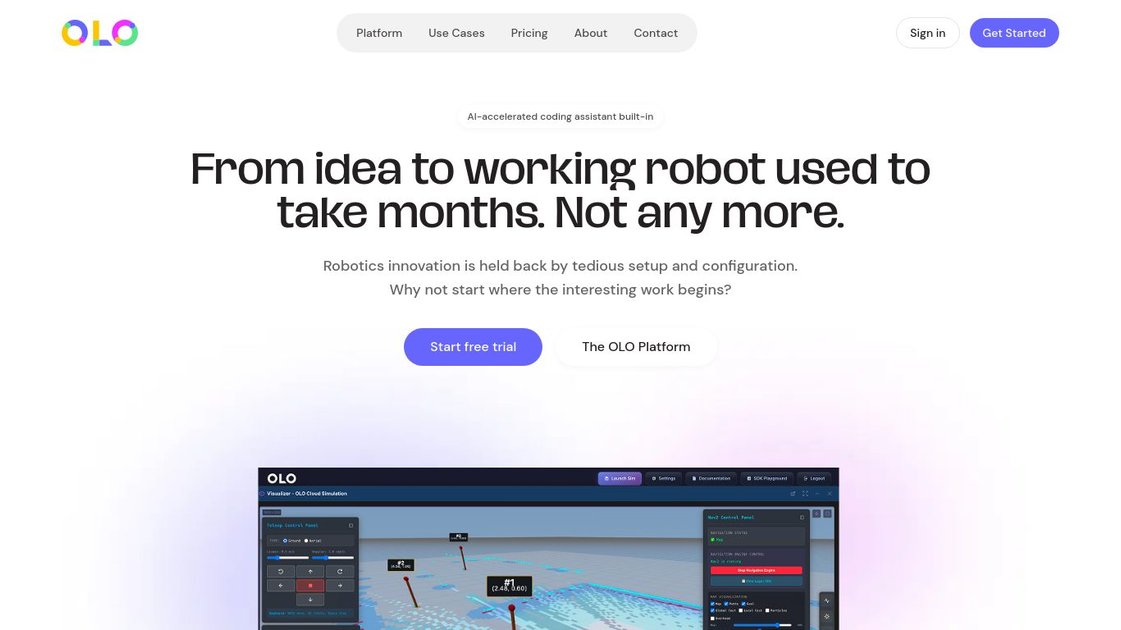
OLO Robotics is a browser-based robotics platform that combines simulation, visualization, control, scripting, and ROS2 access in one place. It is designed to reduce the setup work usually required to start building and testing robotics applications, so teams can move from an idea to a working robot in a single web environment.
The platform includes an AI-accelerated coding assistant, JavaScript and Python SDKs, live video streaming, teleoperation, autonomous navigation, and ROS bag recording. It also supports direct access to ROS2 topics, services, and parameters, making it useful for developers, researchers, and hardware vendors who need a shared workflow for robot development and operation.
Key Features
- Browser-based robotics workspace that brings simulation, visualization, control, and scripting into one platform, reducing the need to stitch together separate tools.
- ROS2-native access with direct interaction with topics, services, and parameters for building and debugging robotics workflows.
- AI-assisted coding with an embedded coding assistant, plus JavaScript and Python SDKs for scripting and application development.
- Remote robot control with low-latency teleoperation, supporting operation from anywhere through the web platform.
- Live video streaming from robot cameras, with recording and playback for inspection and review.
- Navigation and manipulation tools, including built-in Nav2 integration for waypoint and pose navigation and joint control for robot arms.
- ROS bag recording and playback for testing, debugging, and replaying robot data.
- Script orchestration for chaining reusable automation steps into modular workflows.
How to Use OLO Robotics
Users typically start by opening the web platform or SDK playground, choosing the environment and robot they want to work with, and then connecting to ROS2 data and controls. From there, they can write code with the AI assistant, run scripts in JavaScript or Python, monitor video and robot state, and test behaviors through simulation or direct control.
Teams can also use the platform to record ROS topics, replay sessions, and iterate on navigation, teleoperation, or vision tasks without setting up a local robotics stack first.
Use Cases
- A robotics developer prototypes control logic in the browser, using the SDKs and AI coding assistant to move from concept to working behavior without a long local setup.
- A hardware OEM offers customers a ready-made software layer for video streaming, navigation, and control so they can focus on the robot itself.
- A research team gives students and staff a standardized environment for experiments, reducing time spent installing and configuring robotics tools.
- An operator tests remote teleoperation workflows using live video, low-latency control, and joint manipulation for a robot arm.
- An engineer records ROS topics during testing, then replays them to debug behavior or compare results across runs.
FAQ
Does OLO Robotics require local installation? The source describes it as a browser-based platform and says the SDK Playground has no installation requirement.
Which programming languages are supported? The page mentions JavaScript and Python SDKs.
Can it work with ROS2? Yes. The platform advertises native ROS2 access, including topics, services, and parameters.
Does it support robot navigation and teleoperation? Yes. The source mentions low-latency remote control and built-in Nav2 integration for waypoint and pose navigation.
Is it only for one type of user? No. The page positions it for robot hardware OEMs, robotics developers, and research teams.
Alternatives
- Traditional robotics development stacks assembled from separate simulators, dashboards, IDEs, and ROS tools. These offer flexibility but usually require more setup and integration work.
- Local ROS2 development environments. These keep everything on a developer machine, but they still require installation and configuration before work begins.
- General-purpose remote device control or teleoperation tools. These can help with access and operation, but they do not necessarily include robotics-specific simulation, navigation, or ROS2 workflows.
- Robotics cloud platforms focused on simulation or fleet operations. Depending on the product, these may cover only part of the workflow rather than combining coding, visualization, control, and scripting in one browser-based environment.
Alternatives

Devin
Devin is an AI coding agent that helps software teams complete code migrations and large refactoring by running subtasks in parallel.

AakarDev AI
AakarDev AI is a powerful platform that simplifies the development of AI applications with seamless vector database integration, enabling rapid deployment and scalability.

Arduino VENTUNO Q
Arduino VENTUNO Q is an edge AI computer for robotics, combining AI inference hardware and a microcontroller for deterministic control. Arduino App Lab-ready.

imgcook
imgcook is an intelligent tool that converts design mockups into high-quality, production-ready code with a single click.

open-codex-computer-use
open-codex-computer-use is an open-source “Computer Use” MCP server that lets AI agents run desktop GUI actions on macOS, Linux, and Windows.

Codex Plugins
Use Codex Plugins to bundle skills, app integrations, and MCP servers into reusable workflows—extending Codex access to tools like Gmail, Drive, and Slack.