oMLX icon

oMLX

oMLX is a native macOS inference server built on MLX for local models on Apple Silicon Macs, with SSD-backed KV caching and OpenAI/Anthropic endpoints.

oMLX

What oMLX does

oMLX is a native macOS inference server for local LLM use on Apple Silicon Macs. It is built on MLX and is designed to reduce the repeated recomputation that happens when coding agents invalidate context during a session.

Its main differentiator is paged SSD KV caching, which persists cache blocks to disk so previously used prefixes can be restored quickly across requests and even after server restarts. The product also adds continuous batching, multi-model serving, and OpenAI- and Anthropic-compatible APIs for local tools and clients.


Core capabilities

Paged SSD KV caching

oMLX stores KV cache blocks on SSD in safetensors format instead of keeping everything only in RAM. Hot blocks stay in memory, cold blocks move to disk, and previously seen prefixes can be restored across requests and server restarts.

Continuous batching

The server handles concurrent requests through mlx-lm's BatchGenerator so multiple generations do not have to wait behind a single request. The homepage reports speedups up to 4.14× at 8× concurrency.

Native macOS app and dashboard

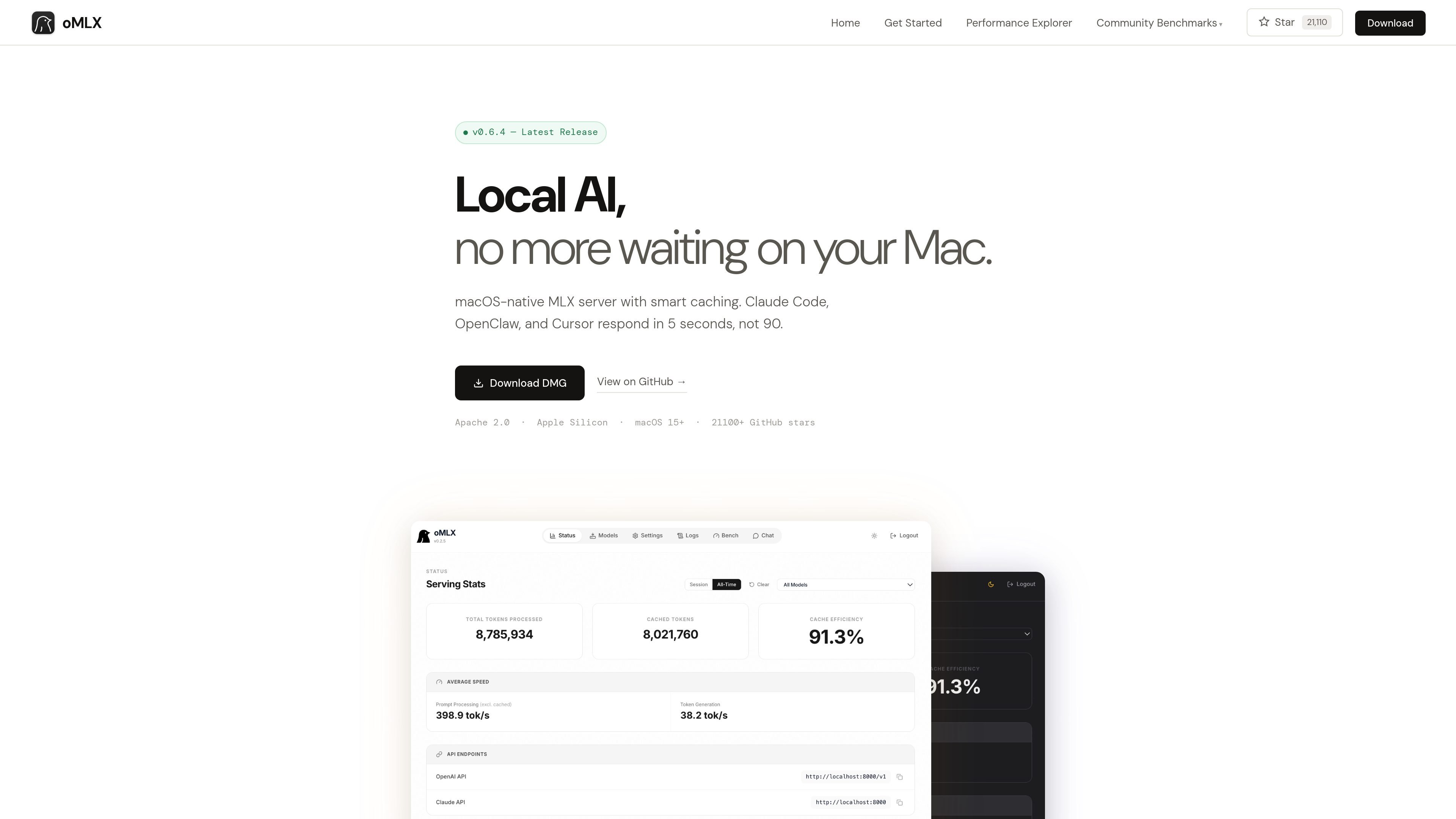
oMLX includes a native macOS menu bar app for starting, stopping, and monitoring the server. The companion dashboard supports model management, chat, and real-time metrics, and the app is signed, notarized, and auto-updating.

Multi-model serving

The dashboard can serve multiple model types at once, including LLMs, VLMs, embeddings, and rerankers. It also supports LRU eviction when memory is tight and model browsing/downloading from the interface.

Drop-in API compatibility

oMLX exposes both OpenAI-compatible and Anthropic-compatible APIs, including /v1/chat/completions and /v1/messages. The site says it can work as a drop-in backend for Claude Code, OpenClaw, Cursor, and other OpenAI-compatible clients.

Tool calling and MCP support

The product supports major tool-calling formats such as JSON, Qwen, Gemma, GLM, and MiniMax, plus MCP integration and configurable tool-result trimming for oversized outputs.

Practical ways to use oMLX

  • Run coding agents with recurring context shifts

    Use oMLX as the local backend for coding assistants that repeatedly revisit earlier context. The SSD-backed cache is designed to preserve and restore prior prefixes instead of recomputing them every time the agent revises its path.

  • Wire existing developer tools to a local model server

    Connect Claude Code, OpenClaw, or Cursor to a local macOS inference server using the drop-in API support. The site says the dashboard can generate the exact configuration command for each tool.

  • Consolidate multiple local models on one Mac

    Serve more than one model type from the same machine, such as an LLM for chat, a VLM for image-aware work, and embedding or reranker models for retrieval tasks. The dashboard lets you browse, download, and manage models in one place.

  • Operate local inference from a native macOS interface

    Use the menu bar app and web dashboard to start the server, monitor status, and inspect real-time metrics without switching to a separate desktop app. This is useful for people who want local inference to stay available while they work.

  • Reuse an existing local model cache

    Reuse models already present in Hugging Face cache folders or LM Studio directories, then serve them locally without another download. That makes oMLX a fit for users who already keep a local model library on disk.

Pros and Cons

Pros

  • Persists KV cache blocks to SSD, which helps avoid full recomputation when prefixes recur during long coding sessions.
  • Supports both OpenAI-compatible and Anthropic-compatible endpoints, making it easier to connect existing clients.
  • Can reuse standard Hugging Face cache locations and LM Studio folders, which reduces re-downloading and duplicate storage.
  • Runs as a signed, notarized native macOS app with a menu bar interface, web dashboard, and auto-update.
  • Supports concurrent requests through continuous batching, with published batch speedups on the homepage.

Cons

  • The product is limited to Apple Silicon and macOS 15+, so it is not a cross-platform server.
  • The source recommends 64GB+ RAM for comfortable use with larger models, so smaller-memory Macs may be less practical for heavy workloads.
  • The strongest performance claims are shown on an M3 Ultra 512GB system, which may not reflect results on less powerful hardware.

FAQ

What is oMLX used for?

oMLX is a native macOS inference server built on MLX. It exposes OpenAI-compatible and Anthropic-compatible endpoints so tools such as Claude Code, OpenClaw, and Cursor can connect to a local backend.

What hardware does oMLX require?

The source says oMLX supports Apple Silicon Macs running macOS 15+. The minimum RAM is 16GB, and 64GB or more is recommended for comfortable use with larger models.

Can I use oMLX with Claude Code, OpenClaw, or Cursor?

Yes. The homepage says oMLX works as a drop-in backend for Claude Code, OpenClaw, and Cursor, and it can also be used with any OpenAI-compatible client on localhost:8000.

Do I need to download my models again?

No. The FAQ says oMLX reads the standard Hugging Face cache, so models already downloaded in shared cache locations can be reused without re-downloading. It can also pick up LM Studio folders and custom directories.

What kinds of models are supported?

The site says any MLX-format model from HuggingFace is supported, including LLM, VLM, embedding, and reranker models, with automatic handling for several reasoning-model formats.

Quick Facts

Category
Developer Tool
Platform
Apple Silicon Macs, macOS 15+
Core workflow
Local LLM inference with SSD-backed KV cache and continuous batching
API compatibility
OpenAI-compatible and Anthropic-compatible endpoints
Source domain
omlx.ai
License
Apache 2.0