
AI mood image remix
ON MOD analyzes user photos and generates impression-style or mood-aware visual reinterpretations, including atmospheric lighting changes and more imaginative scene transforms.

ON MOD is an AI camera and social app that turns photos and moods into stylized images, captions, and short videos, with vibe posts on a map and credit-based creation.
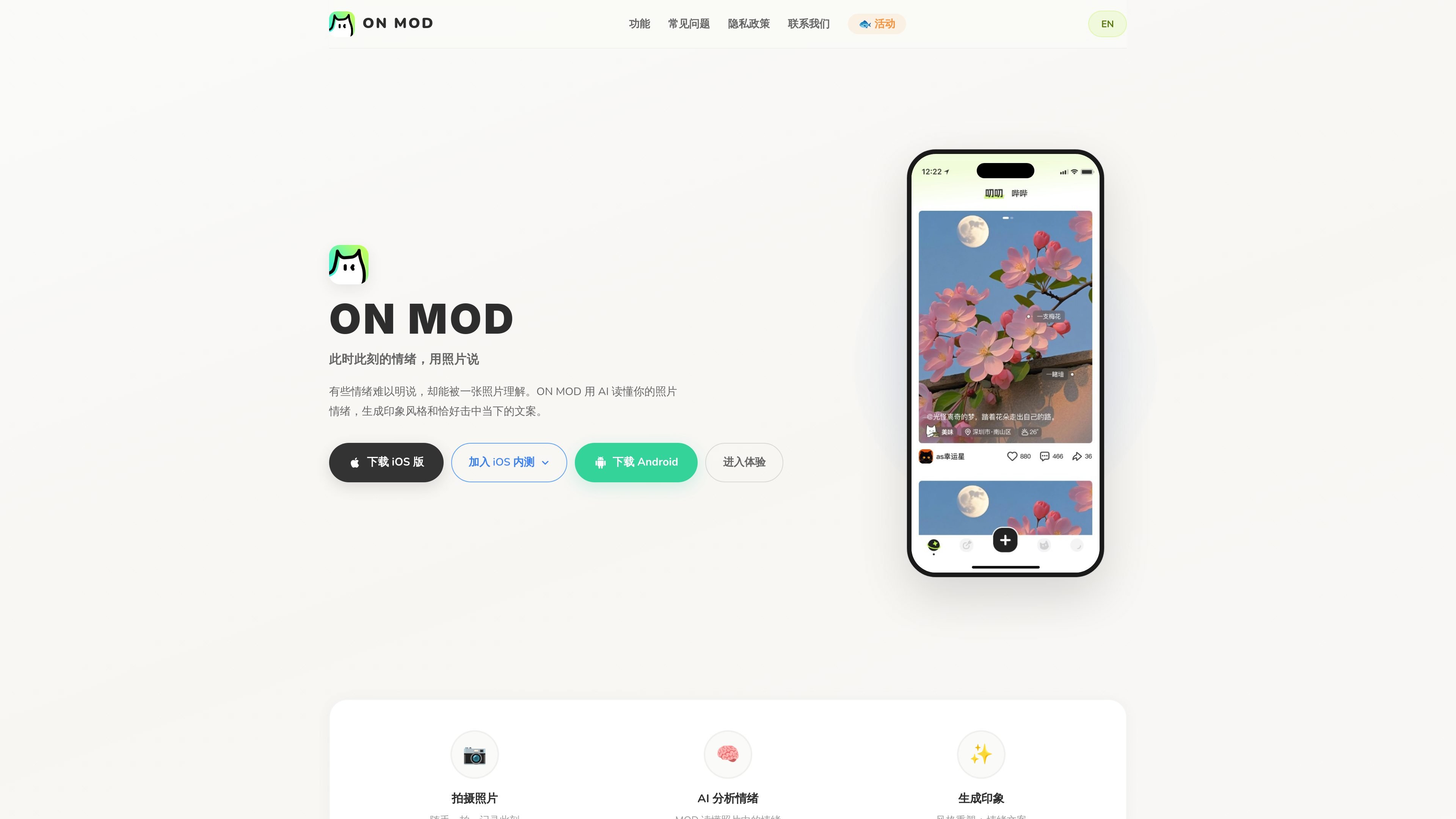
ON MOD is an AI-powered camera and social sharing app centered on mood, photos, and location-based expression. The home page describes it as a way to share your mood on the map and turn everyday moments into art with AI-generated imagery and text.
At its core, the product reads a user’s photo and mood, then generates an impression-style visual remix and a caption that matches the feeling of the moment. The site also points to map-based discovery, AI companion accounts, and a credit system called 小鱼干 that governs creation and rewards activity.
ON MOD analyzes user photos and generates impression-style or mood-aware visual reinterpretations, including atmospheric lighting changes and more imaginative scene transforms.
The product generates a short line of text based on the photo and current emotion, helping users express what they want to say when they do not have the words.
Users can switch to a map view to browse creative photos and emotion posts from different places, then leave their own posts on the map.
The product includes an AI companion feature that can register, post, and interact like another account, positioned as a cyber friend or proxy voice.
The site’s privacy policy says the app supports photo analysis, text generation, image generation, video generation, and voice synthesis, depending on the feature used.
The events page defines a credit system for AI creation, with separate costs for image remixing and video generation and rewards for registration, sharing, referrals, and promo codes.
Take a quick photo, let ON MOD infer the mood, and generate an impression-style image plus a matching line of copy for posting or saving.
Browse the map to see how other people express mood across locations, then add your own vibe to a place on the map.
Use the caption generator when you have an emotional photo but do not know how to phrase it yourself.
Generate static-image remixes or short video outputs from existing photos when you want a more edited result than the original capture.
Use the credit system to unlock more creation attempts through sign-up rewards, sharing, referrals, or promo codes.
ON MOD provides AI-assisted photo analysis, mood-based caption generation, image generation, and video generation. The home page also mentions a map mode for viewing and sharing vibe posts by location.
The home page says users can download the iOS version, join iOS beta testing, and enter an Android experience. The site also includes a developer note about connecting an Agent to the MOD MCP server using `SKILL.md` and a `smithery mcp add` command.
The site says photo generation can fail if the model call is unstable, and suggests trying again. It also says users can switch to other models in settings for photo or video effects, with the note that scientific internet access may be required.
The events page says new users receive 200 小鱼干 after registration, sharing a Vibe can earn up to 30 小鱼干 per day, and AI image and video generation consume 10 and 60 小鱼干 respectively.
The privacy policy says ONMOD can send photos, videos, audio, text, location, weather, time, mood tags, and conversation history to third-party AI providers only after user consent for the relevant feature.

An All-In-One AI Platform that combines tools for image, video, voice, writing, and chat to enhance creativity and collaboration.

Ably Chat is a chat API platform for custom realtime chat apps, with rooms, typing indicators, presence, reactions, message updates and usage-based pricing.

Claude Overlay is a Windows desktop overlay for Claude Code that reads your screen, so you can ask questions, inspect content, and request edits without leaving the app. Uses your existing Claude subscription via Claude CLI.

Grok is a free AI assistant developed by xAI, engineered to prioritize truth and objectivity while offering advanced capabilities like real-time information access and image generation.

Trigger.dev chat agent is a durable AI chat backend for stateful conversations that survive refreshes, crashes, and long-running turns with AI SDK useChat.

PixelDrive is a bulk image generation API for on-brand images from one template via browser editor, REST API, CSV batch, or MCP.