
Markdown editor
Write in plain text using Markdown syntax for headings, bold, italic, quotes, lists, and other formatting.
Paragraph Notes is a private Markdown notes app for Mac with local storage, auto-save, folders, search, file import/export, and up to 20 free notes.
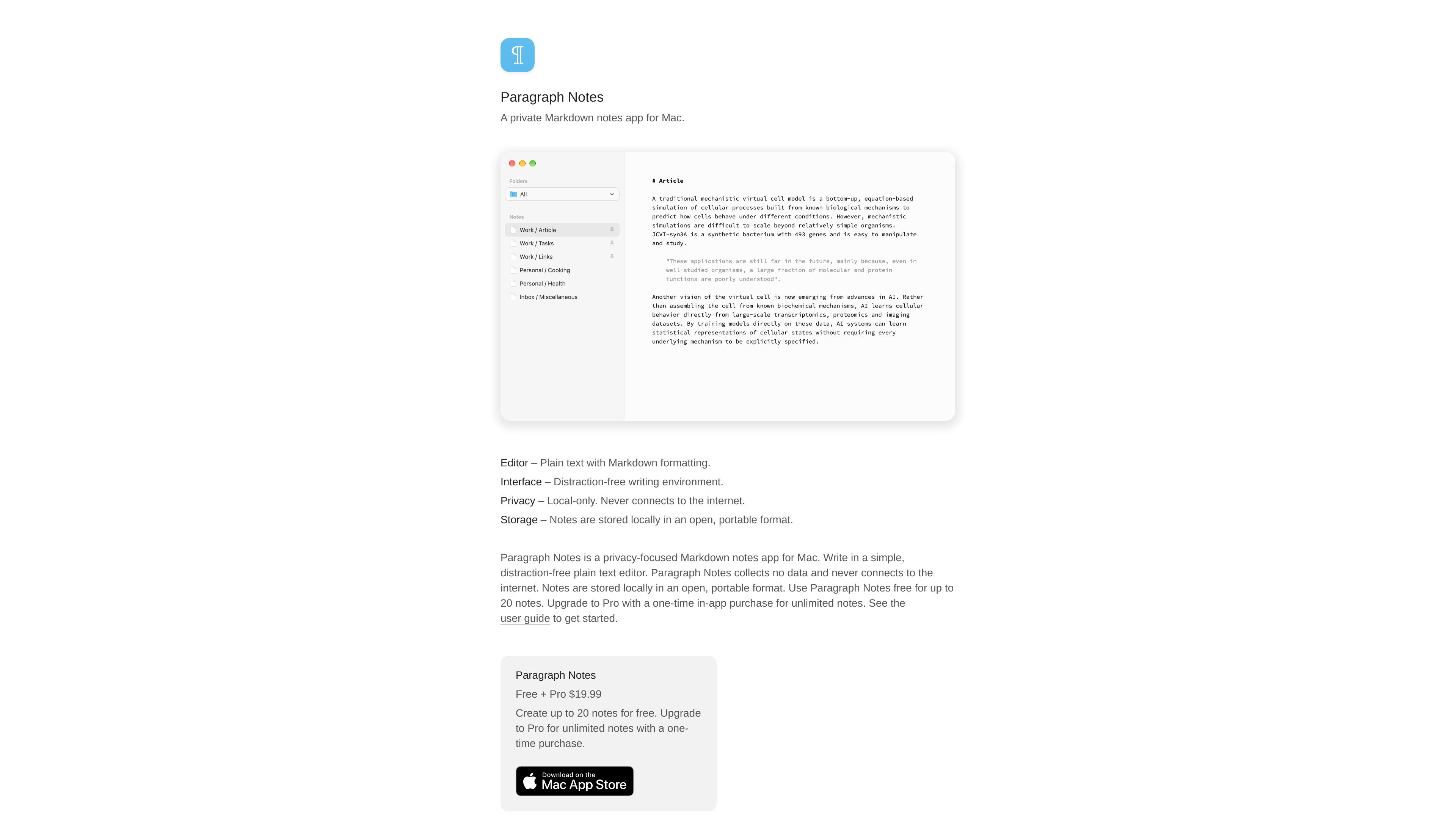
Paragraph Notes is a private Markdown notes app for Mac built around a plain-text editor and local storage. It is designed for writing without an internet connection: the product site says the app collects no data and never connects to the internet, while notes are kept in an open, portable format.
The app saves notes automatically and provides practical tools for managing a personal note library, including folders, pinning, full-note search, import and export, and database backup operations. Its free plan supports up to 20 notes, while a one-time Pro purchase removes the note limit and adds database locking.
Write in plain text using Markdown syntax for headings, bold, italic, quotes, lists, and other formatting.
Create folders, move notes, pin important items, and use the built-in All, Inbox, and Trash folders. Subfolders are not supported.
Search across all notes or find and replace text within a specific note. Matching text is highlighted as you type in the note search field.
Import one or more .txt, .md, or .markdown files and export individual notes as plain text files.
Keep notes in a single JSON database whose location can be changed, then create, open, or export databases for file-based management and backups.
Set editor fonts, size, width, line length, margins, and appearance. Pro users can protect the database with a custom password and AES-256-encrypted ZIP storage.
Draft essays, outlines, journal entries, and other text in a plain-text editor with adjustable typography and automatic saving.
Keep a personal collection of Markdown notes organized with folders, pinned notes, search, and the Trash workflow.
Move existing .txt, .md, or .markdown files into the app, or export individual notes as plain text for use elsewhere.
Create and export the JSON database as a straightforward file-based backup, or open a different database when working with separate note collections.
Store the database in a cloud-synced folder when device-to-device access is needed, while recognizing that synchronization is handled outside the app.
Paragraph Notes is a plain-text Markdown notes app for Mac. It provides a distraction-free editor, local note storage, folders, search, import and export tools, and database management features.
Yes. Notes save automatically as you write. You can create, rename, move, pin, delete, search, and export notes, and organize them with folders.
Notes are stored in a single JSON database file. The database location can be changed in Settings, and the database can be created, opened, or exported from the File menu.
The app does not provide built-in iCloud sync. To sync a database between devices, the guide says to place it in a cloud-synced folder such as iCloud Drive or Dropbox.
The free plan supports up to 20 notes. Pro provides unlimited notes through a one-time in-app purchase; the Pro plan also includes database locking with AES-256 encryption.

Flunkey is a voice-first productivity layer for Windows that turns speech into text, AI outputs, and remembered context without leaving your app.

Contextberg records your screen, input, browser, and AI agent history locally, then shares work context via MCP with Claude Code and Cursor for resumptions, search, and reviews.

Yattayo: Slider To-Do Board turns tasks into a tactile slider board with sticky notes, widgets, reminders, iCloud sync, and Premium recurring habits.

recall is an AI flashcard app that turns reading and notes into study cards with Claude, ChatGPT, or another MCP client. One-time lifetime access with spaced repetition review.

at8pm is an iPhone journaling app that locks daily entries after a chosen time, with text, voice, photos, locations, video notes, private iCloud sync, and Face ID.

Notewarp is an AI note-taking tool that turns voice notes, uploads, or pasted text into cleaner notes, transcripts, summaries, and action items.