
Path-scoped context routing
Stores team knowledge as memories, rules, and skills, then routes only the relevant pieces into an AI session based on the path you are working in.

Pathrule routes team rules, decisions, conventions, memories, and skills into AI coding assistants like Claude Code, Cursor, Codex, Windsurf, and GitHub Copilot.
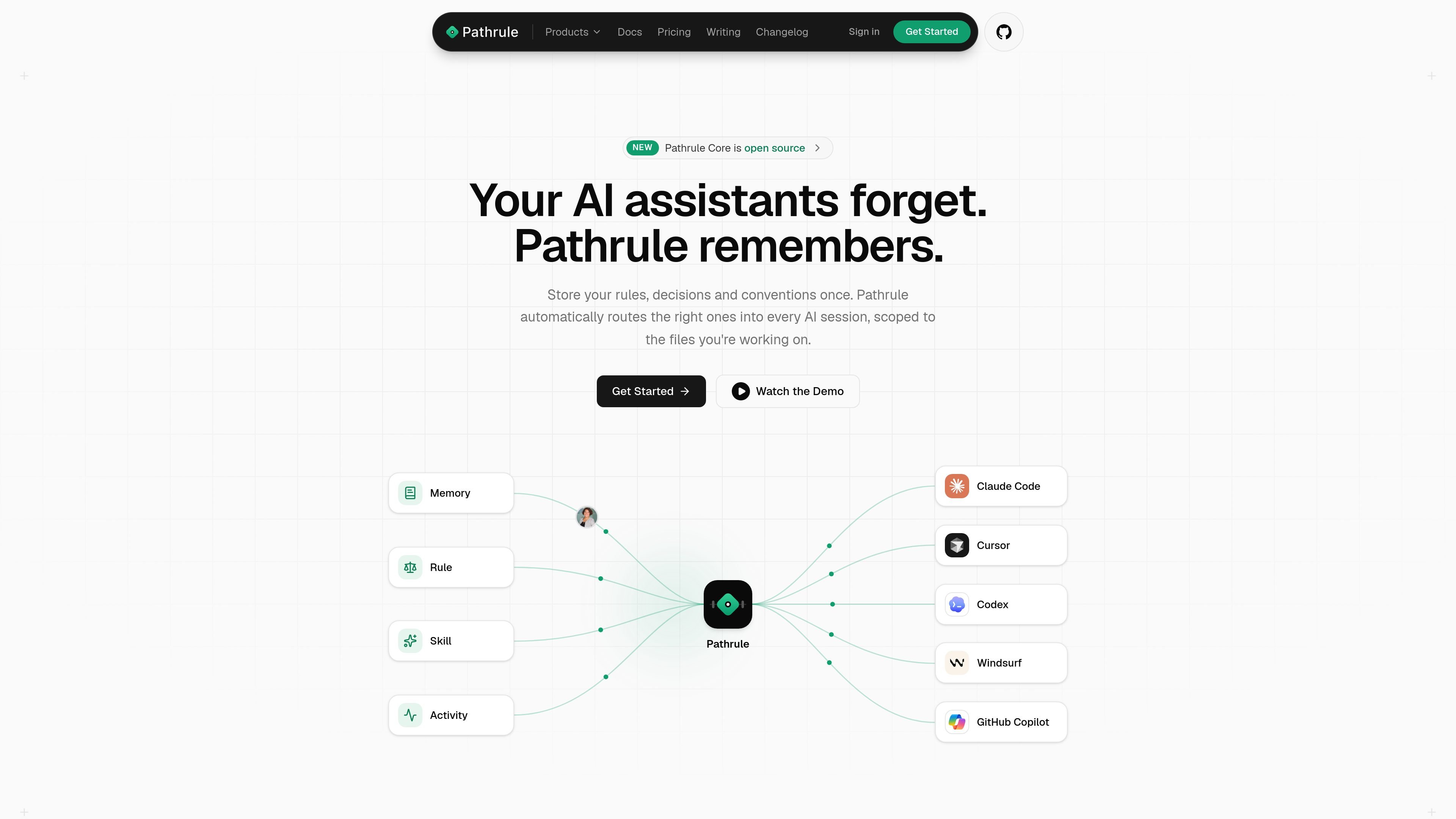
Pathrule is a context layer for AI coding assistants. It routes a team’s rules, decisions, conventions, memories, and skills into tools like Claude Code, Cursor, Codex, Windsurf, and GitHub Copilot, scoped to the files and folders being worked on.
The product is built to keep project knowledge close to the code without storing source code itself. Teams can capture context once, attach it to paths in a workspace tree, and let Pathrule deliver the most relevant pieces at hook time before an agent starts working.
Stores team knowledge as memories, rules, and skills, then routes only the relevant pieces into an AI session based on the path you are working in.
Supports Claude Code, Cursor, Codex, Windsurf, and GitHub Copilot, with the docs describing hook-time delivery before the first tool call.
Ranks candidate context by location, recent changes, semantic meaning, and how files change together, so the assistant gets a smaller, more relevant slice.
Lets you pin knowledge to folders and inherit context from parent paths, so shared conventions can apply across a repo without one global file.
Includes patterns, which are curated packages of pre-scoped memories, rules, and skills for common stacks and workflows.
Supports real-time collaboration with version-aware writes, presence, and conflict handling so multiple teammates or agents can work on the same knowledge safely.
Use Pathrule when a team wants the same architecture notes, naming conventions, or review rules delivered to every AI session that touches a particular folder or service.
Use the workspace tree and inherited context when different parts of a monorepo need different guidance, such as frontend, backend, billing, or infra paths.
Use patterns to seed a new project with pre-scoped memories, rules, and skills for a known stack instead of writing everything from scratch.
Use real-time collaboration and version-aware writes when multiple developers or agents are editing the same knowledge and need conflict detection instead of silent overwrites.
Use the open-source core locally when an individual developer wants path-scoped context delivery without adopting the full cloud collaboration layer.
Pathrule is designed to route path-scoped memories, rules, and skills into Claude Code, Cursor, Codex, Windsurf, and GitHub Copilot at hook time, before the first tool call. Its docs and product pages describe Quickstart, core concepts, and MCP tools for getting started.
The pricing page says Solo is free for individual developers. Team and Business are paid plans, and Enterprise is sold through sales with higher limits, SSO, audit logs, dedicated support, and self-hosted deployment in your own VPC.
Pathrule is built around memories, rules, and skills that are scoped to paths in a workspace tree. The docs point to a quickstart that installs a runtime, creates a workspace, and writes the first memory so Claude Code can pick it up through the hook.
Pathrule’s patterns are curated bundles of memories, rules, and skills. The patterns catalog says they are pre-scoped to the right paths, free, Apache-2.0, and importable by token into a workspace.
The pricing FAQ says memories and rules are the team-authored context objects Pathrule routes into AI sessions, and source code is not stored.

ByteAsk is a terminal-first AI coding agent for C and C++ that edits repos and verifies changes with compilers, debuggers, sanitizers, and tests.

Goldfish is an AI memory app for macOS that helps you reply, write, summarize, and continue with context already on your Mac. It stores memory locally and writes in your tone.

ArtDeck is a visual reference board app for iPhone, iPad, and Mac. Collect mixed references on one canvas and study them with ToolBox lenses. Offline, optional iCloud sync, one-time purchase.

garden-md is an open-source Node.js CLI that turns meeting transcripts into a local company wiki, linking entities and preserving the original text.

Ghost is a terminal-based AI assistant for chatting, code generation, and CLI tasks. Includes free models, supports Linux, macOS, Windows, and is open source.

Lasso is an ecommerce product data platform for enriching catalog records, processing supplier files, generating product content, and tracking competitors. It includes a web app, REST API, SDK, and MCP server.