
MCP connector for AI agents
Connect Claude, ChatGPT, Cursor, Claude Code, Codex, or another MCP client through the shared Popcraft endpoint.

Popcraft MCP connects Claude, ChatGPT, Cursor, Claude Code, Codex, and more to AI tools for creating video, images, music, speech, and avatars via OAuth—no API key needed.
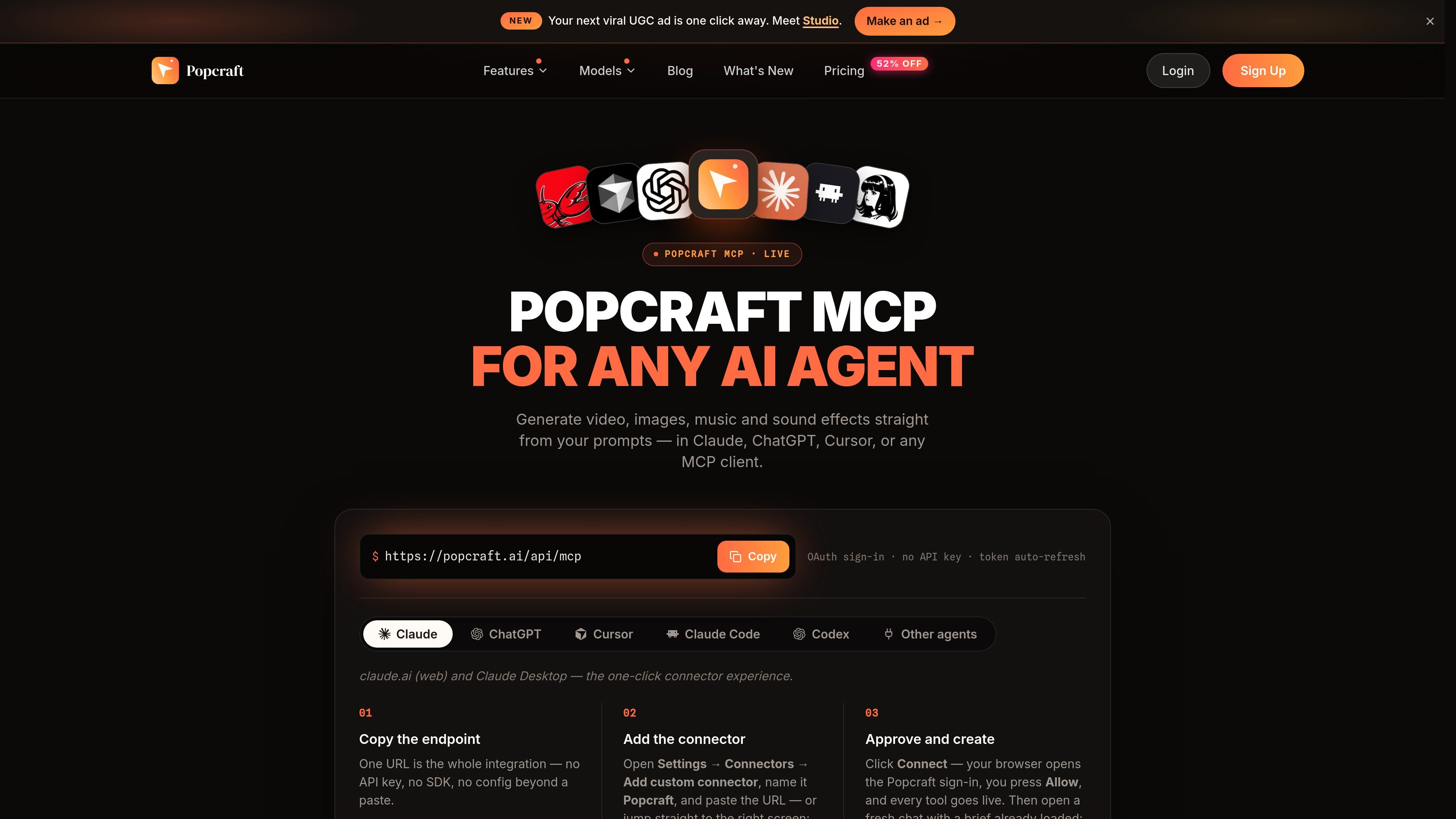
Popcraft MCP connects an AI agent to Popcraft’s media-generation platform through the Model Context Protocol. After adding the Popcraft endpoint and approving OAuth access, users can ask supported clients such as Claude, ChatGPT, Cursor, Claude Code, or Codex to create video, images, music, sound effects, speech, and avatar content.
The workflow is designed to run inside the agent conversation rather than a separate prompt box: the agent can interpret a brief, plan the production steps, preview the credit cost, call Popcraft’s generation tools, and return a finished asset. Popcraft also serves reusable skills for workflows including product UGC ads and YouTube thumbnails, while the wider platform provides access to multiple image, video, audio, and avatar models.
Connect Claude, ChatGPT, Cursor, Claude Code, Codex, or another MCP client through the shared Popcraft endpoint.
Authenticate in a browser with OAuth rather than managing an API key or installing an SDK; the site also states that tokens refresh automatically.
Generate video, images, music, sound effects, speech, and avatar video from instructions issued in an agent conversation.
Agents can preview the expected credit cost before generation, then invoke Popcraft tools and receive the finished result in the same conversation.
The site provides server-delivered skills for workflows such as single-clip UGC product ads and click-oriented YouTube thumbnails, including staged intake, prompting, variants, and review steps.
Popcraft’s broader platform exposes image, video, audio, and avatar models, while its API supports explicit video duration and resolution and quotes requests before rendering.
Provide a product image and a brief; the agent can develop a hook-led vertical concept, use a reference to keep the product consistent, and return a social-ready clip with captions as shown in the documented workflow.
Ask for a thumbnail concept in an agent chat. Popcraft’s thumbnail skill can organize multiple concepts, create variants, apply identity locking for supplied face photos, and leave room for the user’s own title overlay.
Generate a visual scene and a matching music bed or sound design from one brief, then use the resulting media in a scoring workflow with a waveform and playhead, as demonstrated on the site.
Use an agent to request image, video, audio, or avatar assets without building a separate generation interface, which suits teams prototyping media features or automating repeatable creative requests.
For a product that needs embedded generation rather than an MCP chat workflow, Popcraft also offers a separate enterprise API with job-based requests for image, video, audio, and avatar generation.
Copy https://popcraft.ai/api/mcp into the MCP client’s connector settings, add Popcraft as a custom connector, and approve the OAuth sign-in. The site says no API key or SDK is required, and tokens refresh automatically.
The documented connector works with Claude, ChatGPT, Cursor, Claude Code, Codex, and other MCP clients. The endpoint is shared across clients, although the setup screen and steps can differ; the site specifically describes a one-click connector flow for Claude.
An agent can accept a brief, plan the work, preview the credit cost, call Popcraft tools, and return the generated result in the same conversation. The site shows workflows for image, video, music, sound effects, and product-focused UGC creation.
Popcraft supports generated video, images, music, sound effects, speech, and avatar video across its MCP and broader platform offerings. Available models, resolutions, durations, credits, and concurrency depend on the selected plan or model.
The free plan provides 100 credits without a card, with one job at a time and watermarked outputs for personal use. Paid plans include commercial licensing and watermark-free downloads according to the pricing page; subscription credits reset each billing cycle, while separately purchased top-up credits do not expire.

Clipia.ai is an AI image and video generation platform for presentations, agent workflows, and developer integrations, with shared credits.

TapNow is a web-based AI visual creation platform for businesses, creators, and teams with image and video generation, editing, planning, and collaboration tools.

Kling AI is an AI creative studio for generating and editing images and videos, with web, mobile, and API access for creators and developers.

An All-In-One AI Platform that combines tools for image, video, voice, writing, and chat to enhance creativity and collaboration.

VIDEOAI.ME is an AI video generator for spokesperson videos, ads, explainers, and social content from a script without filming.

AI Song Maker is a web-based AI music generator that turns text or lyrics into songs, with vocal removal, track extension, and section replacement.