
Screenshot-to-mockup workflow
Drop in screenshots or videos, then turn them into clean device mockups for product pages, social posts, and pitch materials.

Protato is a local-first mockup and design tool for iOS and macOS that turns screenshots and videos into polished 3D product visuals.
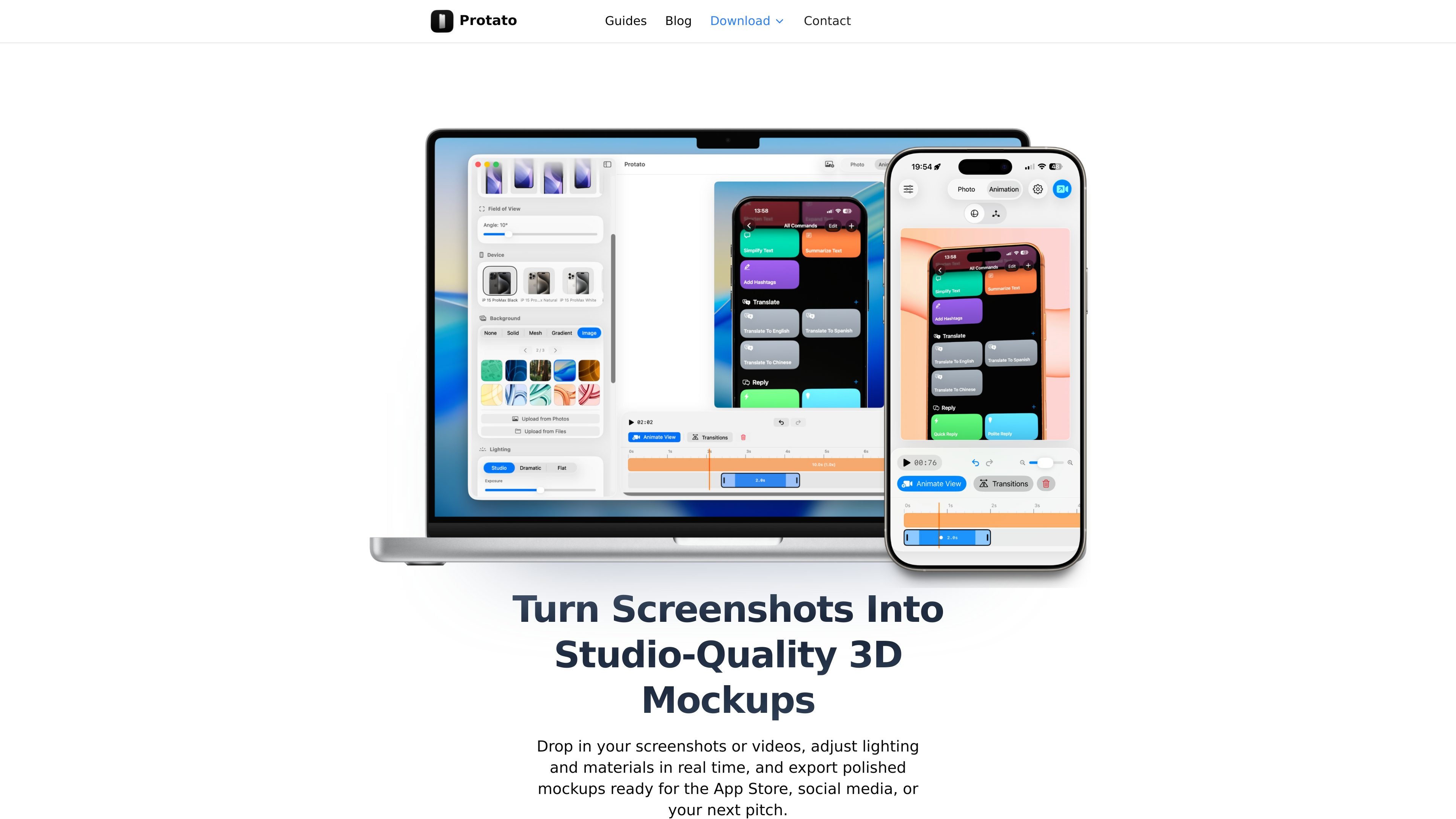
Protato is a mockup and design tool for iOS and macOS that turns screenshots and videos into polished 3D product visuals. The site positions it as a local-first app built for speed, simplicity, and control.
It focuses on a practical workflow for app creators and designers: place device screens, adjust lighting and materials, animate scenes, and export assets for App Store listings, social media, landing pages, or pitch decks. The collected pages emphasize quick setup, real-time editing, and offline use rather than a complex 3D toolchain.
Drop in screenshots or videos, then turn them into clean device mockups for product pages, social posts, and pitch materials.
Adjust lighting and materials in real time to shape the look of the scene without waiting for a render queue.
Export finished work at 4K resolution for polished screenshots and videos.
Build scenes with multiple device models, including combinations such as iPhone, iPad, and MacBook.
Work without internet access using the app’s local-first workflow.
Use keyframes, camera moves, and animation mode to produce product reveal videos.
Create an App Store screenshot from a single screenshot, add a background and headline, and export a finished image.
Combine iPhone, iPad, and MacBook devices into one composition for a landing page hero or pitch deck slide.
Record camera moves with keyframes, preview the motion, and export a cinematic product video for social platforms.
Refine the look of a mockup by changing lighting presets, individual lights, screen gloss, and reflections.
Work on mockups while offline on iPhone or Mac when you want a local-first workflow without internet access.
Protato is built for creating iOS and macOS mockups, screenshots, and promo visuals. The source emphasizes a local-first workflow rather than a web-based editor.
The guides show workflows for creating an App Store screenshot, a multi-device scene, a product reveal video, and polished mockups with lighting and materials. The home page also mentions exporting polished mockups for the App Store, social media, or pitch decks.
The site highlights iPhone and Mac downloads. The guides page also covers workflows on iPhone and Mac, and the blog includes posts about creating visuals directly from iPhone.
The source does not show current pricing details. The pricing URL currently returns a 404, so plan structure and cost are not confirmed from the available pages.
The collected pages do not document team features, shared projects, or collaboration controls. Based on the source, Protato should be treated as an individual creative tool unless more documentation is provided.

imgcook is a design-to-code tool that converts design drafts into front-end code. It supports plugin-based and developer workflows for Sketch, Photoshop, VS Code, and CLI usage.

Napkin AI turns text into editable visuals for presentations, documents, and shareable content. Text-first generation, collaboration, and export to PPT, PNG, SVG, or PDF.

Beautiful.ai is an AI presentation platform for individuals, teams, and enterprises. It helps users create branded slide decks with Smart Slides, collaborative editing, and export options while reducing manual formatting work.

Refero MCP for AI agents connects an MCP-compatible agent to Refero’s curated library of web and iOS product interfaces and user flows. It helps agents research real design patterns before generating UI, with access included in the Refero Pro plan.

Frames helps you create launch posters and social media marketing graphics fast with premium device frames and templates for Instagram, Twitter, and Product Hunt. Free to start.

GPTIMG2 AI is a web-based image generator built around OpenAI’s GPT Image 2 model. It supports prompt-driven generation, reference-based edits, readable text, and higher-resolution outputs for product visuals, posters, UI mockups, ads, and similar production assets.