

QoQo
QoQo is an AI UX companion that structures early discovery with persona cards and design-brief elements from your inputs.
What is QoQo?
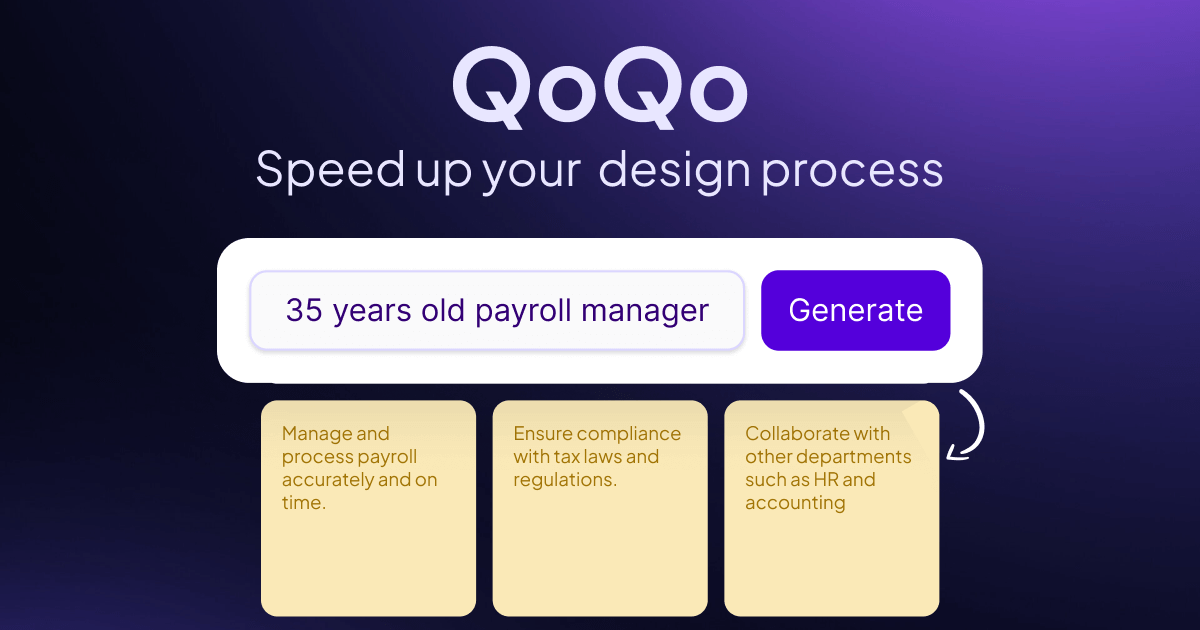
QoQo is an AI companion for UX design that helps designers structure early discovery work. Based on your input, it generates organized outputs such as cards to help build a persona (user goals, needs, motivations, frustrations, and tasks) or to surface challenges, risks, and key elements for a design brief.
The core purpose is to support the discovery stage—helping teams and individual designers move from vague questions to clearer artifacts—while still treating it as complementary to their own user research.
Key Features
- Persona card generation from your inputs: creates cards covering user goals, needs, motivations, frustrations, and tasks to support early UX framing.
- Discovery brief support: helps identify challenges, risks, and key elements you can use to shape a design brief.
- Journey mapping: includes a journey mapping workflow to organize how users move through experiences.
- Information architecture support: helps structure how information can be organized within a product or flow.
- Affinity mapping: supports clustering and organizing findings during discovery.
- UX copywriting assistance: provides help generating or drafting UX copy.
- Document chat and UX assistant workflows: includes a chat assistant for interacting with content and producing UX-focused outputs.
- Discovery tools for research artifacts: supports workflows such as user interview history, discovery questionnaires, and generating a design brief.
- Copy-to-clipboard output: lets you move generated content into your working documents.
How to Use QoQo
- Start in the available beta interface (the website describes a Figma plugin beta) or use the “try” experience referenced on the site.
- Choose the workflow you need—e.g., persona building, design brief preparation, journey mapping, or affinity mapping.
- Provide the relevant input and prompts for your project.
- Review the generated cards/outputs (persona elements, discovery risks, brief elements, or other UX artifacts).
- Copy results to your workspace using the provided copy-to-clipboard option.
Use Cases
- Building a persona for early-stage product discovery: input project context and user focus, then generate persona cards that summarize goals, needs, motivations, frustrations, and tasks.
- Drafting a design brief with identified risks and challenges: use QoQo to surface potential challenges and key elements to include before you commit to a direction.
- Organizing discovery findings into journey maps: structure user experiences into a journey mapping output to help align stakeholders on key stages.
- Running an affinity-mapping exercise from research materials: use affinity mapping to cluster insights in a way that supports downstream decisions.
- Supporting UX writing and drafting: use UX copywriting assistance to generate or refine user-facing copy as part of a design workflow.
FAQ
Does QoQo replace user research? No. QoQo is intended to be used alongside your own user research, which remains a central part of UX design.
Where is QoQo available? In the beta version, QoQo is described as accessible as a Figma plugin.
What technology powers QoQo? QoQo is powered by OpenAI.
How does QoQo address bias in AI outputs? The site states that OpenAI has de-biasing models to reduce bias and that it recommends nudging outputs with prompts (e.g., including descriptors such as country, gender, or age).
Is my research information shared or used for training? The site states that your research information is not shared or used for training without your explicit consent.
Alternatives
- UX research and discovery workbench tools: use dedicated software for journey mapping, affinity mapping, and documentation to organize findings without relying on an AI companion to generate early artifacts.
- AI chat assistants for writing and brainstorming: use general-purpose AI chat tools to draft copy and structure ideas, but with more manual structuring to produce persona/brief artifacts.
- Persona and research synthesis spreadsheets/templates: build personas, journey maps, and brief components from your own research using templates in spreadsheets or document tools.
- Diagramming and information architecture tools: use IA-focused tooling to create information structures directly from your notes, especially when you already have discovery data and want to model it visually.
Alternatives

imgcook
imgcook is an intelligent tool that converts design mockups into high-quality, production-ready code with a single click.

Pioneer AI by Fastino Labs
Pioneer AI by Fastino Labs is an agentic fine-tuning platform that improves open-source language models with Adaptive Inference and continuous evaluation.

Beautiful.ai
Beautiful.ai is an AI presentation maker that automates design, layout, and spacing as you build content—so individuals and teams create polished slide decks.

Outsource Rizz
Outsource Rizz pairs senior design and engineering to ship startup products, websites, and brand work faster—fast design + dev together.

Logomaster.ai
Logomaster.ai is an AI-powered online logo maker to create and edit logo designs, then download web- and print-ready files.

ZeroHuman Inc
ZeroHuman Inc is an AI co-founder workspace for founders—validate ideas, build an MVP, run marketing workflows, and iterate with dashboards.