
Nine-dimension drift analysis
Scans a repository across nine production-readiness dimensions so you can see drift as a structured set of issues instead of a single vague score.

ReWeaver AI DriftDetector scans GitHub repos for code drift across nine production-readiness dimensions, showing issue locations, commit history, and technical debt.
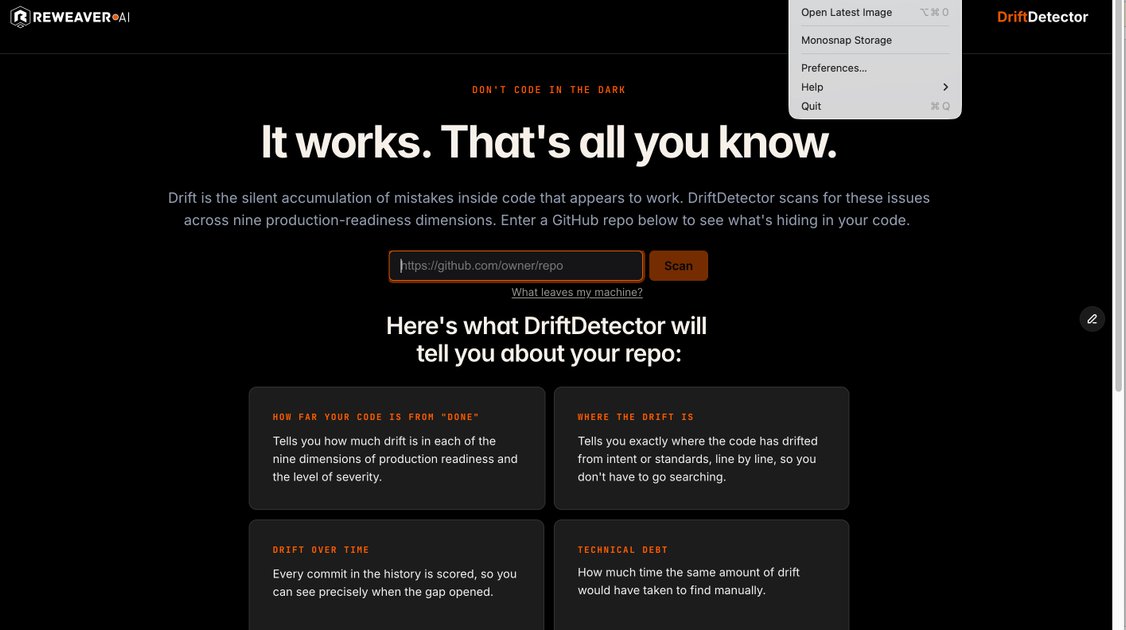
ReWeaver AI DriftDetector is a repository scanner that looks for drift in code that appears to work. The product frames drift as the silent accumulation of mistakes and evaluates a repo across nine dimensions of production readiness.
It is designed for users who want to understand not just whether a repository has problems, but where those problems are, when they were introduced, and how severe they are. The homepage says you can enter a GitHub repo and get a report that maps issue count, line-level locations, commit history, and an estimate of technical debt.
The site also emphasizes privacy for private repositories. According to the homepage, code moves from GitHub directly to the scanner, is processed in temporary memory, is not written to disk, and no cached clone, score, or report is retained after the scan ends.
Scans a repository across nine production-readiness dimensions so you can see drift as a structured set of issues instead of a single vague score.
Shows how many issues exist and what kind they are, helping you understand whether a repo has a small number of concentrated problems or broader drift.
Surfaces exactly where code has drifted from intent or standards, line by line, so you can move from detection to review faster.
Scores every commit in the history so you can see when the gap opened and how drift changed over time.
Estimates the technical debt represented by the drift, framed as the time it would have taken to find the same issues manually.
Describes private scans as staying within temporary memory, with no cached clone, scores, name, or report left behind after the scan.
Use it after a repository looks healthy but you suspect hidden drift. The scan helps reveal issues that are easy to miss when the code still runs.
Use the line-level output to review specific files or sections instead of manually searching the codebase for mismatches between intent and implementation.
Use the commit history scoring to pinpoint the point at which drift increased, which is useful when tracking regressions or reviewing a risky change set.
Use the technical-debt estimate to communicate the cost of drift in a way that is easier to discuss with teammates than raw issue counts alone.
Use the private-scan flow when working with sensitive repositories and you want the source text’s stated no-retention handling for scan artifacts.
DriftDetector scans a GitHub repository for drift across nine production-readiness dimensions and reports where issues occur line by line and commit by commit. The homepage does not provide a more detailed setup guide or docs flow.
The site says you can enter a GitHub repo to scan it. It does not document additional supported sources, runners, or CI/CD integrations on the pages provided.
DriftDetector returns the number and type of issues, how far the code is from “done,” the exact locations of drift, drift over time by commit, and a technical-debt estimate.
The homepage states that private repository code goes directly from GitHub to the scanner, is processed in temporary memory, is not written to disk, and is not kept after the scan. The only stored item mentioned is an encrypted GitHub token until disconnect or revocation.

ByteAsk is a terminal-first AI coding agent for C and C++ that edits repos and verifies changes with compilers, debuggers, sanitizers, and tests.

Manta AI is an autonomous web app testing tool that maps app behavior, catches regressions, and generates tests from a URL, no scripts or selectors needed.

EAS Observe monitors production performance in Expo and React Native apps, showing startup metrics, session timelines, release markers, and errors in the Expo dashboard.

PromptScout tracks how ChatGPT, Gemini, Google AI Overviews, and Perplexity mention your brand or competitors, with source analysis and website audits.

CreateOS Sandbox is an isolated compute environment for running code and agent workloads in Firecracker micro-VMs with private networking and SDK, CLI, or MCP control.

Sleek Analytics is a privacy-friendly web analytics tool with real-time visitor tracking, Core Web Vitals, and revenue attribution.