

Rowboat
Rowboat is a desktop app that turns your work into a living knowledge graph and uses it as context to complete tasks on your computer.
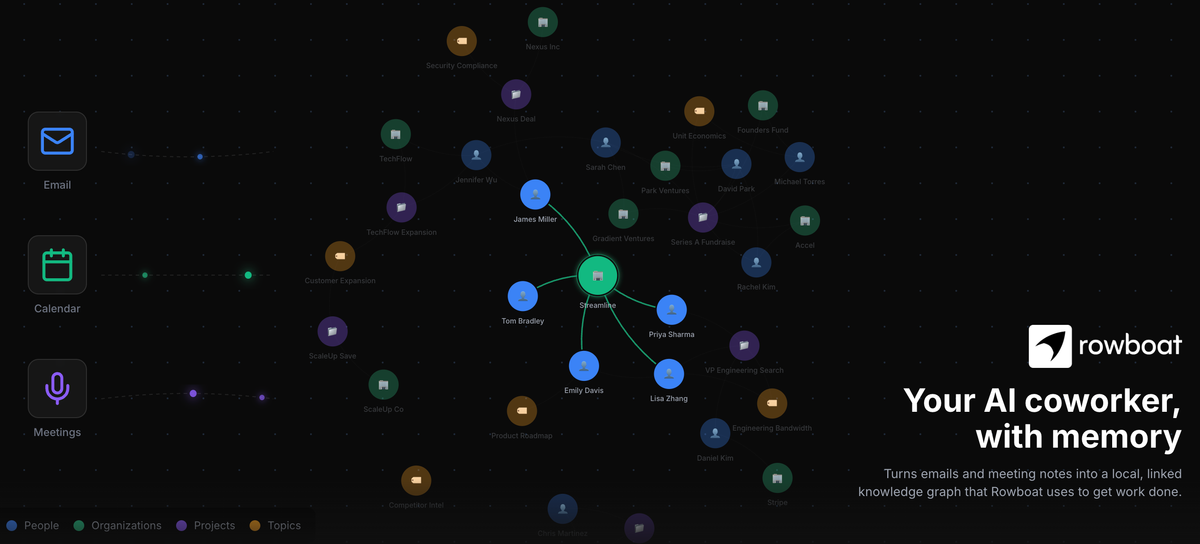
What is Rowboat?
Rowboat is a desktop app that turns your work into a living knowledge graph and uses it as context to complete tasks on your computer. The core purpose is to keep track of what you’ve done and connect it to future work so the app can carry out tasks using your own knowledge over time.
Rather than treating work as isolated notes or one-off chats, Rowboat focuses on organizing your information as a continuously updated structure (“living knowledge graph”) and leveraging it during desktop task execution.
Key Features
- Builds a “living knowledge graph” from your work to maintain an evolving representation of your activities and information.
- Uses the knowledge graph as context to accomplish tasks on your computer, aiming to connect prior work to current actions.
- Runs as a desktop application, so its workflows are oriented around what you do directly in your computer environment.
How to Use Rowboat
- Install and open Rowboat as your desktop app.
- Let Rowboat ingest and organize your work into its living knowledge graph.
- When you need to complete a task, use Rowboat to apply that graph to the task you’re working on while you continue working on your computer.
Use Cases
- Personal knowledge workflow: capture and organize your work over time so you can refer back to it when you start a new task.
- Task acceleration on the desktop: use information Rowboat has organized to drive execution steps for a current goal.
- Project continuity: keep context across ongoing work by maintaining an evolving knowledge graph rather than starting from scratch each time.
- Research-to-action: connect notes, outputs, and prior decisions to subsequent desktop tasks where you need that context.
- Ongoing documentation: build an up-to-date representation of your work so future tasks can draw on what you already produced.
FAQ
What does Rowboat do?
Rowboat turns your work into a living knowledge graph and uses it as context to complete tasks on your computer.
What does “living knowledge graph” mean in this context?
In Rowboat’s description, it refers to a continuously updated representation of your work that the app can use as knowledge for later tasks.
Does Rowboat work as a chat assistant?
The provided description emphasizes a desktop app that uses your knowledge graph to accomplish tasks on your computer, rather than positioning itself specifically as a chat-only assistant.
Where does Rowboat run?
Rowboat is described as a desktop app, indicating it runs on your computer.
What can Rowboat help with?
Based on the description, Rowboat focuses on helping complete tasks on your computer by using the knowledge graph derived from your work.
Alternatives
- Personal knowledge base tools with AI search: tools that organize notes/documents and add retrieval so you can find relevant information quickly; they typically focus on search and summarization rather than executing desktop tasks.
- AI desktop automation and workflow tools: automation platforms that help execute steps across apps; these may not build a personal living knowledge graph from your work in the same way.
- Document and note management systems: conventional knowledge management tools that store and structure your information; they generally require you to supply context for each task rather than using an evolving graph to drive execution.
- AI agents focused on task execution: agent-style systems that perform multi-step work; some may rely on user-provided context or integrations instead of a living knowledge graph built from your own work.
Alternatives

Biji
Biji is a versatile platform designed to enhance productivity through innovative tools and features.

Codex Plugins
Use Codex Plugins to bundle skills, app integrations, and MCP servers into reusable workflows—extending Codex access to tools like Gmail, Drive, and Slack.

garden-md
Turn meeting transcripts into a structured, linked company wiki with local markdown and an HTML browser view. Sync from supported sources.

Decision Jar
Create virtual jars of options with Decision Jar—shake your phone to pick instantly, use AI suggestions, and view decision logs over time.

Planndu: Daily Task Planner
Planndu is an intuitive productivity application designed to help users organize tasks, manage projects, build routines, and enhance focus using tools like AI generation and a built-in Pomodoro timer.

Snapmark for VS Code
Snapmark for VS Code helps you annotate screenshots before pasting into AI chat tools—blur sensitive areas, add numbered steps, auto-compress large images.