

Pegkits
Pegkits is a Mac clipboard app that keeps multiple copied items, with custom actions and folders—runs locally so your content stays on your device.
What is Pegkits?
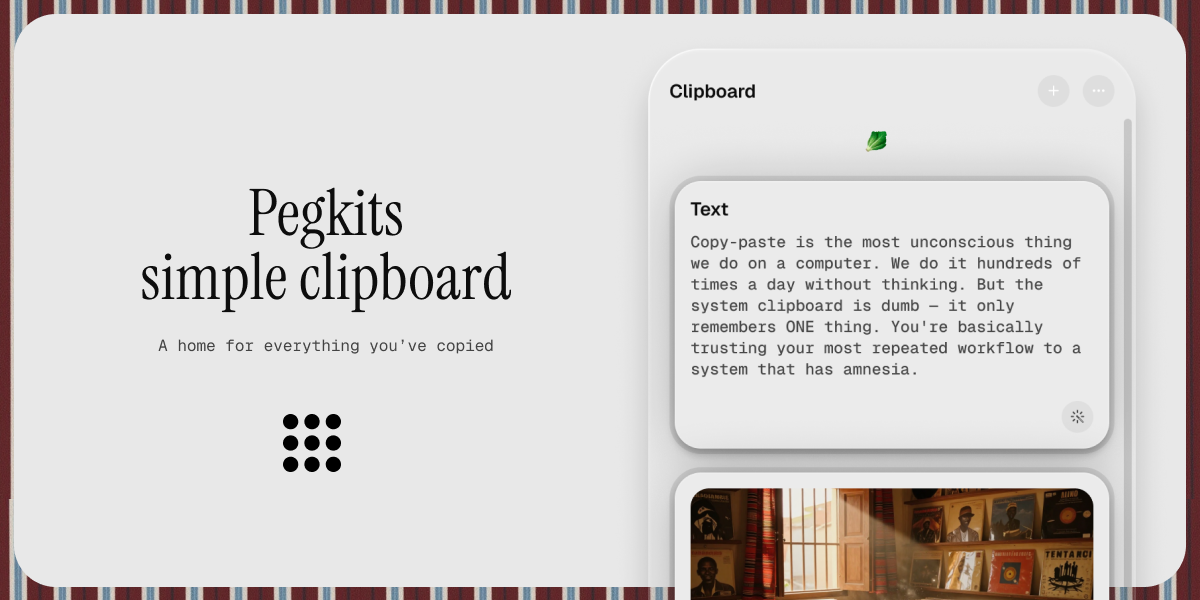
Pegkits is a Mac clipboard app that helps you keep more than the system clipboard’s single most recent item. Instead of losing copied content when you copy something new, it provides a workspace for your copied notes and snippets so you can retrieve and reuse them.
It also adds automation to clipboard workflows. With custom actions and folders, Pegkits lets you process copied content and organize clips around your projects or routines.
Key Features
- Local clipboard storage (no cloud sync): The app runs entirely on your machine, keeping copied content on your device rather than relying on cloud sync.
- Custom actions triggered from the clipboard: Configure actions to run when you copy, such as tasks like shortening a copied URL, cleaning up pasted formatting, converting colors, or transforming clipboard text.
- Custom folders for organizing clips: Group copied items into folders aligned with how you work (examples mentioned include projects, clients, code snippets, and design tokens).
- Quick capture and paste workflow: Use clipboard shortcuts to capture copied content and paste it back into your workflow.
- Searchable access via actions and folders: Organize what matters and retrieve it efficiently by using your folder structure and the app’s clipboard shortcuts.
How to Use Pegkits
- Download and install Pegkits on your Mac.
- Buy a license (one-time payment) if you want the full feature set, then enter your license key in the app.
- Start using clipboard shortcuts: copy content as usual, then use Pegkits to view saved items, run your configured actions, and paste clips back where you need them.
If you’re not ready to purchase, the site indicates a free version that offers 50 clipboard saves and 50 AI actions.
Use Cases
- Recovering overwritten snippets: If you copy multiple items during a work session, Pegkits helps you avoid losing earlier copied text when each new copy replaces the single system clipboard entry.
- Turning copied URLs into a shortened link: When you copy a URL, a custom action can shorten it automatically so you can paste the result without manual steps.
- Cleaning up copied text formatting: After copying text from one app, run an action that cleans formatting so the pasted version is easier to use in notes, docs, or other tools.
- Managing code and design tokens: Keep separate folders for code snippets and design tokens, so you can quickly retrieve the right piece when building or updating a project.
- Color conversion from the clipboard: Copy a color value and use a clipboard action to convert it to a format you need, then paste the converted result.
FAQ
Does Pegkits sync clipboard content to the cloud?
No. The site states Pegkits runs entirely on your machine and does not use cloud sync.
Is Pegkits only for copying text?
The examples focus on copied content such as URLs, text, colors, and formatting. The app’s purpose is to store and act on clipboard content, regardless of the specific type.
How do I activate the full version?
After purchasing, enter the license key in the app to activate it.
Is there a free option?
Yes. The site indicates a free version that includes 50 clipboard saves and 50 AI actions.
Is there a subscription?
The site describes a one-time payment license with no subscription, and indicates pricing for an early-bird limited offer (code mentioned in the page content). Exact ongoing pricing beyond that offer is not specified.
Alternatives
- Dedicated clipboard managers for macOS: These typically store multiple clipboard entries and provide a history you can search and paste, but may not include the same “custom action on copy” workflow described for Pegkits.
- Text/URL utilities with paste-and-process tools: Apps that transform text or links can reduce manual formatting steps, but they usually don’t function as a full clipboard workspace with folder-based organization.
- Notes apps with clip-saving features: Some tools let you capture snippets and reuse them later; compared with Pegkits, the workflow may depend on manual saving rather than clipboard-triggered actions.
- Workflow automation tools: Automation platforms can trigger actions based on copied content, but setting them up often takes more configuration and may not be as integrated around clipboard history and folders.
Alternatives

Struere
Struere is an AI-native operational system that replaces spreadsheet workflows with structured software—dashboards, alerts, and automations.

Studio CLI
Control WordPress Studio features from the terminal with Studio CLI—manage local sites, create/update/delete WordPress.com preview sites, and authenticate.

Biji
Biji is a versatile platform designed to enhance productivity through innovative tools and features.

Codex Plugins
Use Codex Plugins to bundle skills, app integrations, and MCP servers into reusable workflows—extending Codex access to tools like Gmail, Drive, and Slack.

garden-md
Turn meeting transcripts into a structured, linked company wiki with local markdown and an HTML browser view. Sync from supported sources.

Falconer
Falconer is a self-updating knowledge platform for high-speed teams to write, share, and find reliable internal documentation and code context in one place.