

Sentinel
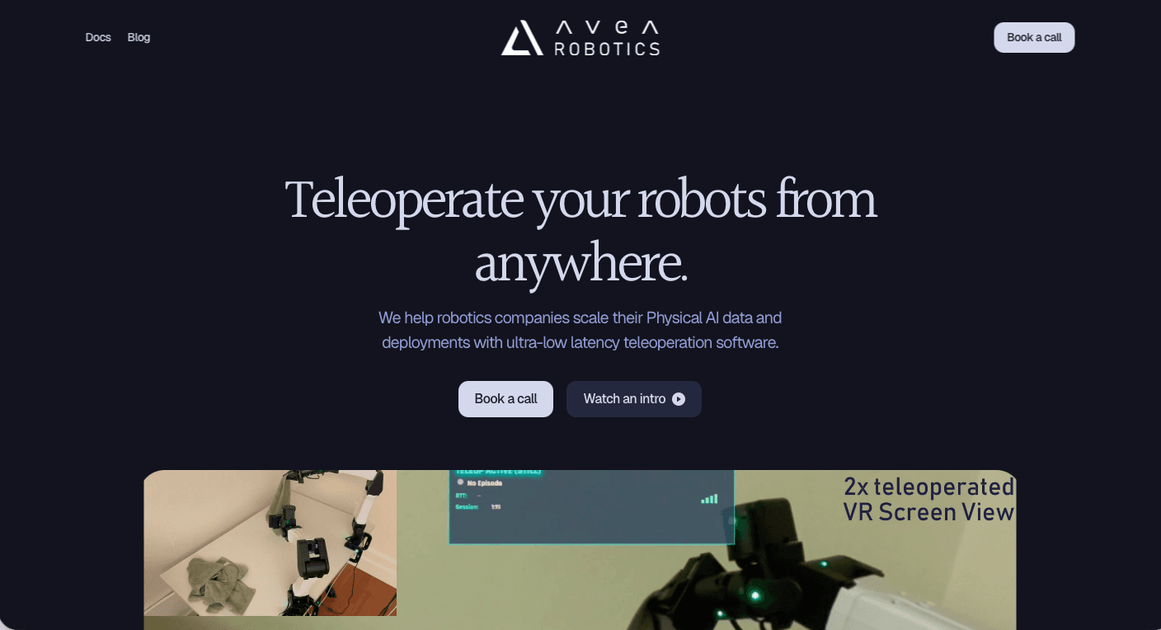
Sentinel by Avea Robotics is remote teleoperation software for robot control, sensor data capture, and deployment workflows with low latency.
What is Sentinel?
Sentinel is Avea Robotics’ teleoperation software for remote robot control, data capture, and deployment. It is designed for robotics teams that need to operate robots from a distance while streaming control signals and sensor data with low latency.
The platform is positioned as a unified system for Physical AI workflows. According to the site, it supports real-time control, immersive remote viewing, haptic feedback, and multi-feed video streaming, and it can be integrated with a robot’s URDF and joint control API for deployment.
Key Features
- Real-time robot control: Enables smooth remote operation with latency described as low as 10 milliseconds, which is important for precise teleoperation.
- Immersive View: Provides depth perception for remote operators, helping them judge distance and manipulate robots from afar.
- Haptic feedback: Returns real-time haptic signals so operators can sense interaction with the environment during teleoperation.
- Multi-feed streaming: Streams up to 6 full HD video feeds without affecting operation, which supports monitoring from multiple camera angles.
- Robot platform support: Lists support for 6-DoF standard robots, 6-DoF industrial arms, 7-DoF full-arm retargeting, and humanoid robots.
- Data collection and local storage: Can collect robot joint states, camera feeds, point clouds, RGB streams, and heatmaps, with video and data streams encrypted and stored locally.
How to Use Sentinel
A typical workflow starts with a demo or assessment call, where the team tests Sentinel by remotely teleoperating robots in Avea’s office. After that, the customer shares the robot’s URDF and joint control API so Sentinel can be integrated with the existing robot stack.
Once connected, the team runs the Sentinel Docker container and begins teleoperating the robot remotely. Avea also states that it trains the customer’s team and provides ongoing support after deployment.
Use Cases
- Data collection for Physical AI training: Operators remotely drive robots to generate labeled motion and sensor data for model training and improvement.
- Remote real-world deployment: Teams can operate robots across different environments without being physically present at the machine.
- Supervised autonomy: Human operators monitor autonomous behavior and intervene when needed to keep systems under control.
- Robot integration testing: Robotics teams can validate Sentinel against different robot architectures before broader rollout.
- Humanoid or multi-DoF teleoperation: Teams working with bimanual, torso, or locomotion control can use the platform for more complex robot setups.
FAQ
What hardware does Sentinel support?
Sentinel supports a growing range of robotic hardware platforms and sensors. The site says the most up-to-date list is available in the documentation.
What data can Sentinel collect?
According to the site, Sentinel can collect robot joint states, camera feeds, and point clouds. It also supports streaming RGB cameras and heatmaps.
Can Sentinel work with custom robots?
Yes. The site says Sentinel is designed to be flexible and can be discussed for custom robot architectures and integration requirements.
Is data encrypted?
Yes. The site states that Sentinel video and data streams are end-to-end encrypted, and that data is collected and stored locally.
Alternatives
- Manual teleoperation setups built from custom tooling: These can work for single teams or prototypes, but they usually require more in-house integration and maintenance than a dedicated platform.
- General robotics middleware and control stacks: Tools in this category help connect robot hardware and software, but they are not always focused on remote teleoperation, video streaming, or operator experience.
- Autonomy-first robot management systems: These prioritize autonomous execution and fleet management rather than human-in-the-loop remote control and intervention.
- General remote access or video conferencing tools: These may provide remote visibility, but they do not provide robot-specific control, joint-state handling, or teleoperation workflows.
Alternatives

MacSpoof
MacSpoof is a macOS MAC address changer that lets you change or randomize your Wi‑Fi MAC to reconnect and limit device logging on public Wi‑Fi.

Rokoko
Rokoko studio-grade motion capture for body, finger and face animation—capture-to-edit workflows plus export and streaming for common 3D pipelines.

Hacker News (macOS Client)
A native, modern macOS client for browsing Hacker News, built entirely using SwiftUI.

Email Validator
Free online Email Validator by sidemail.io checks email syntax, DNS/MX, disposable status, and typos, with optional deep SMTP handshake.

PicButler: Photo Cleaner
PicButler: Photo Cleaner scans your iPhone gallery to group duplicates and similar photos, pick a “winner,” and help you delete with one tap—on-device.

PDF Toolbox
PDF Toolbox is a free offline PDF editor for iPhone, iPad & Mac to merge, split, compress, secure, sign, watermark, OCR and convert PDFs.