
Screenshot-to-JSON capture
Capture a selected area with the `⌘⇧S` shortcut, then copy the result as JSON for pasting into terminal-based tools.

SlimSnap is a Mac app that turns screenshots into JSON for CLI coding agents like Claude Code, Aider, and Codex CLI. Free, local, no registration.
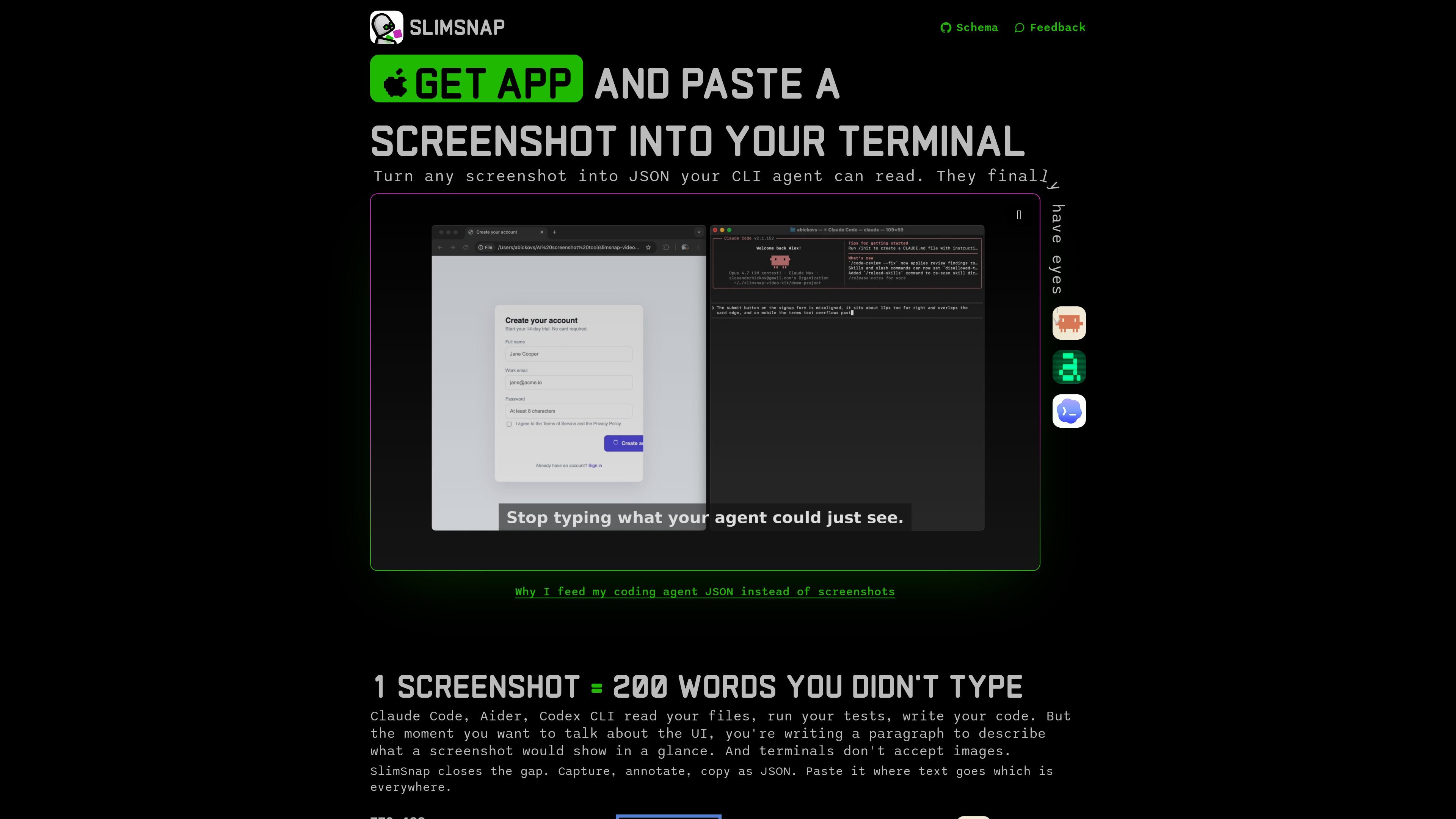
SlimSnap is a Mac app that turns screenshots into structured JSON for CLI-based coding agents. The product is positioned around a simple capture-and-paste workflow: select an area, annotate it if needed, copy the JSON, and paste it into tools that cannot accept images.
The site argues that this format is more useful than a raw screenshot for iterative debugging because it carries element text, positions, colors, and annotation intent in a form the agent can read directly. SlimSnap also publishes the JSON schema under MIT and describes a companion Claude Code skill that can auto-discover the latest capture from a local config file.
Capture a selected area with the `⌘⇧S` shortcut, then copy the result as JSON for pasting into terminal-based tools.
Add arrows, callouts, and highlights so the exported JSON includes your intent, not just the pixels on screen.
Export normalized bounding boxes and OCR text for each element, so agents can refer to specific controls instead of guessing from an image.
Keep capture and OCR local on your Mac, with no upload or account requirement in the described flow.
Use the published MIT-licensed JSON schema or build your own exporter against the same format.
Feed the output into Claude Code, Aider, Codex CLI, Cursor, or Continue.dev wherever text is accepted.
Capture a broken interface, point at the problem area with an arrow or callout, and hand the JSON to a coding agent that needs to edit the right file or component.
Share an annotated screen state with Claude Code, Aider, or Codex CLI when the tool cannot accept images but still needs precise UI context.
Move from a screenshot to a structured, machine-readable description of a form, dialog, or dashboard so the agent can reference specific elements by ID and bounding box.
Use the open JSON schema or the Claude Code skill as a starting point for custom workflows that consume SlimSnap output in other scripts or tools.
SlimSnap works on Mac today. The site says the app is Mac-only, and the Claude Code skill can also work with any valid SlimSnap JSON file.
No. The site says capture and OCR run locally on your Mac, and screenshots never leave the machine.
The site says the app is free and does not require registration. The pricing page itself returns a 404, so no paid plan details are visible in the provided sources.
SlimSnap creates JSON that includes screen metadata, detected elements, OCR text, bounding boxes, colors, and annotations. The site describes that output as something CLI agents such as Claude Code, Aider, and Codex CLI can read.
The site says the Mac app is closed source, while the JSON schema is published on GitHub under MIT. It also says the Claude Code skill is open and the app is closed.

ByteAsk is a terminal-first AI coding agent for C and C++ that edits repos and verifies changes with compilers, debuggers, sanitizers, and tests.

CreateOS Sandbox is an isolated compute environment for running code and agent workloads in Firecracker micro-VMs with private networking and SDK, CLI, or MCP control.

hob is an independent workspace for coding agents, with local control over sessions, terminals, history, routing, and follow-up work.

Manta AI is an autonomous web app testing tool that maps app behavior, catches regressions, and generates tests from a URL, no scripts or selectors needed.

SonOf connects to your repo and PM tool, audits your codebase, and turns approved work into shipped tickets with senior engineering review.

Ghost is a terminal-based AI assistant for chatting, code generation, and CLI tasks. Includes free models, supports Linux, macOS, Windows, and is open source.