

Softr
Build custom AI-powered portals and internal tools with Softr’s no-code builder—sync your data and publish to desktop and mobile.
What is Softr?
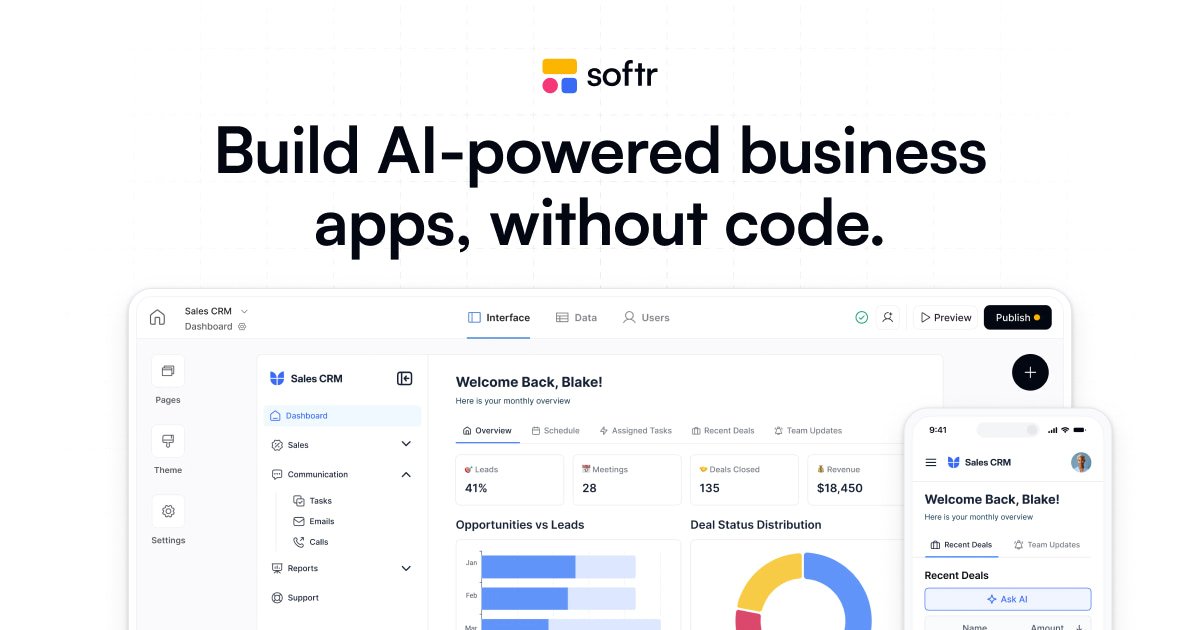
Softr is a no-code platform for building custom AI-powered business apps, portals, and internal tools. It connects to your data sources to turn workflows and “siloed” information into interactive software that your clients and teams can use.
The core purpose is to help teams create portals, dashboards, forms, and internal applications without coding—while adding AI capabilities such as querying live app data and automating tasks with AI Agents.
Key Features
- Build portals, internal tools, and dashboards with customizable views: Drag-and-drop building blocks let you shape how data is displayed and how users interact with it.
- Built-in database with relational tables and linked records: Create and manage business data directly in Softr using relational structure.
- Real-time synchronization with existing data sources: Sync with Airtable, Google Sheets, Notion, HubSpot, monday.com, SQL, and others so your apps reflect current data.
- AI features for app data and workflow automation: Use Ask AI to query live app data, AI Agents to enrich data and automate workflows, and an AI Co-builder to build faster.
- User access controls and granular permissions: Control which data each user can access and what actions they can take.
- Publishing and cross-device deployment: Publish apps and launch them on desktop and mobile; apps can be turned into PWAs.
- Templates for common workflows: Start from hundreds of ready-made templates and customize them to match your workflow.
- Security and identity options: Softr is SOC 2 (Type II) compliant and supports SSO (SAML, OpenID).
How to Use Softr
- Create an app from a template or from scratch using Softr’s no-code builder.
- Connect your data sources (for example Airtable, Google Sheets, HubSpot, SQL, or Notion) and/or build your relational database inside Softr.
- Customize the interface and logic by dragging in building blocks, configuring views and actions, and setting granular permissions.
- Add AI features where needed (e.g., Ask AI for querying live data, or AI Agents to automate steps).
- Publish and launch the portal or internal tool, deploying it to desktop/mobile and optionally converting it to a PWA.
Use Cases
- Client portal for CRM and operational workflows: Give clients access to CRM-relevant information and tools that work with your business processes rather than a generic off-the-shelf package.
- Inventory and dashboard management: Build an inventory-focused internal dashboard that stores data in Softr and keeps it synced with your existing spreadsheets or database sources.
- Company intranet and employee directories: Create an internal knowledge and directory-style portal with controlled permissions for who can see and act on different data.
- Vendor management and help desk: Implement vendor portals, intake and help workflows, and dashboards to track processes end-to-end.
- SaaS and operational reporting dashboards: Assemble KPI dashboards and tracking tools (e.g., sales KPIs, product KPIs, donation trackers) based on connected app data.
FAQ
-
Does Softr require coding? No. The platform is designed for building portals and internal tools with no code.
-
Can Softr pull data from existing tools and databases? Yes. Softr supports syncing in real time with sources such as Airtable, Google Sheets, Notion, HubSpot, monday.com, and SQL.
-
What AI capabilities are available in Softr? Softr includes AI features including Ask AI (to query live app data), AI Agents (to enrich data and automate workflows), and an AI Co-builder.
-
How do users access the apps Softr builds? Softr supports secure login and includes features such as granular permissions so you can control what different users can access and do. It also supports SSO via SAML and OpenID.
-
Can apps be used on mobile devices? Yes. Softr supports publishing applications for desktop and mobile, and apps can be turned into PWAs.
Alternatives
- Airtable-based app builders: Useful if you want to start from a spreadsheet/database foundation and build interfaces, but Softr positions around no-code portals and internal tools with integrated publishing and AI features.
- Zapier/Make-style automation platforms plus custom front ends: Helpful for connecting tools and automating workflows, but they don’t provide the same portal/dashboard app-building workflow out of the box.
- Internal dashboard tools that connect to databases: These may help you visualize data quickly, but Softr additionally focuses on building interactive portals and workflows (including actions and permissions).
- Custom-coded web apps: Offers maximum flexibility, but Softr is aimed at reducing the need for development by providing templates, a built-in database, and drag-and-drop customization.
Alternatives

FigPrompt
FigPrompt is an AI Figma plugin builder that generates production-ready plugin logic from your description—no code, in seconds.

Lasso
Lasso is an AI-first PIM for ecommerce teams that enriches product attributes and descriptions, processes supplier data, and monitors competitors via app or API.

Make Real
Draw a UI and make it real using the tldraw SDK.

Tavus
Tavus builds AI systems for real-time, face-to-face interactions that can see, hear, and respond, with APIs for video agents, twins & companions.

HiringPartner.ai
HiringPartner.ai is an autonomous recruiting platform with AI agents that source, screen, call, and interview candidates 24/7, reducing time-to-hire from weeks to as little as 48 hours.

AgentMail
AgentMail is an email inbox API for AI agents to create, send, receive, and search email via REST for two-way agent conversations.