
Voice-following teleprompter
Speechius uses on-device automatic speech recognition to follow your voice and scroll the script without a foot pedal or fixed pace. The current word stays highlighted as you speak.
Speechius is a voice-following teleprompter for macOS and Windows that scrolls your script as you speak and stays hidden in screen shares for webinars and demos.
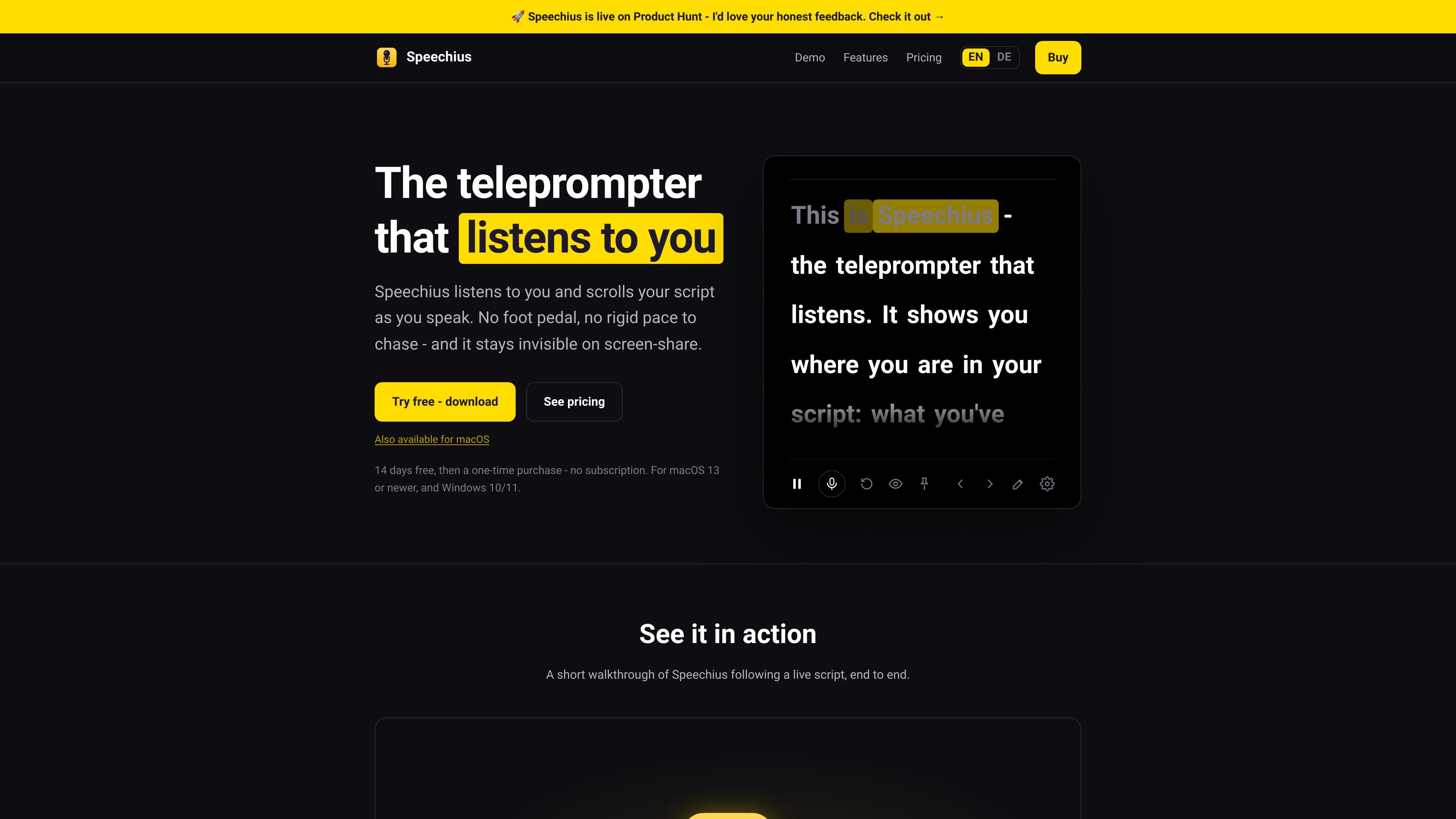
Speechius is a teleprompter app for macOS and Windows that listens to your voice and scrolls your script as you speak. It is positioned for people who present on camera and want to read without losing their place or relying on a foot pedal.
The app’s core workflow is hands-free prompting during live speaking: the script advances with on-device speech recognition, the current word is highlighted, and an undetectable mode keeps the prompter window out of screen shares and recordings from tools such as Zoom, Meet, Teams, and OBS. The site also emphasizes offline use, local processing, and a one-time purchase model with a 14-day trial and included updates for the first 12 months.
Speechius uses on-device automatic speech recognition to follow your voice and scroll the script without a foot pedal or fixed pace. The current word stays highlighted as you speak.
The prompter window can be excluded from screen capture and screen sharing in Zoom, Meet, Teams, OBS, and screen recordings, so the script stays off the audience feed.
Speech recognition runs on the computer itself, and the site says neither audio nor scripts leave the device. It also notes that no account is needed to speak.
You can define trigger words that advance slides automatically while you talk, which helps keep both hands free during a presentation.
The app stays above other windows, and you can adjust transparency, the anchor line, and the reading line to fit your camera framing and viewing style.
Speechius supports English and German, and the recognition language can be set independently from the app interface language.
For webinar hosts who need to stay on script while speaking naturally, Speechius follows the voice and highlights the current word so they can keep their place during a live session.
Presenters who share slides or an app window can use slide triggers and always-on-top behavior to keep the teleprompter available without constantly switching windows.
Course makers and creators recording lessons or demos can hide the prompter from screen-share output while still reading privately on their own screen.
Teams that want a shared purchase model can use the Studio edition, which is sold for one company with up to five seats.
Bilingual users who work in English and German can set the recognition language separately from the interface language, which helps match the language they speak in a given session.
Yes. The website states that Speechius includes a 14-day free trial with the full feature set and no card required. The trial starts on your first speaking session, not at install.
No. Speechius is sold as a one-time purchase. The first 12 months of updates are included, and the app keeps working after that.
Speechius runs on macOS 13 or newer and Windows 10/11. The site also says you need a working microphone.
Speech recognition runs on your computer and works offline for presenting. The license is re-checked online occasionally, but day-to-day use does not require an internet connection.
Pro covers one person on up to two devices, while Studio is for one company with up to five seats. Both editions include the full feature set.

Carbon Voice is an async voice messaging app for teams and individuals, with transcripts, AI catch-up, and cross-device access.

SpeakoFlow is a free, open-source desktop voice-to-text app for Windows, macOS, and Linux. Dictate into any app, use Flow, cleanup, translation, and a screen-aware assistant.

Sanota turns spoken memories and interviews into clear written stories for personal storytelling, family history and shared memories, with guided prompts and subscriptions.

Goldfish is an AI memory app for macOS that helps you reply, write, summarize, and continue with context already on your Mac. It stores memory locally and writes in your tone.

Flunkey is a voice-first productivity layer for Windows that turns speech into text, AI outputs, and remembered context without leaving your app.

ArtDeck is a visual reference board app for iPhone, iPad, and Mac. Collect mixed references on one canvas and study them with ToolBox lenses. Offline, optional iCloud sync, one-time purchase.