

Submit.DIY
Submit.DIY is an all-in-one AI launch toolkit to plan, execute, and track product submissions across 160+ platforms with AI launch copy.
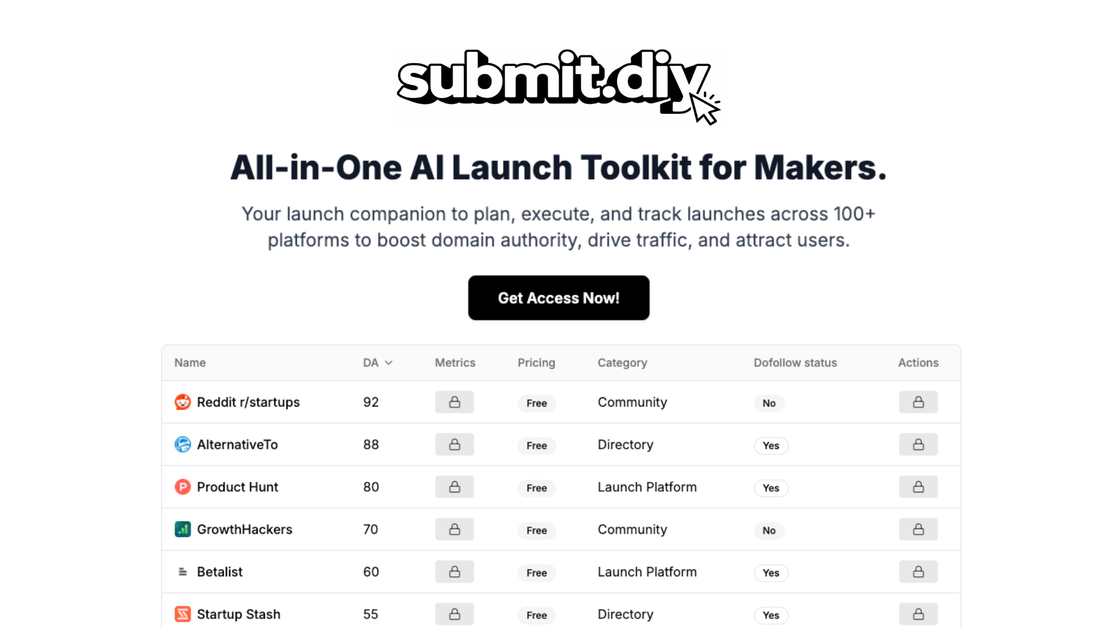
What is Submit.DIY?
Submit.DIY is an all-in-one AI launch toolkit designed to help makers plan, execute, and track product launches across 160+ platforms. It centralizes launch workflows so you can manage submissions, organize launch-related notes, and monitor progress while expanding where your product is discovered.
The toolkit also includes an “AI Content Sidekick” intended to generate launch copy tailored for launch platforms (for example, taglines, product descriptions, and launch pitches) based on the product you provide.
Key Features
- Access to 160+ launch platforms to submit your product, with platform links categorized for browsing and selection.
- Platform sorting and filtering (described as “advanced filters & sorting”) to help narrow down where to submit.
- Submission tracking workflow: add platforms to a launch queue, mark items as launched, and keep submissions organized.
- Bookmark management for organizing your best AI-generated content and reusing it later.
- Notes & launch journal to capture platform-specific notes and general launch notes in one place.
- Launch AI Sidekick to generate publish-ready content in one click, including taglines, product descriptions, and launch pitches.
- Launch AI Sidekick output types also include social media posts, comments, and community messages.
How to Use Submit.DIY
- Start by getting access to the toolkit and the full list of supported platforms.
- Use the platform list and filters to find communities, directories, and launch platforms appropriate for your product category.
- Add selected platforms to your launch queue, then work through them by submitting and marking items as “launched.”
- As you prepare submissions, use the Launch AI Sidekick to generate launch-specific copy. Save and bookmark output you want to reuse.
- Keep context in the Notes & Launch Journal by recording what you submitted where and any notes that help you refine future submissions.
Use Cases
- Maintain a single launch tracker across many submission sites: you can queue platforms, mark them completed, and keep your launch activity organized without relying on scattered spreadsheets or bookmarks.
- Discover relevant platforms you might have missed: use curated platform categories and filters to find communities and directories that fit your product instead of searching individually each time.
- Generate platform-ready launch copy: when you need a tagline, description, or pitch for a specific submission, use the AI Sidekick to draft text and then bookmark the results for reuse.
- Reuse winning content across multiple submissions: once you identify content that performs well on one platform, you can save it via bookmarks and adapt it for other platforms.
- Run launches for multiple products: the AI Sidekick is described as available for “3 products” under the DIY access plan, which suits creators managing more than one launch at a time.
FAQ
What does Submit.DIY track?
Submit.DIY provides a centralized way to manage launch submissions across 160+ platforms. It supports adding platforms to a queue, marking them as launched, and keeping related notes and bookmarks.
How does the AI Content Sidekick help?
The Launch AI Sidekick is intended to generate publish-ready launch content. Based on the product you add, it can produce taglines, product descriptions, launch pitches, and also social/community messages such as posts, comments, and messages.
Does it support both planning and execution?
Yes. The toolkit is described as supporting centralized launch planning (timelines/checklists) and execution via submission tracking for each platform.
Can I save and reuse generated content?
Yes. Submit.DIY includes bookmark management so you can save, organize, and reuse your AI-generated content.
How quickly do submissions affect results?
The FAQ states that results vary by platform and product readiness, but you typically may see traffic and backlinks within 1–2 weeks after submissions; full SEO benefits are stated as usually taking 2–3 (the source cuts off after this range).
Alternatives
- Launch submission trackers (manual or spreadsheet-based): you can log platforms and statuses yourself, but you won’t get the centralized platform list, filters, and AI-generated copy.
- AI writing assistants for product descriptions: tools that generate text can help draft copy, but they may not include launch platform discovery, submission queues, or a launch journal tied to specific platforms.
- Marketing/project management tools with checklists: general tools can organize launch timelines and tasks, but they don’t inherently provide a curated set of launch platforms or launch-specific content generation workflows.
- Community and directory discovery tools: separate tools can help you find where to post, but you would still need tracking, notes, and content workflows elsewhere.
Alternatives

PaperBetterAI
PaperBetterAI is an intelligent writing tool that generates academic papers and various writing materials in both Chinese and English using advanced AI technology.

心流AI助手
Xinliu is an AI assistant that helps you efficiently acquire knowledge, whether it's everyday entertainment information or professional academic paper insights, it can easily provide answers.

Magic Notebook
Magic Notebook is a calm desktop writing app for bloggers and authors. Open a folder and write in DOCX, Markdown, and TXT with autosave.

Scribeist
Scribeist is an AI-powered writing platform with adaptive workspaces for novels and blogs—character/timeline tracking, SEO guidance, drafting support.

PXZ AI
An All-In-One AI Platform that combines tools for image, video, voice, writing, and chat to enhance creativity and collaboration.

Slidesgo
Discover free Google Slides themes and PowerPoint templates on Slidesgo. Download and customize online to create presentations.