
Minimal block syntax
Create charts from a fenced `chart` block that can include a chart type, an optional title, and CSV-style data. The homepage says the format is deliberately small and easy to embed in Markdown.

tufte turns CSV-style data into plain-text ASCII charts for Markdown, terminals, and text-first workflows. Supports fenced `chart` blocks and inline sparklines.
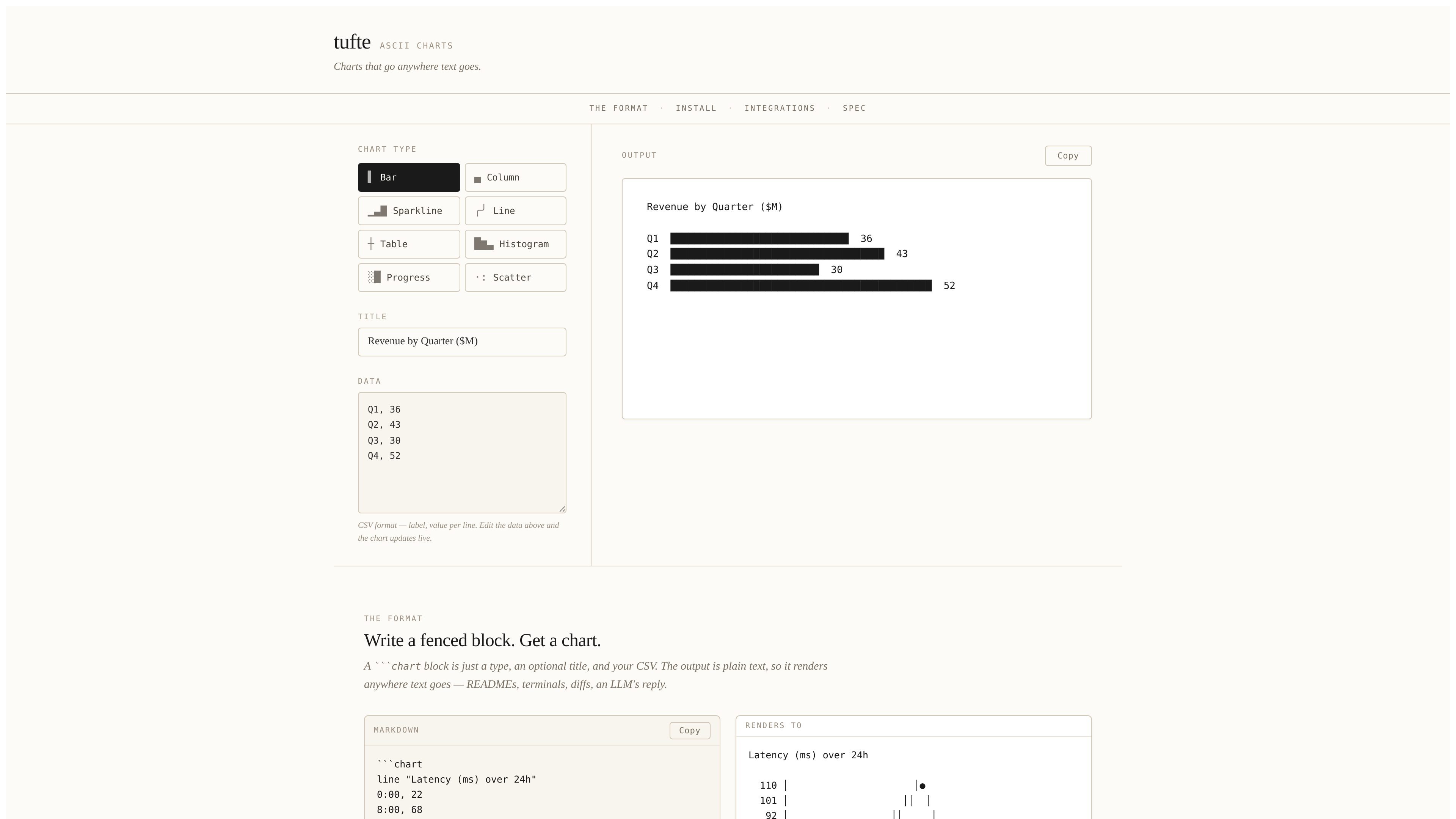
tufte is a developer-focused ASCII chart tool for Markdown and terminal workflows. It turns CSV-style data into Tufte-style text charts using a Mermaid-style `chart` code block, plus inline `sparkline` spans for compact trend display.
The site positions the output as plain text that can travel with the content itself, so charts can render in READMEs, terminal output, diffs, and LLM context. The homepage also shows a live demo, a short syntax spec, and a set of packages for rendering charts in different publishing pipelines.
Supported chart forms shown on the homepage include bars, columns, sparklines, lines, tables, histograms, progress bars, and scatter plots. An Obsidian plugin is also listed for note-taking workflows, and a zero-dependency core package can be imported directly in the browser or Deno.
Create charts from a fenced `chart` block that can include a chart type, an optional title, and CSV-style data. The homepage says the format is deliberately small and easy to embed in Markdown.
Support multiple chart forms, including horizontal and vertical bars, sparklines, line charts, tables, histograms, progress bars, and scatter plots. The site describes these as eight chart types in one grammar.
See the chart update live as you edit the data in the browser demo, which makes it easier to revise labels and values before copying output elsewhere.
Render output as plain text so the same chart can appear in READMEs, terminals, diffs, and an LLM response without relying on image rendering.
Use the chart as an inline `sparkline: …` span when you only need a compact trend inside a sentence. The homepage shows this working as embedded text, not just in standalone blocks.
Choose from several implementation paths: a core renderer, a CLI for pre-rendering Markdown, `markdown-it` and `remark` plugins, and a zero-dependency ESM import for browser or Deno use.
Write charts directly in a README or docs page so the visual stays readable in plain text and does not depend on image rendering support.
Pre-render `chart` blocks during a Markdown build for tools such as VitePress, Eleventy, MDX, Next.js, Astro, or Docusaurus.
Show quick visual summaries in terminal output, diffs, or command-line reports where images are awkward or unavailable.
Keep charts inside Obsidian notes using the community plugin, which lets note content and chart syntax stay in the same text file.
Embed compact sparklines inline in prose when a full chart would interrupt the flow of a sentence.
It renders fenced `chart` blocks into plain-text charts, so the output can be used in Markdown files, terminal output, diffs, and LLM context.
The homepage shows a Mermaid-style `chart` fence with an optional type and title, followed by CSV-style data lines. It also supports inline `sparkline: …` spans for short trend displays.
The site shows package-specific plugins for `markdown-it` and `remark`, plus a zero-dependency core package that can be imported directly in the browser or Deno.
An Obsidian plugin is listed for rendering `chart` blocks inside notes, with the same format and fallback behavior as the other integrations.
The pricing page linked from the site returns a 404, so the public sources here do not confirm any plan details.

ByteAsk is a terminal-first AI coding agent for C and C++ that edits repos and verifies changes with compilers, debuggers, sanitizers, and tests.

Epherem scans web apps built with Lovable, Bolt, v0, Replit, Cursor, and Claude Code for security flaws in source code and dependencies, without running the app.

CreateOS Sandbox is an isolated compute environment for running code and agent workloads in Firecracker micro-VMs with private networking and SDK, CLI, or MCP control.

GitBot is a local browser workspace for reusable coding bots powered by Claude Code, Codex, or OpenCode, with persistent threads and configurable permissions.

hob is an independent workspace for coding agents, with local control over sessions, terminals, history, routing, and follow-up work.

Ably Chat is a chat API platform for custom realtime chat apps, with rooms, typing indicators, presence, reactions, message updates and usage-based pricing.