

Unscreen
Unscreen was an online video editing service for creators—now shut down permanently on Dec 1, 2025. Learn what happens to files, data, subscriptions.
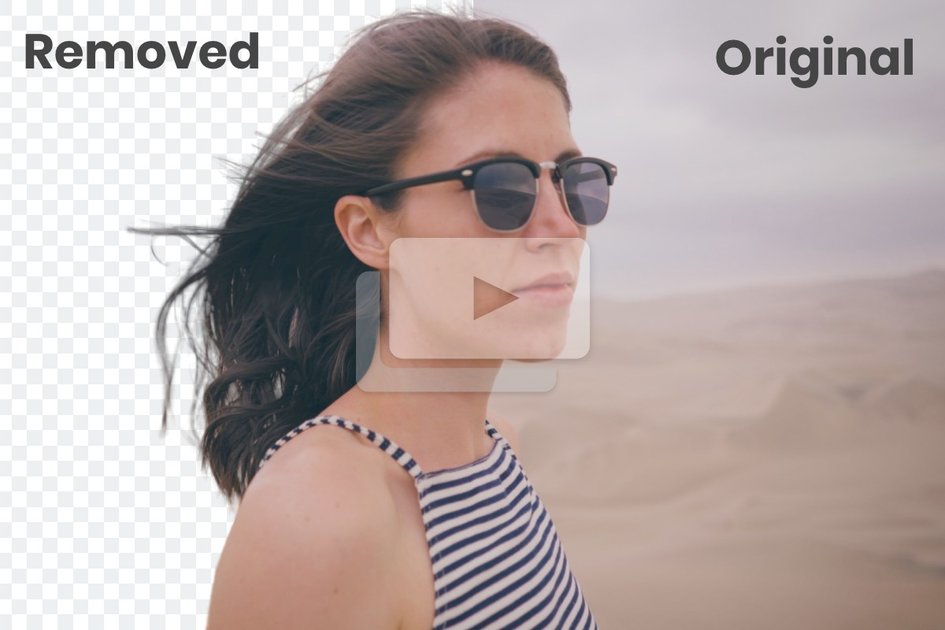
What is Unscreen?
Unscreen was an online video editing service that creators could use to process videos without the complexity of traditional editing tools. The site now redirects to Canva, and it includes an official summary of what happened to Unscreen after the service ended.
According to the site, Unscreen shut down permanently on December 1, 2025 at 9:00 a.m. Central European Time (CET). The page also explains what happens to processed videos, subscriptions, user data, and related plugins after the end of service.
Key Features
- Video processing via Unscreen after uploading content for edits/processing.
- Permanent shutdown and service deprecation: users can no longer process videos through the Unscreen app after the end date.
- Background removal is described as supported by the recommended alternative (Canva’s video editor), as part of the guidance for what to use next.
- AI-powered video capabilities referenced for the alternative workflow, including text-to-video, auto animations, voice enhancement, and smart format switching.
How to Use Unscreen
- Upload your video(s) to the Unscreen service for processing before the shutdown end date.
- If you processed a video within the past 30 days, you can download it; otherwise, the page states videos are automatically deleted 30 days after processing.
- For ongoing editing needs after Unscreen ends, use the recommended replacement (Canva’s video editor) instead of Unscreen.
Use Cases
- Recovering a recently processed file: download a video processed within the last 30 days, using guidance provided via the support team if needed.
- Planning an edit workflow after shutdown: move ongoing video editing tasks to Canva’s video editor, which is specifically recommended by the site.
- Handling subscription continuity concerns: understand that Unscreen subscriptions were cancelled and remaining minutes/credits expired with the subscription.
- Addressing plugin-based processing changes: if you previously relied on After Effects or Premiere Pro plugins, note that those plugins were removed from app stores and can no longer be used to process videos through plugins.
- Managing account data after service end: review the statement that user data is deleted or anonymized after the service ends in line with the site’s Privacy Policy.
FAQ
-
When did Unscreen shut down? Unscreen officially shut down permanently on December 1, 2025 at 9:00 a.m. Central European Time (CET).
-
Can I use Unscreen again after it shut down? No. The service was shut down permanently, and users cannot process videos through the Unscreen app after that point.
-
What happens to videos I uploaded to Unscreen? The page states Unscreen automatically deletes all videos 30 days after processing. If you need to download a video processed within the past 30 days, contact the support team.
-
What happens to my Unscreen subscription? The site says all subscriptions were cancelled; subscriptions remained fully usable until their individual expiry date, and unused minutes or credits expired with the subscription.
-
What happened to the Adobe After Effects and Adobe Premiere Pro plugins? All plugins were removed from the app stores, and you cannot process videos through those plugins anymore.
Alternatives
- Canva (video editor): The Unscreen site recommends Canva as an alternative. It mentions background removal and AI features such as text-to-video, auto animations, voice enhancement, and smart format switching, all in one platform.
- General web-based video editors: If you need browser-based editing without installing desktop software, consider other online editing tools that focus on upload-and-edit workflows.
- Desktop video editing software with manual editing: For users who prefer full control and traditional editing pipelines, desktop NLE tools may be a better fit than an all-in-one or AI-assisted workflow.
- Plugin-based compositing workflows: If you previously relied on Unscreen’s plugins for After Effects/Premiere Pro, you may need to switch to an editing/processing approach that still supports your compositing or broadcast workflow, since the Unscreen plugins were removed.
Alternatives

DeepMotion
DeepMotion is an AI motion capture and body-tracking platform to generate 3D animations from video (and text) in your web browser, via Animate 3D API.

Captions.ai
Captions.ai is an online video editor and app with AI-powered editing, automatic captions, music, and AI avatars for faster video creation.

optimo
optimo is a free, open-source CLI that optimizes and converts images and videos for the web using ImageMagick and FFmpeg compression workflows.

Plask
Plask is an AI motion capture and 3D animation tool that turns uploaded video into character motion, with video renders or 3D asset export.

FlexClip
FlexClip is an AI-powered online video maker and editor with templates and built-in tools. Generate videos, subtitles, translation & more faster.

Virvid
Virvid is an AI shorts generator that creates faceless TikTok, Instagram Reels, and YouTube Shorts from a topic—then helps you edit, add voice/captions/music, and optionally autopost daily.