
Competitor research
Pulls competitor apps from App Store links, names, or brief prompts, then has Claude read each App Store page and synthesize a competitor card.

Vibegrowing is an AI-native App Store launch panel for competitor research, ASO metadata, icons, screenshots, landing pages, and legal docs, synced with App Store Connect.
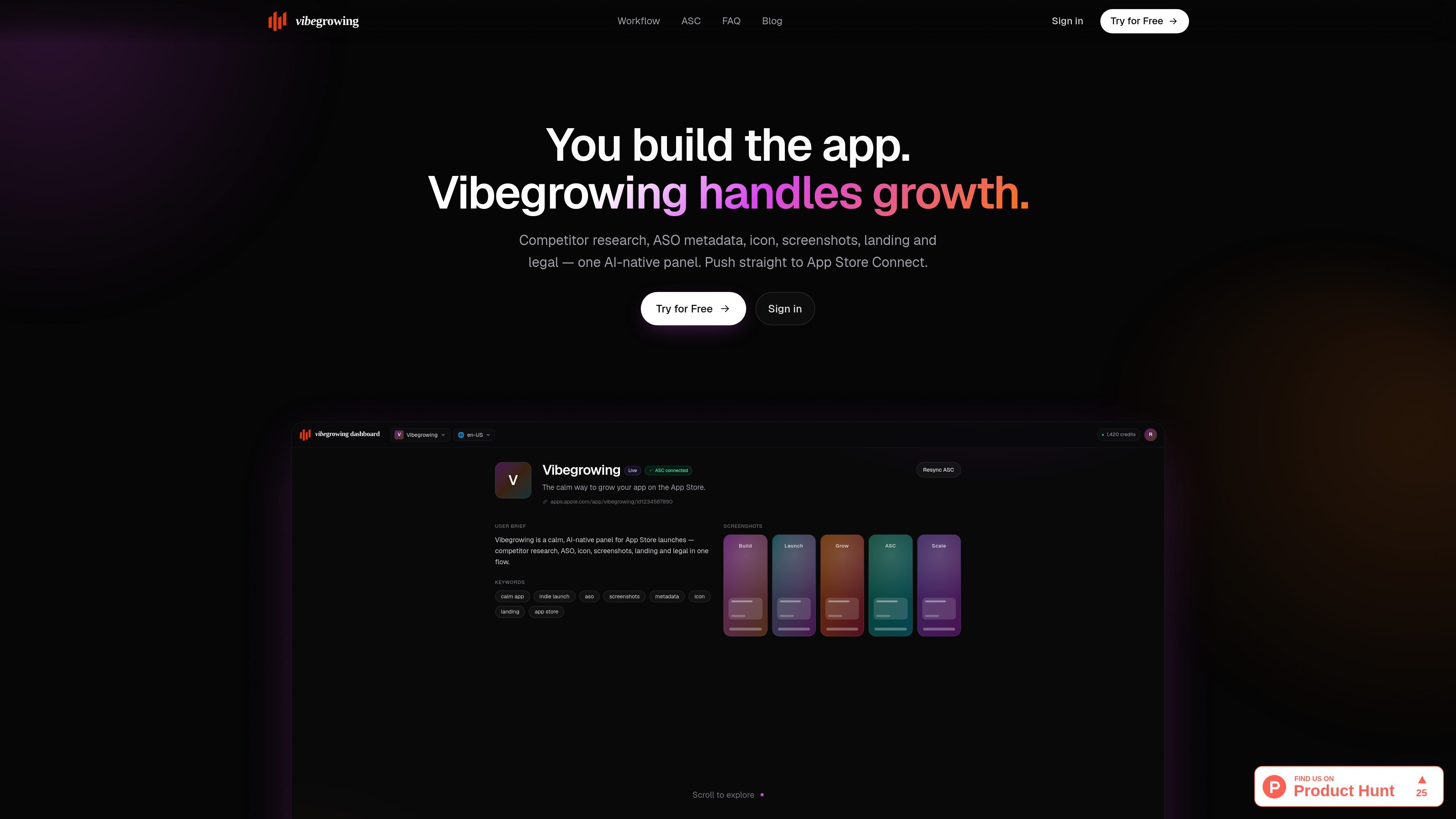
Vibegrowing is an AI-native panel for App Store launch work aimed at indie developers. It brings together competitor research, ASO metadata, icon generation, screenshot creation, landing pages, and legal docs in one workflow.
The product is designed to move from brief to publishable launch assets and then push metadata back to App Store Connect. The source also says it can mirror existing localizations, icons, and screenshots from connected apps, which makes it useful for updating an existing store presence as well as preparing a new launch.
Pulls competitor apps from App Store links, names, or brief prompts, then has Claude read each App Store page and synthesize a competitor card.
Generates title, subtitle, keywords, and description within Apple's length limits and labels the copy as schema-validated.
Creates 1024×1024 App Store Connect-ready icons from prompts, with multiple variations to choose from and refine.
Builds five-panel screenshot sets for multiple device sizes, using headlines from the generated metadata and exporting them for ASC.
Creates localized landing pages on wildcard subdomains with hreflang, wildcard SSL, and path-based privacy pages.
Produces privacy and terms drafts from a 12-question questionnaire, using only the answers and selected subprocessors.
Use Vibegrowing when you are preparing an App Store launch and want competitor research, metadata, screenshots, landing pages, and legal pages assembled from one brief.
Use it to refresh an existing app listing by pulling your App Store app into the workflow and generating updated metadata, screenshots, and icons.
Use it when you need localized store and landing-page assets for multiple languages, with separate metadata and screenshot sets per locale.
Use it when you want to compare your app with a small set of competing apps and use those findings to shape positioning and keywords.
Use it when you need privacy and terms pages based on a structured questionnaire rather than drafting them manually from scratch.
It is a web-based panel for App Store launch work, so you can use it from a browser after signing in with Google.
The source shows a Google sign-in flow and a dashboard connection to App Store Connect; it does not show a separate team-management model or seat-based permissions.
The product can generate competitor research, ASO metadata, icons, screenshots, landing pages, and legal docs, then push metadata to App Store Connect. The source does not show standalone export formats beyond that workflow.
The homepage describes a workflow that starts from an app idea or an existing app, then moves through competitor research, metadata, icons, screenshots, landing pages, and legal documents.
The pricing page is not available in the provided sources, so no pricing details are confirmed.

beehiiv is a newsletter platform for creators, publishers, and brands to build, grow, and monetize email newsletters and websites in one place.

PromptScout tracks how ChatGPT, Gemini, Google AI Overviews, and Perplexity mention your brand or competitors, with source analysis and website audits.

An All-In-One AI Platform that combines tools for image, video, voice, writing, and chat to enhance creativity and collaboration.

Slidesgo is a presentation template platform for Google Slides, PowerPoint and Canva workflows, with free and Premium templates plus AI-assisted creation.

Prompty Town turns a link into a building in a small internet city. Buy a tile, add a prompt, and publish it alongside other buildings.

Make Real is a Next.js app that turns hand-drawn wireframes into HTML prototypes with the tldraw SDK and AI models, with canvas sketching and embedded preview.