
Multiple recording methods
Record in-person meetings with a browser, iOS app, or Android app, or let the note taker join Zoom, Google Meet, Microsoft Teams, and Webex calls.

VoiceCap is an AI meeting notetaker for in-person and online meetings, creating searchable transcripts, summaries, decisions, and action items in 100+ languages with EU data storage.
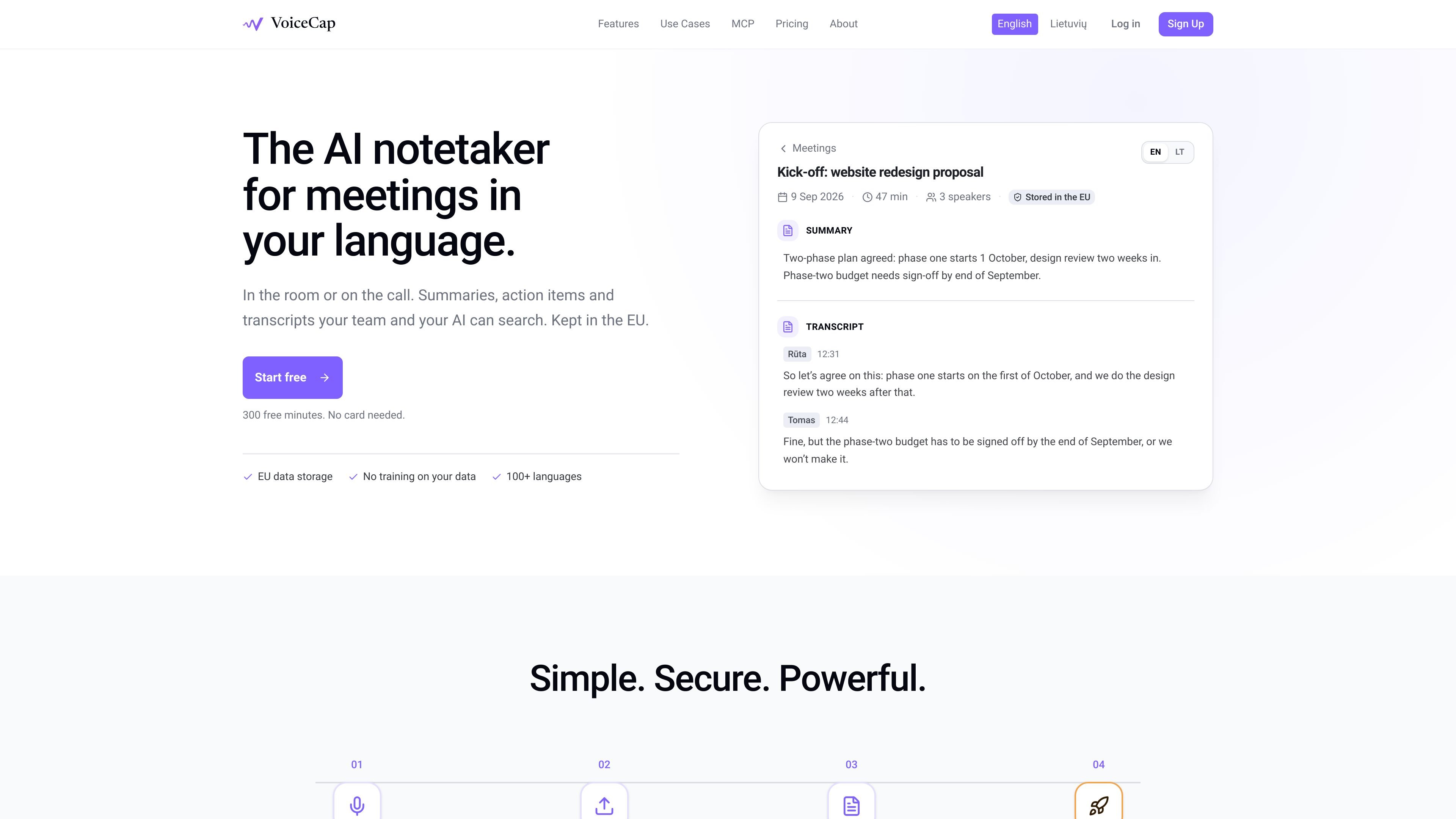
VoiceCap is an AI meeting notetaker for in-person and online meetings. It records through a browser or mobile app, can join supported video calls, and accepts uploaded audio or video files. The service transcribes meetings, identifies speakers, and creates summaries, decisions, and action items.
The resulting archive is designed for team follow-up rather than only one-off notes. Meetings can be grouped into projects, searched across transcripts and decisions, shared according to workspace roles, and queried from Claude or ChatGPT through a read-only MCP connection. VoiceCap states that data is stored in the EU, encrypted in transit and at rest, and not used to train AI models.
Record in-person meetings with a browser, iOS app, or Android app, or let the note taker join Zoom, Google Meet, Microsoft Teams, and Webex calls.
Upload MP3, M4A, WAV, MP4, or MOV files, or import online call recordings. Original recordings remain stored in the workspace.
Generate speaker-separated, timestamped transcripts and AI summaries, with support for more than 100 languages and automatic language detection.
Extract decisions and action items, including an owner and due date for action items, then link them to the point in the recording or transcript where they were mentioned.
Search across transcripts, summaries, and decisions. Meetings can be organized into projects, and search results link to the relevant moment.
Share meetings privately, with groups, or with the whole workspace. Roles include owner, admin, member, and viewer; viewers are free and unlimited.
Record a planning discussion in the room, then use the transcript, summary, and extracted decisions to preserve the agreed scope and next steps.
Connect a calendar so recurring client or vendor calls can be recorded automatically, then search earlier conversations when preparing follow-ups.
Give distributed teams a shared archive of meeting outcomes. Members can share selected meetings with groups or the workspace while viewers read without using capture seats.
Query several past meetings through Claude or ChatGPT to find commitments, decisions, or unresolved action items without manually opening each transcript.
Upload recordings from another recorder or conference workflow when a meeting was not captured directly in VoiceCap, using supported audio or video formats.
VoiceCap can record in-person meetings through its browser, iOS, and Android apps. For online meetings, its note taker can join Zoom, Google Meet, Microsoft Teams, or Webex calls, with automatic recording available when a Google or Outlook calendar is connected.
Yes. VoiceCap supports audio and video uploads in MP3, M4A, WAV, MP4, and MOV formats. It can transcribe uploaded recordings and separate speakers.
VoiceCap produces speaker-separated, timestamped transcripts, AI summaries, extracted decisions, and action items with an owner and due date. Meetings, transcripts, summaries, and decisions can be searched, and results can link back to the relevant moment.
VoiceCap offers MCP access from Claude and ChatGPT. An AI client can query the meeting archive in read-only mode and only access meetings the connected user is permitted to see.
The Free plan includes 300 minutes, one capture seat, and unlimited free viewers without requiring a card. Paid plans are priced per capture seat; Pro includes 1,000 minutes per seat each month, while Business includes unlimited recording and transcription. Prices exclude VAT.

Notewarp is an AI note-taking tool that turns voice notes, uploads, or pasted text into cleaner notes, transcripts, summaries, and action items.

Tactiq is an AI note taker for Google Meet, Zoom, and Microsoft Teams that transcribes meetings live into summaries, action items, and follow-up outputs.

Flunkey is a voice-first productivity layer for Windows that turns speech into text, AI outputs, and remembered context without leaving your app.

MeetStream is a meeting bot API for Zoom, Google Meet, Microsoft Teams, and Webex. Record, stream, and analyze meetings with usage-based pricing and $5 free credit.

CAKIE is a Mac app for recording your screen and voice for an AI agent, with transcripts, screenshot highlights, and easy prompt copying.

SpeakoFlow is a free, open-source desktop voice-to-text app for Windows, macOS, and Linux. Dictate into any app, use Flow, cleanup, translation, and a screen-aware assistant.