

Wideframe
AI coworker for Mac editing prep: index footage via text, generate native Premiere Pro projects fast. Streamline your video workflow now!
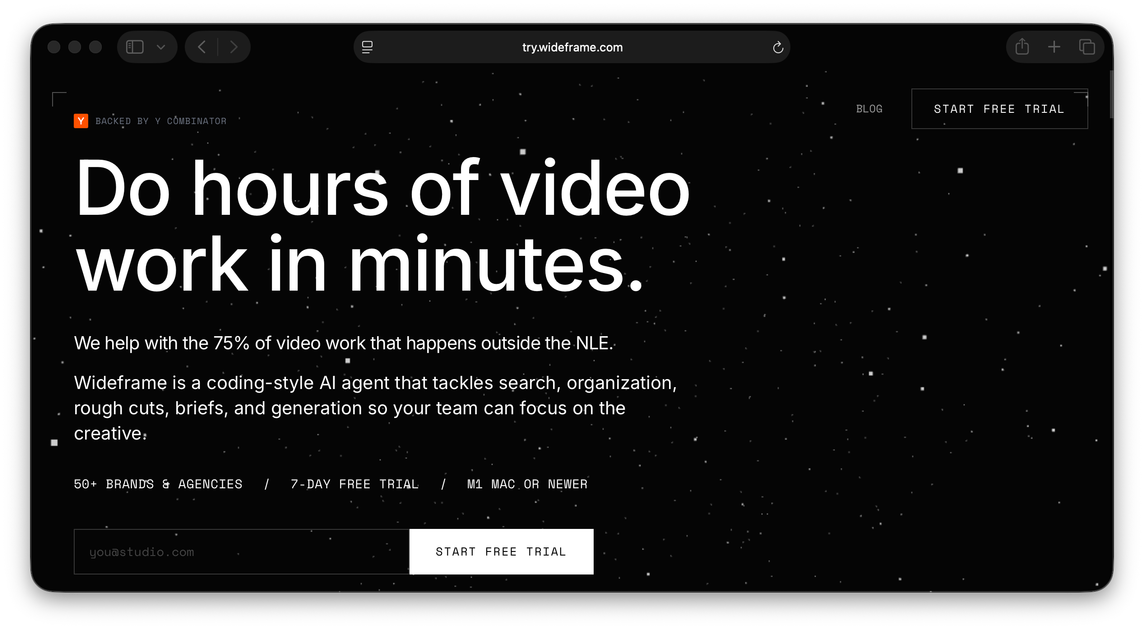
What is Wideframe?
Wideframe is a revolutionary AI coworker designed specifically for professional video editors, producers, and content teams working on macOS. Its core mission is to eliminate the tedious, time-consuming preparation work that often consumes up to three times more effort than the actual creative editing. By indexing vast libraries of local and cloud-based footage using semantic understanding, Wideframe transforms raw assets into actionable timelines.
This application is not another synthetic video generator; it is a powerful assistant that works exclusively with your existing, real footage. It bridges the gap between the speed of AI content generation and the demands of professional video workflows by delivering fully editable, native Adobe Premiere Pro project files (.prproj) based on simple, natural language commands. This allows editors to skip the hours spent searching, labeling, and sequencing, moving directly to the creative refinement stage.
Core Features for Video Editors
- Agentic Footage Indexing: Wideframe indexes your entire footage library (local drives and cloud storage) by meaning rather than just filenames, enabling highly accurate, context-aware retrieval.
- Native Premiere Pro Output: Generates fully editable, native
.prprojfiles. The output places the selected clips directly onto the timeline, ready for immediate refinement in Premiere Pro. - Natural Language Editing Intent: Users describe the desired edit (e.g., "Build a 60-second highlight reel from the product demo footage") using plain English, and the agent constructs the sequence.
- Non-Destructive Workflow: The application works with your source files without moving or altering the original media, ensuring complete control over your assets.
- Apple Silicon Native: Optimized as a desktop application running on Apple Silicon (M1 or later) for fast, frame-accurate media analysis and processing on-device.
- Focus on Real Footage: Guarantees that every frame in the resulting rough cut comes from the editor's actual library, avoiding synthetic or hallucinated video content.
How to Use Wideframe
Getting started with Wideframe involves a streamlined, three-step workflow designed to deliver a rough cut in minutes:
- Connect Your Footage: Point Wideframe to all relevant media sources, including local hard drives and connected cloud storage. The app automatically searches, labels, and indexes all supported codecs without duplicating or moving the source files.
- Describe the Edit: Input your editing requirements using natural language commands. Be specific about the source material, desired length, tone, or required soundbites. The context-aware agent interprets this intent to select the best clips.
- Open and Refine in Premiere Pro: Wideframe processes the request and outputs a native
.prprojfile. Open this file directly in Adobe Premiere Pro, where you will find a pre-assembled timeline containing the selected clips. The editor then focuses solely on the final creative adjustments and export.
Common Video Editing Use Cases
- High-Volume Social Media Content: Quickly generate multiple short-form variations (e.g., TikToks, Reels) from long-form interviews or event footage by simply asking Wideframe to pull the "top 5 most engaging moments" from a specific source file.
- Corporate Training & Testimonial Assembly: Editors can rapidly assemble initial cuts of testimonial videos or training modules by instructing the AI to sequence specific soundbites or product demonstration clips based on keywords or emotional tone.
- Event Recap Reels: For events where hundreds of hours of B-roll and interviews are captured, Wideframe can instantly create a first-pass highlight reel based on the event's theme or key speakers, saving days of initial logging and sorting.
- Documentary Rough Cuts: When dealing with massive archives of archival footage, editors can use natural language to pull clips matching specific historical periods, themes, or visual criteria, building the narrative structure much faster.
- Marketing Asset Creation: Rapidly prototype different cuts of product demo videos for A/B testing by instructing the AI to focus on different features or customer benefits across various footage sources.
FAQ
Q: How is Wideframe different from generative AI video tools like Sora or Runway? A: Generative tools create entirely new, synthetic video footage from text prompts. Wideframe is an AI coworker that works exclusively with your existing, real footage library. It automates the prep work—searching, labeling, and sequencing—and outputs a native Premiere Pro project built from your actual assets, not generated pixels.
Q: Does Wideframe replace Adobe Premiere Pro?
A: No, Wideframe is designed to work alongside Premiere Pro. It handles the heavy lifting of media preparation and initial assembly, delivering a ready-to-edit .prproj file. The final creative decisions, color grading, audio mixing, and export are all performed within Premiere Pro.
Q: What are the minimum system requirements for using Wideframe? A: Wideframe is a native desktop application built for macOS. It requires an Apple Silicon chip (M1 processor or newer) to ensure fast, frame-accurate media analysis and processing occur efficiently on-device.
Q: What does the free trial offer? A: The free trial provides full access to all Wideframe features for 7 days, with no usage limits. Users can connect their footage, run the AI agent, and export as many edits as needed to evaluate the impact on their workflow before committing to a subscription.
Q: Can Wideframe index footage stored in cloud services? A: Yes, Wideframe is built to work across both your local filesystem and supported cloud storage providers, ensuring comprehensive indexing regardless of where your media resides.
Alternatives

optimo
optimo is a free, open-source CLI that optimizes and converts images and videos for the web using ImageMagick and FFmpeg compression workflows.

Codex Plugins
Use Codex Plugins to bundle skills, app integrations, and MCP servers into reusable workflows—extending Codex access to tools like Gmail, Drive, and Slack.

VIDEOAI.ME
VIDEOAI.ME is an AI video generator to create studio-quality, publish-ready videos with realistic AI actors and voiceovers from text or a selfie.

Snapmark for VS Code
Snapmark for VS Code helps you annotate screenshots before pasting into AI chat tools—blur sensitive areas, add numbered steps, auto-compress large images.

HeyGen
HeyGen Developers offers an API platform to generate, translate, and lipsync avatar videos with TTS models—built for scalable production workflows.

DeepMotion
DeepMotion is an AI motion capture and body-tracking platform to generate 3D animations from video (and text) in your web browser, via Animate 3D API.