
Voice interaction in 30+ languages
Záboj understands more than 30 languages and speaks back aloud, so you can talk naturally while driving instead of typing or tapping.

Záboj is a voice AI assistant for the car that speaks aloud, understands 30+ languages, and works with calendar, email, CRM and CarPlay.
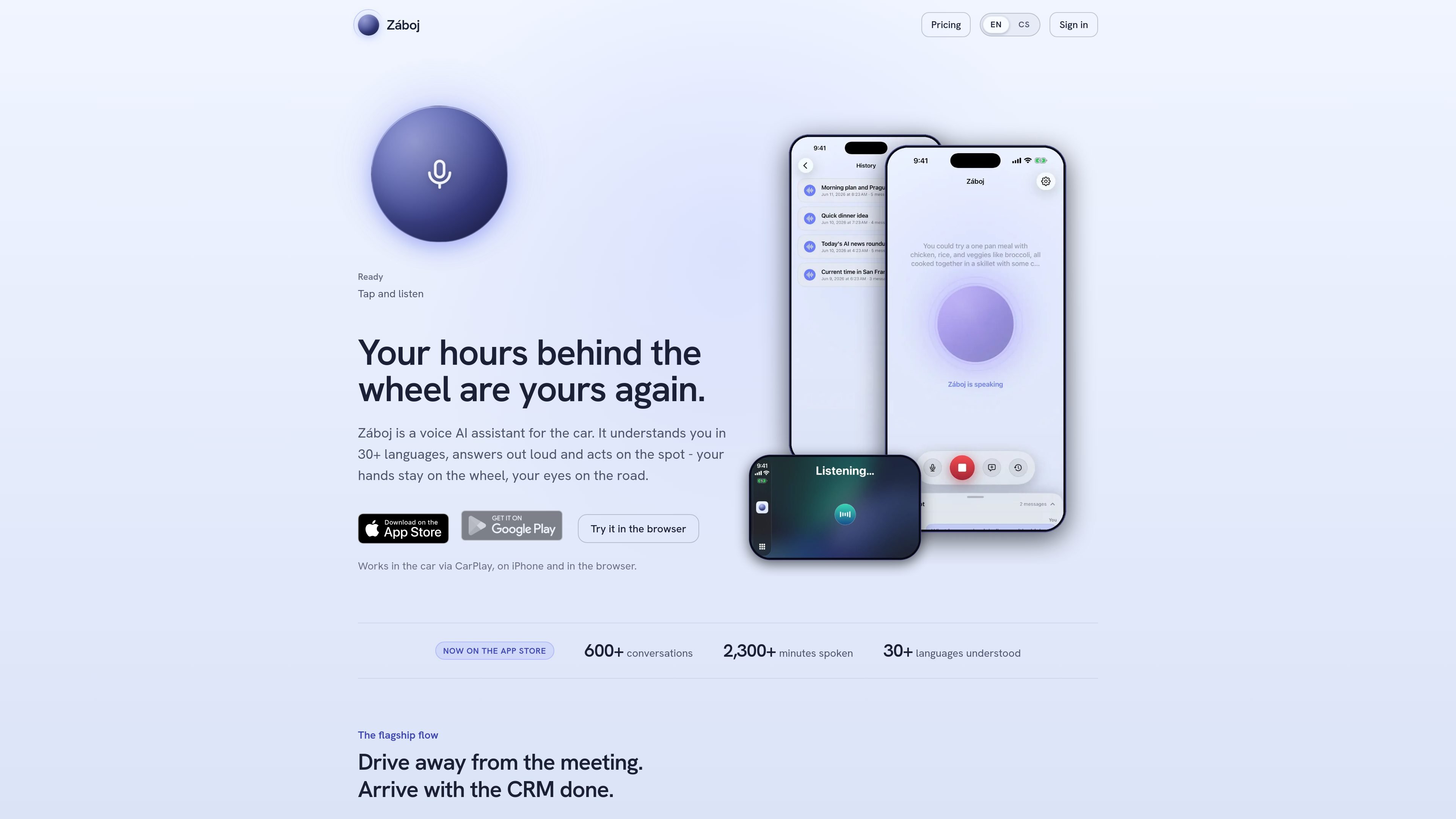
Záboj is a voice AI assistant designed for use in the car. It listens, answers out loud, and can carry out actions through connected tools, so spoken requests can become calendar entries, emails, CRM notes, or other updates while you keep driving.
The product is positioned around a specific in-car workflow: finishing a conversation on the road and leaving with follow-up work already handled. The homepage highlights debriefing a meeting into Pipedrive or Attio, plus broader support for tools connected through MCP, web search, conversation history, and CarPlay, iPhone, and browser access.
Záboj understands more than 30 languages and speaks back aloud, so you can talk naturally while driving instead of typing or tapping.
The assistant is available in CarPlay, on iPhone, and in the browser, with Android described as coming soon.
Záboj can search the web on its own for current facts like news, prices, or opening hours, then fold the result back into the conversation.
The product connects to tools via MCP and can act through supported systems such as Gmail, Google Calendar, Google Drive, Outlook, Outlook Calendar, Slack, Pipedrive, Attio, and a user’s own MCP server.
Conversations are saved and titled by topic, which makes it possible to return to a thread later on the web.
The assistant supports voice commands such as “new topic” and “that’s all” for starting or ending a conversation without menus.
Capture a meeting recap right after leaving the client, then log the activity to the matching deal and draft a follow-up while the conversation is still fresh.
Ask Záboj to put a meeting on the calendar, send an email, or add a note in another connected system without stopping to type.
Check current information such as opening hours, prices, or news and have the assistant search the web and answer aloud in the car.
Start a new topic, switch subjects, or end the session with voice commands while keeping the interaction hands-free and low-friction.
Reconnect to the same conversation later on the web, where saved and titled threads let you continue an earlier task from home or the office.
You sign in with Apple, Google, or Microsoft, then connect your tools and start speaking. The homepage says there is no setup wizard or API keys required for the basic sign-in flow.
Záboj works in the car through CarPlay, on iPhone, and in the browser. The site also says Android is coming soon.
The site says Záboj connects to tools via MCP and can work with Gmail, Google Calendar, Google Drive, Outlook, Outlook Calendar, Slack, Pipedrive, Attio, and a user’s own MCP server.
The homepage says that conversations can be saved and named by topic, and that you can reopen them on the web at home to continue where you left off.
Záboj’s debrief flow is described as logging a meeting to the right deal in Pipedrive or Attio and drafting a follow-up, but the site does not describe broader CRM automation beyond those supported tools.

Liam is an AI copilot for inbox management, email replies, prioritizing messages, and scheduling meetings. Free for individuals; custom pricing for teams and enterprise.

Gemma AI is a phone call reminder app that calls you with scheduled reminders instead of push notifications, with Google Calendar sync and natural voice interaction.

Spotit is a macOS app that reads your screen and highlights exactly where to click, using voice questions and on-screen guidance.

Flunkey is a voice-first productivity layer for Windows that turns speech into text, AI outputs, and remembered context without leaving your app.

MeetStream is a meeting bot API for Zoom, Google Meet, Microsoft Teams, and Webex. Record, stream, and analyze meetings with usage-based pricing and $5 free credit.

Malyatko is a baby tracker for feeding, sleep, growth, teething, and milestones. Use it on iPhone, Apple Watch, and widgets offline, with iCloud sharing.